

 GoogleCloudPlatform
Updating Dataflow pipeline options UI takes too long, freezing UI for a brief moment
It is pipelineOptionsForm.updateForm() in PipelineArgumentsTab.updatePipelineOptionsForm() that takes a lot of time. The root cause is probably adding too many UI controls (labels, text fields, etc) dynamically. It's not clear if this can really be optimized though.

~~At least it's not freezing now, with the use of BusyIndicator.showWhile(). This shows an hourglass, for example.~~ (UPDATE: https://github.com/GoogleCloudPlatform/google-cloud-eclipse/issues/2287#issuecomment-590957498)
@elharo Do we really need to use a form toolkit here ?. It will show with a white background which is different from other launch tabs. I think, to improve performance we need to clean up some code like calling layout method multiple times, dispose of form, etc..

I don't know. I haven't dug into this code in much depth. @tgroh might know more.

I believe we should change options to a similar style (below image). Instead of form toolkit. Because disposing and recreating form toolkit is expensive.
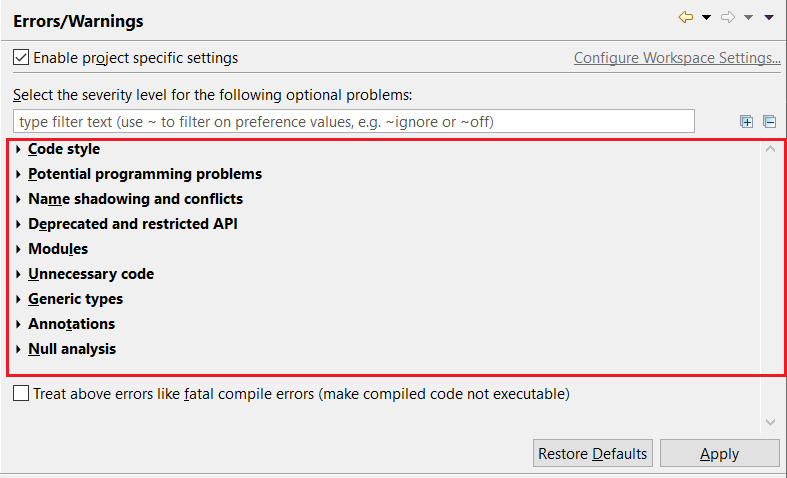
Sounds good. We don't have much expertise in UI, and I have also wondered what a form toolkit is and why sometimes it is used. The toolkit was there from the beginning when we imported the Dataflow codebase into this repo.
Generally, Form toolkit uses for forms in views and editors. Not in wizards, Property or preference pages, etc.. https://www.eclipse.org/articles/Article-Forms/article.html
At least it's not freezing now, with the use of
BusyIndicator.showWhile(). This shows an hourglass, for example.
I don't see an hourglass. On Eclipse 2019-09.