

 GetStream
Full screen modal for image gallery grid in overlay
Motivation
As per our current implementation, image grid opens as a modal on top of image viewer. But it has no explicit backdrop, which creates a confusion between the header of image grid and underlying image viewer. Especially the close buttons for image viewer vs close button for image grid modal. We should improve the experience for user around this feature.
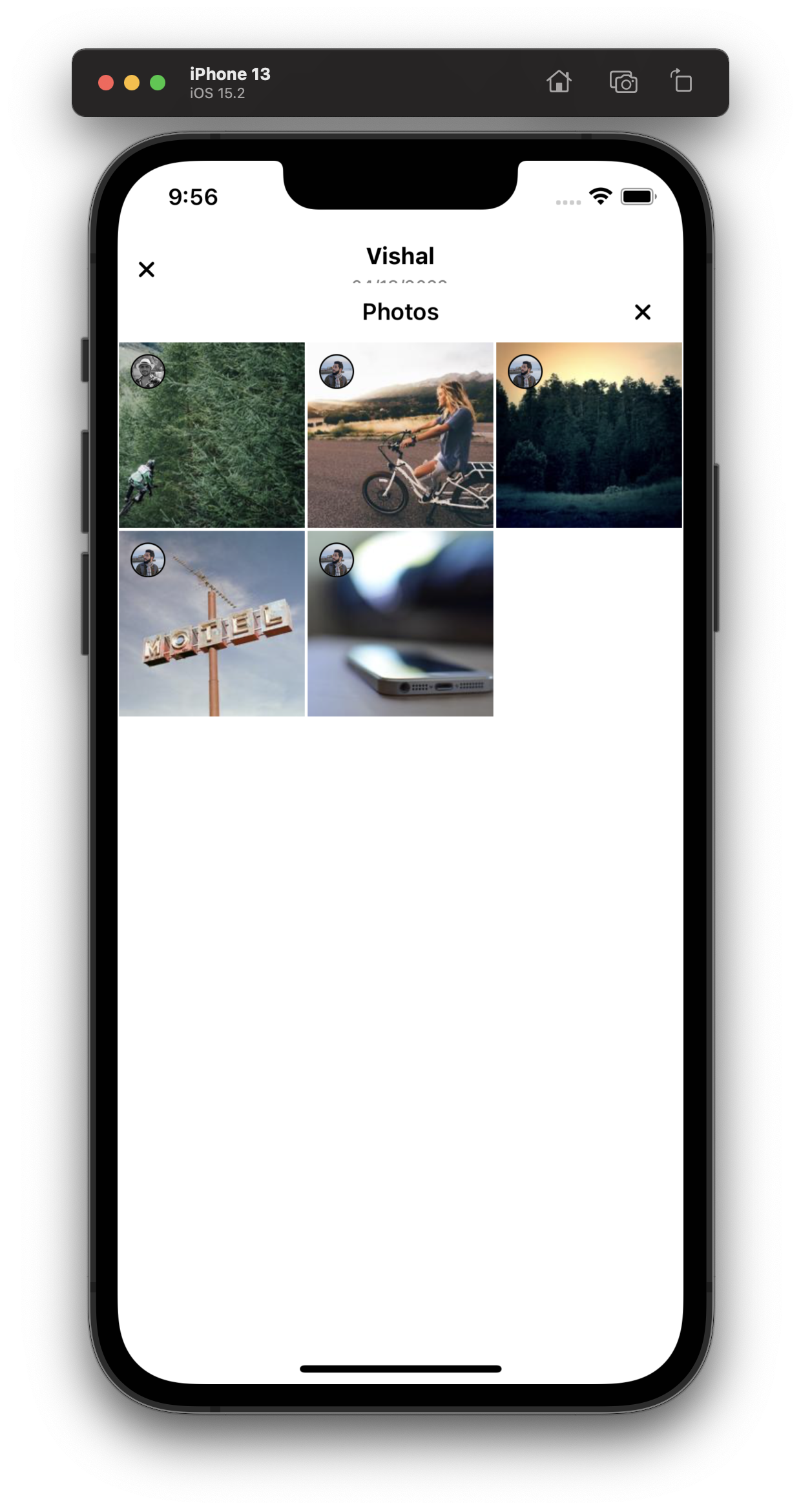
Proposed solution
Update the snap points for image grid modal so that it covers the entire screen.
https://github.com/GetStream/stream-chat-react-native/blob/develop/package/src/components/ImageGallery/ImageGallery.tsx#L178
NOTE: Following code is just an idea, please don't copy-paste it for the fix
const { top } = useSafeAreaInsets();
const snapPoints = React.useMemo(() => ([Dimensions.get('window').height - top]), [])


Hey team! Please add your planning poker estimate with ZenHub @Enigma-I-am @khushal87 @madsroskar @santhoshvai @vishalnarkhede
