

 GenericMappingTools
grdvector and PDF format: gigantic files
Description of the problem
I have a fairly complex script (modern style) that plot a single map (using Lambert projection) on which displacements vector are plotted using grdvector.
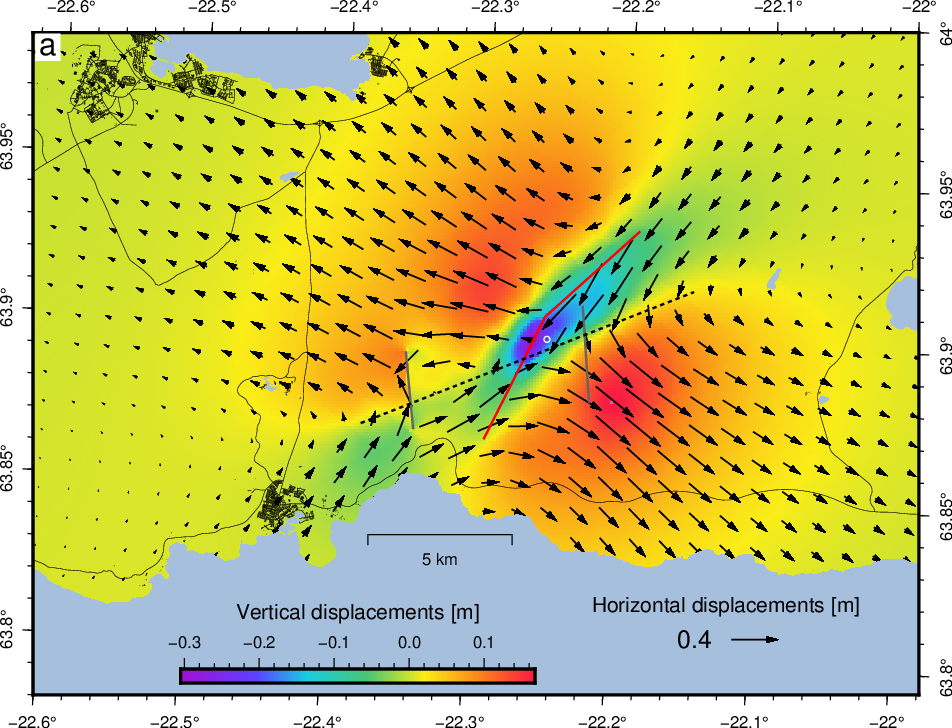 When outputting to PS or EPS, the file is about 1.7 MB.
When outputting to PDF, the file is over > 700 MB.
When outputting to PS or EPS, the file is about 1.7 MB.
When outputting to PDF, the file is over > 700 MB.
- The same issue arise when trying to convert the PS/EPS files to PDF using other software.
- The PS/EPS can be visualized without any issue with Evince (document viewer on Ubuntu).
- No issues when outputting to PNG in GMT.
- No issues when outputting to PDF when removing the
gmt grdvectorcommand line from the GMT script.
Actual outcome
A PDF file 400 times bigger than the PS/EPS formats.
Expected outcome
A PDF file with a size similar to the PS/EPS formats.
System information
- Operating system: Debian/Centos
- GMT version (
gmt --version): 6.2.0

👋 Thanks for opening your first issue here! Please make sure you filled out the template with as much detail as possible. We appreciate that you took the time to contribute!
Please make sure you read our Contributing Guide and abide by our Code of Conduct.
![welcome[bot] avatar](https://avatars.githubusercontent.com/in/4141?v=4 "Published by a pub.dev verified publisher")
That is interesting. As far as we know, this is not a GMT thing but a ghostscript effect. However, I would like to learn more and if it seems to be a ghostscript issue I can talk to those developers. Could you please attach the PS version of the plot that has the problem when exported to PDF? Probably need to zip it then attach.
PS. Nice figure!

Thanks. As you said, opens quickly in gv and gs as PS here on macOS. However, psconvert returns an error if I try to make a PDF (GMT 6.4) and I am getting the same with GMT 6.2 - but you say it actually worked for you. ps2pdf (which uses gs) completed and gave a 1 Gb PDF file that (once it opens...) looks correct. Adobe Distiller is still at the 0% ready mark, showing little sign of progress but only been 20 minutes.
The old gsview6, but also the last one, that uses a gsdll from 2015, took some 10-15 minutes just to display the PS. So it's not only the conversion.

I think I am narrowing on the issue.
The gmt grdvector is within a gmt psclip block.
If I move it outside this clipping block, the PDF file is generated without any issue (apart from arrows in water):
ENU.pdf
I can create a NaN water mask for the input grid to solve this issue temporarily for my plot.
But it would be good to figure the interaction between psclip and grdvector.
The gs developers wants me to open an issue on their system. I wonder if @vjpbd could help by making a version that is as simple as possible but still exhibiting the craziness. Looking at the PS file there are 18 overlays in total (or so). Since you have the script and data, could you please comment out as many of the commands as possible while still retraining the problem. That will make it easier to debug for them. For instance, does it still fail if you just do the image, clip on, grdvector, and clip off, and skip all the lakes, roads etc that follow.
BTW, Distiller finished as well (45 minutes) and gave a 700 Mb PDF so this may not be ghostscript. Clipping related somehow.
Yes, it is clearly related to a very complex clip path. The path is over 170k points and I am sure that is taxing the processing. But why it would bloat the PDF is still unclear. Another solution to the grid mask is to use a much simpler clipping polygon.
@PaulWessel Here is the simplest version I could made of the issue but it could maybe be simplified further: pdfissue.tar.gz You should be able to run it on your (linux) machine for testing.
In the attached script, the eps/png format works without issue but the pdf start writing and writing (in the full version of the script is stops at about 700 MB).
Feedback from gs developers. They had a look at the initial PS file. We all agree it is not a bug. However, their comment gives useful information back to us that will require some digesting. For now it is best not to use 170k point clip path given this explanation and how we structure the PostScript. In your case you could probably use pscoast -Gc for the clipping and just use your coastline for drawing. Remember, before GMT 6 we only did PostScript so we were completely unaware of what PDF does for similar situations. Anyway, there may be a way for us to improve how the clipping is done in the future. Here is the feedback:
Because the PostScript clip and the PDF W operator ((the clip equivalent in PDF, W* for eoclip) don't work the same way. See Section 4.4.3 "Clipping Path Operators" on page 234 of the PDF 1.7 Reference Manual.
"Although the clipping path operator appears before the painting operator, it does not alter the clipping path at the point where it appears. Rather, it modifies the effect of the succeeding painting operator. After the path has been painted, the clipping path in the graphics state is set to the intersection of the current clipping path and the newly constructed path "
Since the path painting operations are performed inside a gsave/grestore, the clip is also set inside the gsave/grestore, unlike the PostScript model. So when we grestore back we throw the clip away.
The upshot is that the entire complex clip path has to be written for every single path painting operation, for as long as that clip is active. Since the clip is not cliprestore'd at any point (at least, not as far as I can quickly see) it is still active from the point it is defined to the end of the file.
The clip path description is some 800MB (uncompressed), partly because there is no rlineto equivalent in PDF making all the lineto operands larger, so the file rapidly becomes huge.
Acrobat Distiller operates under the same constraints (obviously) because it is also writing a PDF file, which is why it behaves the same.