

 GPUOpen-LibrariesAndSDKs
Houdini Crashes when using Principled Shader
There is no apparent log of any kind that I can provide - But while RPR seems to work fine in Solaris when using RPR shaders, the moment I attempt to use a Principled Shader (which according to the docs, is supported) Houdini freezes for a little bit and then shuts down.
This behaviour is consistent with multiple builds of 18.5. I used the provided one from the releases tab, but also build myself (including python2.7 and python3 builds) and it consistently repeats the same behaviour.
Specs: Windows 10 Houdini 18.5 (multiple builds tested) RTX 3080 (Also tested different drivers)

I've tested it with H18.5.499-py3 Win10, RTX 2060 - works as expected.
Is it possible to share the project file?
You can also help by generating a trace of your crash. You can do it by setting the RPRUSD_ENABLE_TRACING environment variable to true and reproducing the crash in Houdini. You will see rprTrace files in the current working directory.
And also, so as you did a build by yourself, you can also help by building a plugin in RelWithDebInfo configuration and checking where exactly does it crash.

Sure, can do. I may not have time today but hopefully in the next couple days. Thanks!
On Wed, Mar 24, 2021 at 11:27 AM George Shakula @.***> wrote:
I've tested it with H18.5.499-py3 Win10, RTX 2060 - works as expected.
Is it possible to share the project file?
You can also help by generating a trace of your crash. You can do it by setting the RPRUSD_ENABLE_TRACING environment variable to true and reproducing the crash in Houdini. You will see rprTrace files in the current working directory.
And also, so as you did a build by yourself, you can also help by building a plugin in RelWithDebInfo configuration and checking where exactly does it crash.
— You are receiving this because you authored the thread. Reply to this email directly, view it on GitHub https://github.com/GPUOpen-LibrariesAndSDKs/RadeonProRenderUSD/issues/446#issuecomment-805374536, or unsubscribe https://github.com/notifications/unsubscribe-auth/APK5TIEVJICWIRPHFV34MODTFEWXVANCNFSM4ZRJNA4A .
I was unable to retrieve any valuable information unfortunately.
So, this is what I did: First of all, for some reason, I can't use the pre-built releases. As soon as I select RPR renderer it disappears.
But I do get it loaded when building myself. For the purpose of replication, the following was done in Houdini 18.5.499 - Python 3 using the latest commit.
As requested, I built it using RelWithDebInfo but I was unable to figure out how to retrieve any information about the location of the crash unfortunately. Not sure if I have to run Houdini in some special way.
I built doing the following:
mkdir build
cd build
cmake -DCMAKE_INSTALL_PREFIX=package ..
cmake --build . --config RelWithDebInfo --target install
This is the line showing the configuration being applied:

I specified all the relevant environment variables:

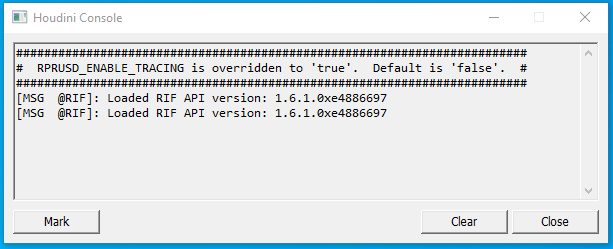
I even pointed the logs to go to a custom folder but no luck.
This is the hip file: test.zip
As you can see, it's an empty scene. But in the Solaris view, there's a sphere, a light a material library and a material assign. All I do to get it to crash is change the material in the Assign to the Principled Shader one and crashes with no warning or apparent log. Simply shuts down.
Please let me know if there is anything extra I need to do to get more information your way. Thanks!
I think I figured out how to use the RelWithDebInfo configuration to return meaningful information. As soon as I do the above mentioned steps, this exception gets thrown:
Unhandled exception thrown: read access violation.
**dst** was 0x50.
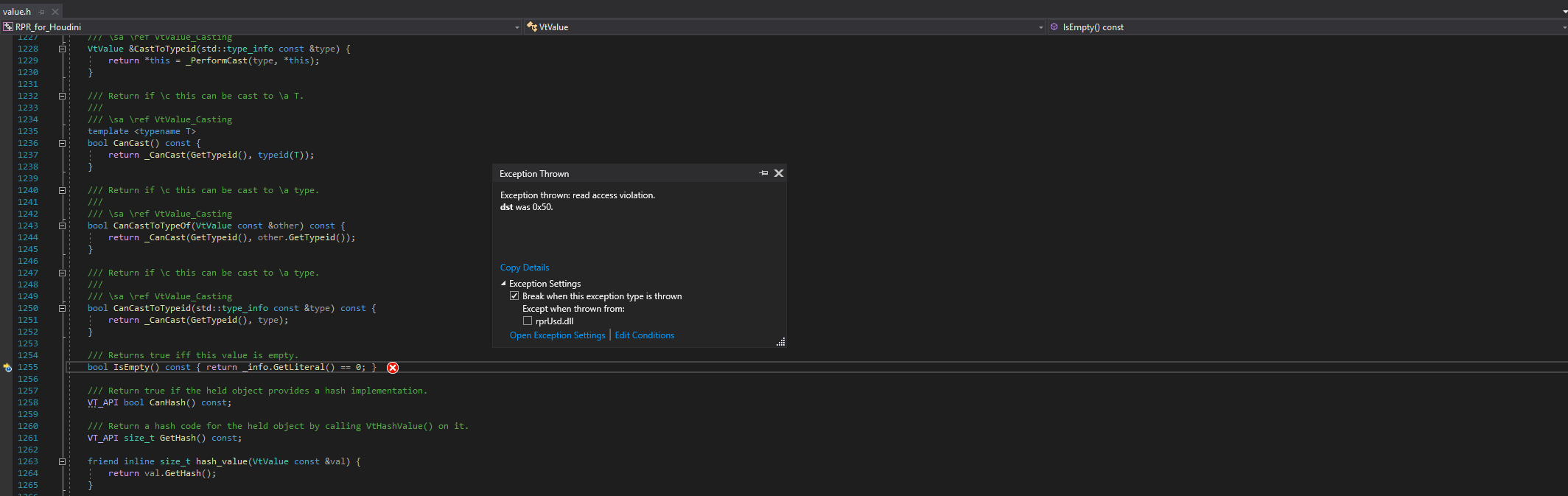
And I seem unable to move past it at this point before letting it crash
That's very interesting. Considering the place of crash, it's clearly issue on the plugin side. But I can not reproduce it on my side. So the only hope to figure out the cause of this crash is to use debugger on your side.
I think I figured out how to use the RelWithDebInfo configuration to return meaningful information. As soon as I do the above mentioned steps, this exception gets thrown:
Unhandled exception thrown: read access violation.
**dst** was 0x50.
And I seem unable to move past it at this point before letting it crash
This was really close to what we need. Could you please do the same again but also check the current call stack?
Something like this:

If there is no such thing on your window, open it via Windows-Call Stack.
It would be nice if you could contact me on discord when you start debugging, so we can rapidly check anything else we need. You can find me on RPR's server or directly hshakula#1497
