

 FreeTubeApp
Implement chapters
Implement chapters
Pull Request Type
- [x] Feature Implementation
Related issue
closes #579
Description
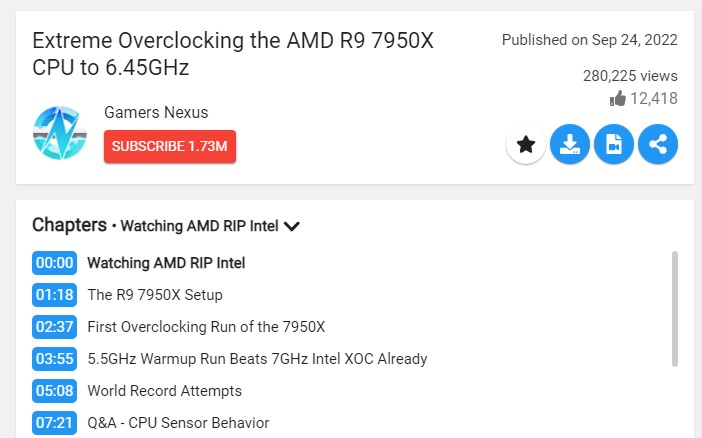
This pull request implements chapters. As the Invidious API doesn't provide chapters (https://github.com/iv-org/invidious/issues/2395), the chapters are parsed from the description when the Invidious API is selected as the backend, as we don't have thumbnails the chapters will instead be shown in a compact view. This pull request also adds a distraction free setting to hide the chapters.
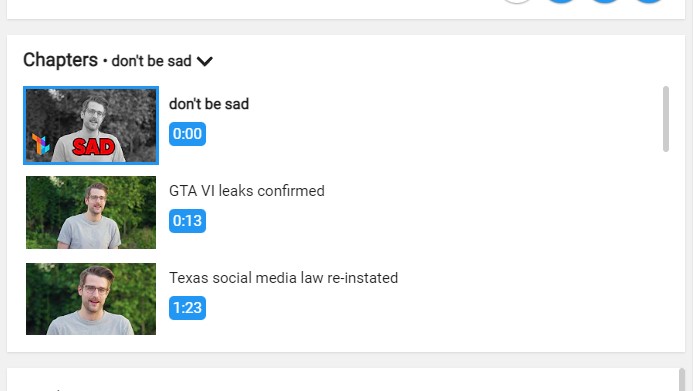
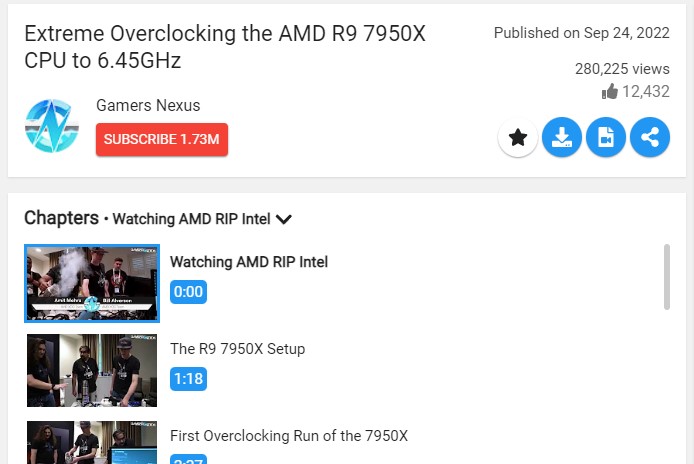
The chapters list can be collapsed and expanded by clicking on the header. The current chapter is shown in the header and is marked with a blue border around the thumbnail and a bold title in the list of chapters. You can also click on a chapter to seek to that timestamp.
Markers are shown on the video progress bar for the chapters.
There might still be cases where it won't parse the thumbnails for the Invidious API properly, despite me trying my best to cover every special case that I've come across, since I created the original implementation. It should just be a simple case of updating the regex to support whatever new special chapters format we've come across.
Screenshots (if appropriate)
Screenshots
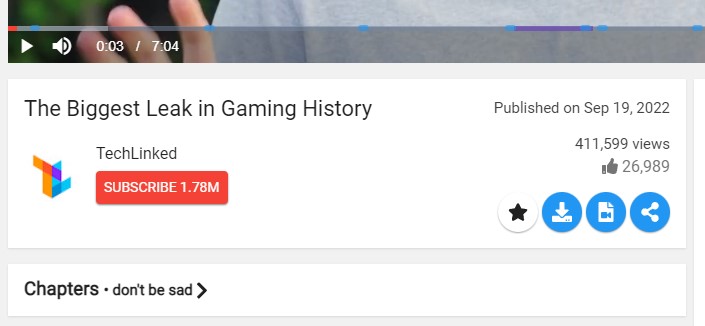
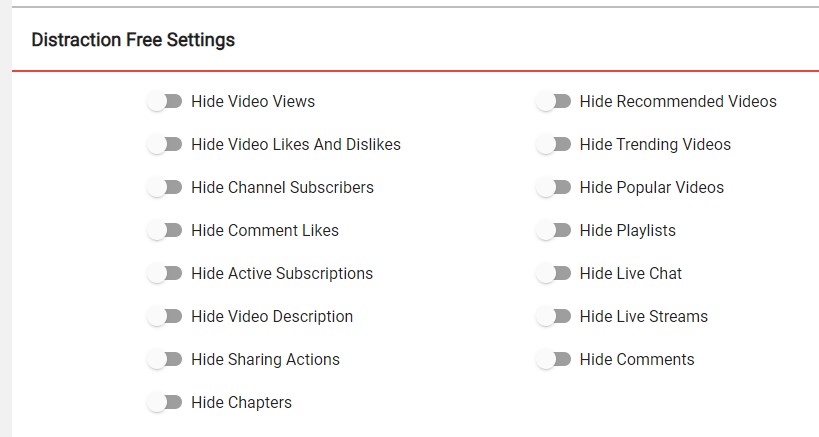
Local API
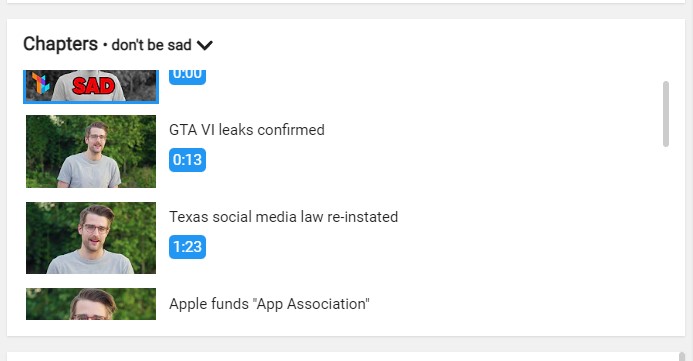
Invidious API
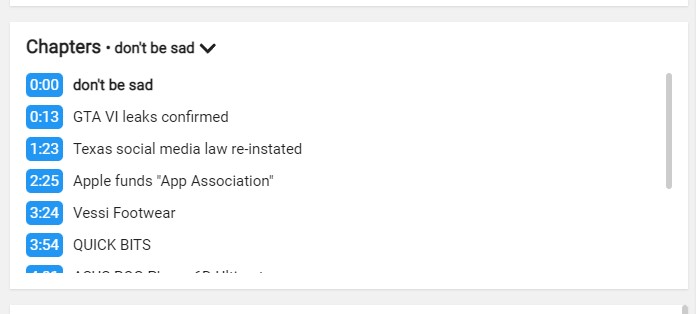
Testing (for code that is not small enough to be easily understandable) I tested various videos with and without chapters, on both the local API and the Invidious API.
no chapters: https://youtu.be/0bvZ70wgZVM
chapters with space separator: https://youtu.be/G3EuYRbGtmA
chapters with - separator: https://youtu.be/0Ueel1wXnZk
Desktop (please complete the following information):
- OS: Windows
- OS Version: 10
- FreeTube version: 0.17.1

IIRC all videos with chapters uses information that's in the video description for determining where chapters go, so this feature should be possible to be supported with the Invidious API. There's already logic to parse the description for timestamps as well. This logic could be altered and sent back to act as chapters data.
I'd also like to see some sort of markers on the video player itself to indicate chapters. There's a few modules sitting out there that do this, but some of them might be out of date. If we need to publish a forked module in order for this to work then I'd be open to doing so.

Added support for the Invidious API. As the description doesn't contain thumbnails the chapters list currently doesn't show any thumbnails for the chapters when the Invidious API is selected. I've updated the pull request description and added up to date screenshots.
As for showing markers spchuang/videojs-markers is the best i've found but it's severely outdated so we would need to fork it and update it.
We do have a way of adding markers (we do this for sponsorblock) but I think forking that module and allowing different types of markers so we can use it for chapters and sponsor segment markers (and make them look different) could be a good idea

There are some cases where YouTube autogenerates chapters, but most of them are pulled from the description

Conflicts have been resolved. A maintainer will review the pull request shortly.
![github-actions[bot] avatar](https://avatars.githubusercontent.com/in/15368?v=4 "Published by a pub.dev verified publisher")
This pull request has conflicts, please resolve those before we can evaluate the pull request.
Conflicts have been resolved. A maintainer will review the pull request shortly.
This PR is finally ready for review, I've updated the description and the screenshots with the new changes. Major changes since you last took a look at this PR:
- Markers in the progress bar
- New compact chapters list while the Invidious API is active
- Better at extracting chapters from the description when the Invidious API is active

Chapters not parsed for this video: https://youtu.be/ccg6aU7Hmjw
@PikachuEXE Can't seem to replicate it on my end, they show up for me on both API backends.
Local:
Invidious
This has never worked for me, is there a video showcasing it?
I'm using a remote to control freetube, so maybe it's an accessibility issue? @absidue @prestonn

@BarbzYHOOL Could you please explain in more detail what you mean by never worked? Do you mean that chapters aren't showing up under videos or is there some remote specific functionality that you were expecting?
I'm not sure what you would see in a screen recording that you can't already see in the screenshots.
@absidue Ho i didn't see the hidden screenshots
Ok so I never really looked below and clicked the chapters thing. Since I'm using the official youtube app for my android tv as well, I expected to see it works the same, with chapters showing ON SCREEN and not in the description, and being able to navigate them on the screen (it's very annoying to do otherwise with a remote and especially when in full screen).
So the only thing I had noticed was the small colored segments to indicate there is a chapter.
Always cool to hear how people are using software in ways it wasn't intended to be used. FreeTube is designed to be a desktop and mobile app, with a UI designed to be controlled with a mouse and keyboard or touch, so FreeTube not working the way TV apps work, is expected. It's like taking a racing track car onto a normal road and then complaining to the manufacturer that it can't get over speed bumps because the body is too low, it wasn't designed for that use case.
Do you have any photos of what the chapters look like in the Android TV YouTube app?
We can consider changing the chapters implementation to be more TV friendly, as long as it doesn't make the desktop or mobile experience worse, as those are our primary focus and how most people use FreeTube (this is the first time we've heard of anyone using a remote to control FreeTube).
@absidue I don't think it's very practical either with a mouse to have to scroll down and hide the video to click on the chapters. I mean, it probably could be easier to use. I tried the current youtube desktop method, it appears on the right, which is easier to use. If you want to know what are the other awesome features of their official app (which has really improved in like 3 years) I can tell you some that I find nice.
For screenshots, it's hard to find. here is what I found: https://images.frandroid.com/wp-content/uploads/2021/12/chapitres-youtube-frandroid-1-1200x737.jpg https://tekdeeps.com/youtube-will-also-display-video-chapters-in-the-smart-tv-and-game-console-app/
I think it has been updated a little since then. So what it does is that you press the "up" arrow, it displays the timeline of the video with the chapters sections and current chapter like in the screenshots, then you press the right/left arrow and it pauses the video and lets you navigate the timeline, if you press the up arrow again you can navigate through the thumbnails of each chapter (i found it alone, so it means it's not even hard to use) and it jumps on the timeline as well, press OK and it jumps to it. You don't have to leave the video at all, it would work in full screen on a desktop. I use it all the time.
Btw, freetube is almost perfect with a remote, it doesn't require much more. Maybe more people than me are using it like that, I use it for 1 year already and never posted before! Here is the remote I use which is not the best (but hard to know that before you have tried one for the first time, lacking that scroll wheel button so much!!) https://ae01.alicdn.com/kf/HTB1CPguhhuTBuNkHFNRq6A9qpXaY/Rii-Mini-clavier-sans-fil-2-4GHz-i24-pour-Android-TV-Box-Mini-PC-ordinateur-portable.jpg_Q90.jpg_.webp