

 FormidableLabs
Code highlighting not working when returning to previous slide
Prerequisites
Feel free to delete this section if you have checked off all of the following.
- [x] I've searched open issues to make sure I'm not opening a duplicate issue
- [x] I have read through the docs before asking a question
- [x] I am using the latest version of Spectacle
Describe Your Environment
What version of Spectacle are you using? [email protected]
What version of React are you using? [email protected]
What browser are you using? Firefox/Chrome
What machine are you on? OSX
Describe the Problem
When I back to the previous slide the code block does not scroll to the right line but stay at top of the frame. On my example It works once but after second back, the problem appears. On my project it happens at first back. It seems happens with long code when highlighting a bottom line.
https://codesandbox.io/s/spectacle-code-scroll-problem-m9yi5
Expected behavior: [What you expect to happen] Code block scrolls at the right code line
Actual behavior: [What actually happens] Code block scrolls to the top

I use the Stepper component as a workaround.
<Stepper values={[[56, 65], [58, 58], [64, 64]]} defaultValue={[]}>
      <CodePane
        language="js"
        autoFillHeight
        highlightStart={value[0]}
        highlightEnd={value[1]}
      >
          {longCode}
      </CodePane>
</Stepper>
Besides, the defaultValues prop is mandatory to prevent an error value is undefined
Can verify this bug, but it does appear to function as expected if you navigate backwards slowly.
If I wait 2 seconds before hitting navigating to the previous slide, it jumps to the correct line, even without use of Stepper. 🤔 Still, not ideal behavior - going to look into this further.

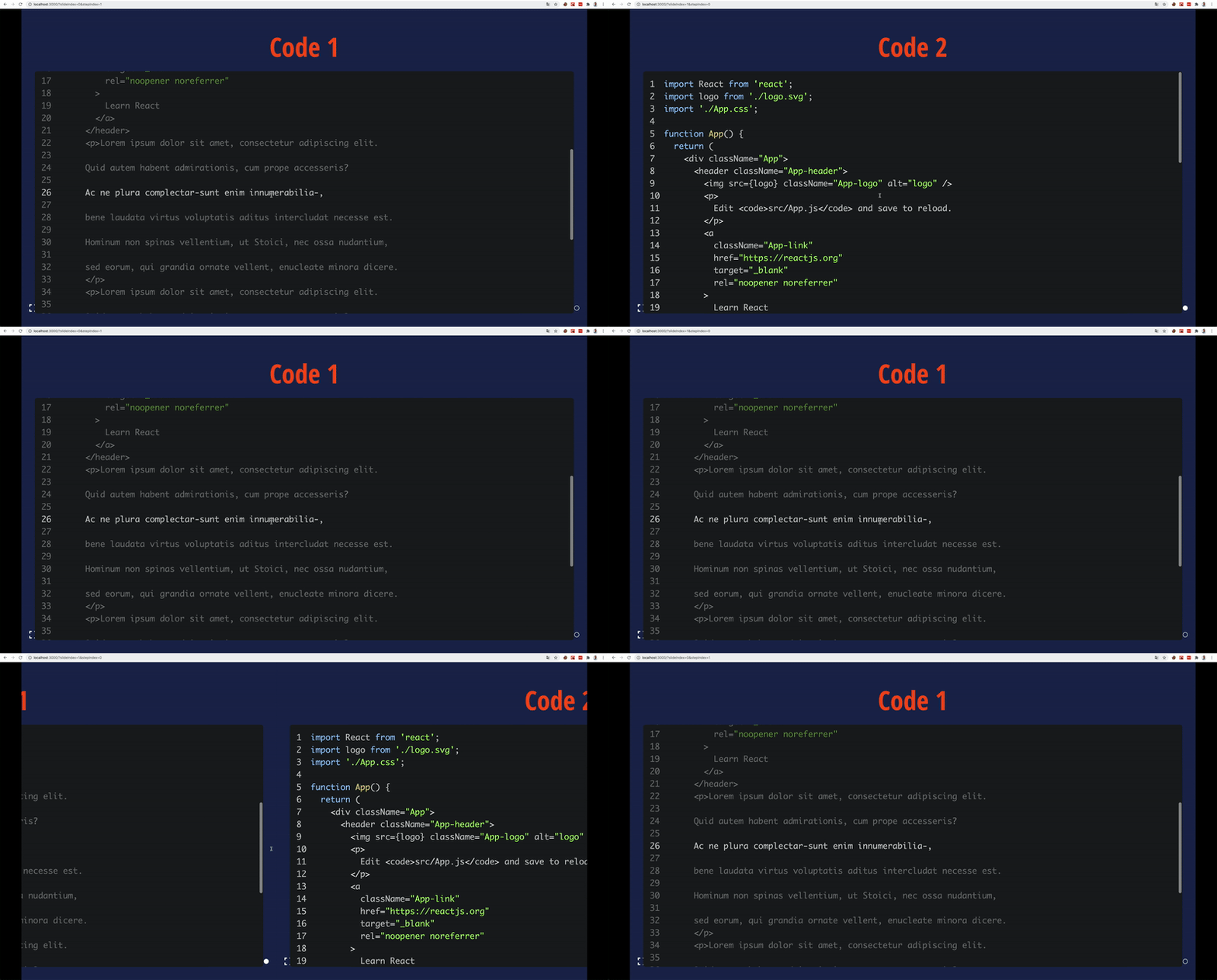

Confirmed as fixed. Demo here: https://codesandbox.io/s/spectacle-code-scroll-problem-forked-ldms7y?file=/src/index.js
