
uno
 uno copied to clipboard
 Flutterando
Future based HTTP client for the Dart and Flutter
UNO - Future based HTTP client for Dart and Flutter.

Uno, inspired by Axios, brings a simple and robust experience to crossplatform apps in Flutter and server apps in Dart.
Explore the docs »
Report Bug
·
Request Feature






Table of Contents
- About The Project
- Sponsors
- How To Use
- Features
- Contributing
- License
- Contact
- Acknowledgements
About The Project
Uno is a multiplatform HTTP client, based on Axios and built following the Clean Dart approach by the Flutterando Community. It is a simple and hassle free solution while still bringing everything you need and a bit more in a HTTP client.
(back to top)
Sponsors

(back to top)
Getting Started
To install Uno in your project you can follow the instructions below:
a) Add in your pubspec.yaml:
dependencies:
uno: <last-version>
b) or use:
dart pub add uno
(back to top)
How To Use
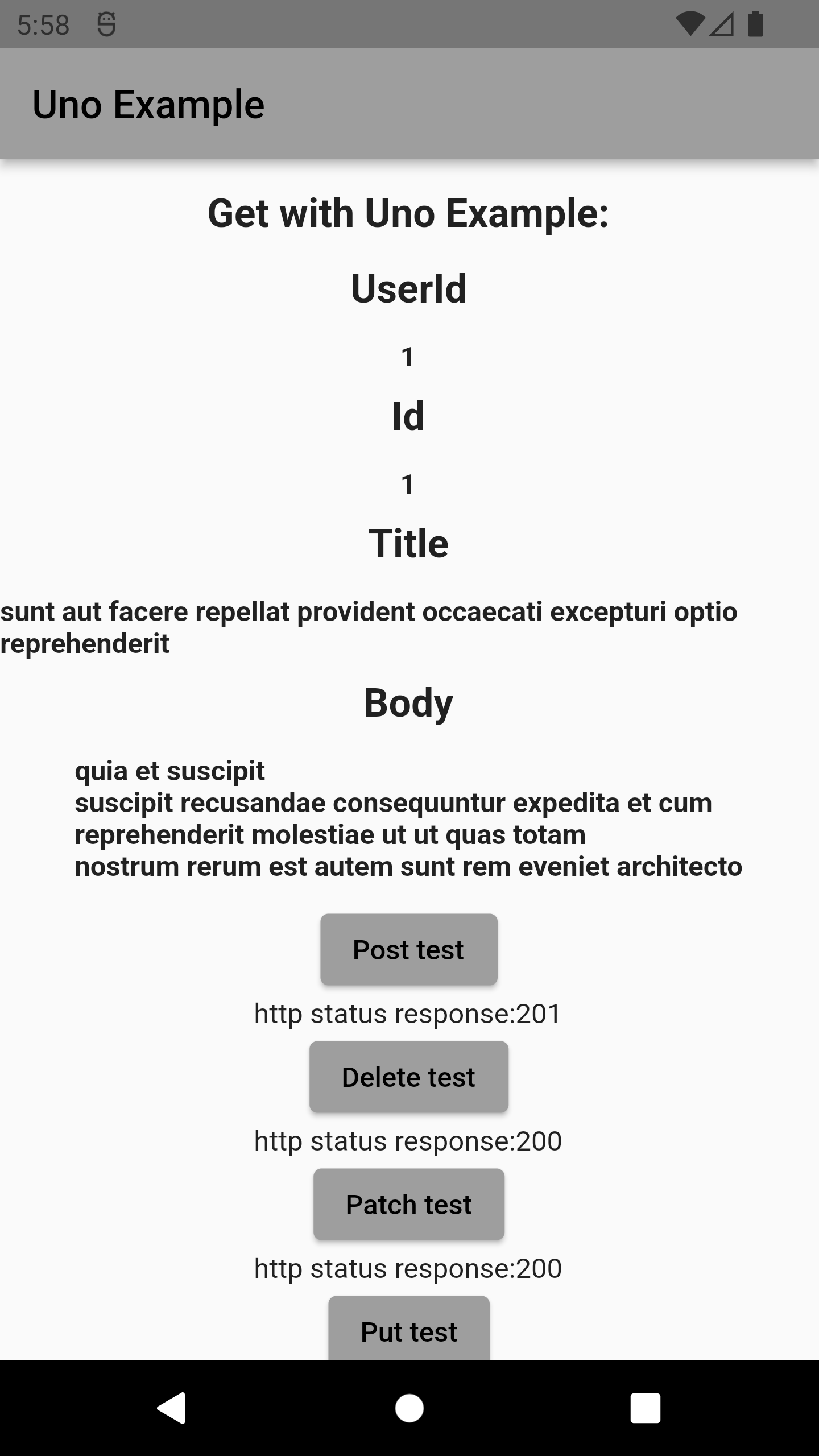
Uno is ready for REST APIs. Methods like GET, POST, PUT, PATCH, DELETE are welcome here!
final uno = Uno();

// Make a request for a user with a given ID
uno.get('/users?id=1').then((response){
  print(response.data); // it's a Map<String, dynamic>.
}).catchError((error){
  print(error) // It's a UnoError.
});
For more examples, please refer to the Documentation
(back to top)
Features
- ✅ GET
- ✅ POST
- ✅ PATCH
- ✅ PUT
- ✅ DELETE
- ✅ Interceptors
- ✅ Error Handler
- ✅ Multipart/FormData
Right now this package has concluded all his intended features. If you have any suggestions or find something to report, see below how to contribute to it.
(back to top)
Use cases
Send post json
final json = {
  'name': 'Joshua',
  'lastName': 'Baxter'
};

await uno.post('/user', data: json);
Send post form urlencoded
final data = {
  'name': 'Joshua',
  'lastName': 'Baxter'
};

await uno.post('/user', headers: {
     HttpHeaders.contentTypeHeader: "application/x-www-form-urlencoded",
    },
    data: data,
);
Send Multipart form
final formData = FormData();
formData.add('name', 'Maira');
formData.add('lastName', 'Moura');

await uno.post('/user', data: formData);
Upload file with multipart
final formData = FormData();
formData.addFile('file', 'image/profile.png');

await uno.post('/upload', data: formData);
Download file
  final response = await uno.get(
    'file.csv',
    responseType: ResponseType.arraybuffer,
    onDownloadProgress: (total, current) {
      print((current * total) / 100);
    },
  );

  final bytes = response.data as List<int>;
  final file = File('localFile.csv');
  await file.writeAsBytes(bytes);
Contributing
🚧 Contributing Guidelines - Currently being updated 🚧
Contributions are what make the open source community such an amazing place to learn, inspire, and create. Any contributions you make are greatly appreciated.
If you have a suggestion that would make this better, please fork the repo and create a pull request. You can also simply open an issue with the appropriate tag. Don't forget to give the project a star! Thanks again!
- Fork the Project
- Create your Feature Branch (
git checkout -b feature/AmazingFeature) - Commit your Changes (
git commit -m 'Add some AmazingFeature') - Push to the Branch (
git push origin feature/AmazingFeature) - Open a Pull Request
Remember to include a tag, and to follow Conventional Commits and Semantic Versioning when uploading your commit and/or creating the issue.
(back to top)
License
Distributed under the MIT License. See LICENSE.txt for more information.
(back to top)
Contact
Flutterando Community
(back to top)
Aknowledgements
Thank you to all the people who contributed to this project, whithout you this project would not be here today.
(back to top)
Maintaned by

Built and maintained by Flutterando.
Metadata
Owner
 Flutterando
Metadata
Future based HTTP client for the Dart and Flutter