

 FlaUI
FlaUI
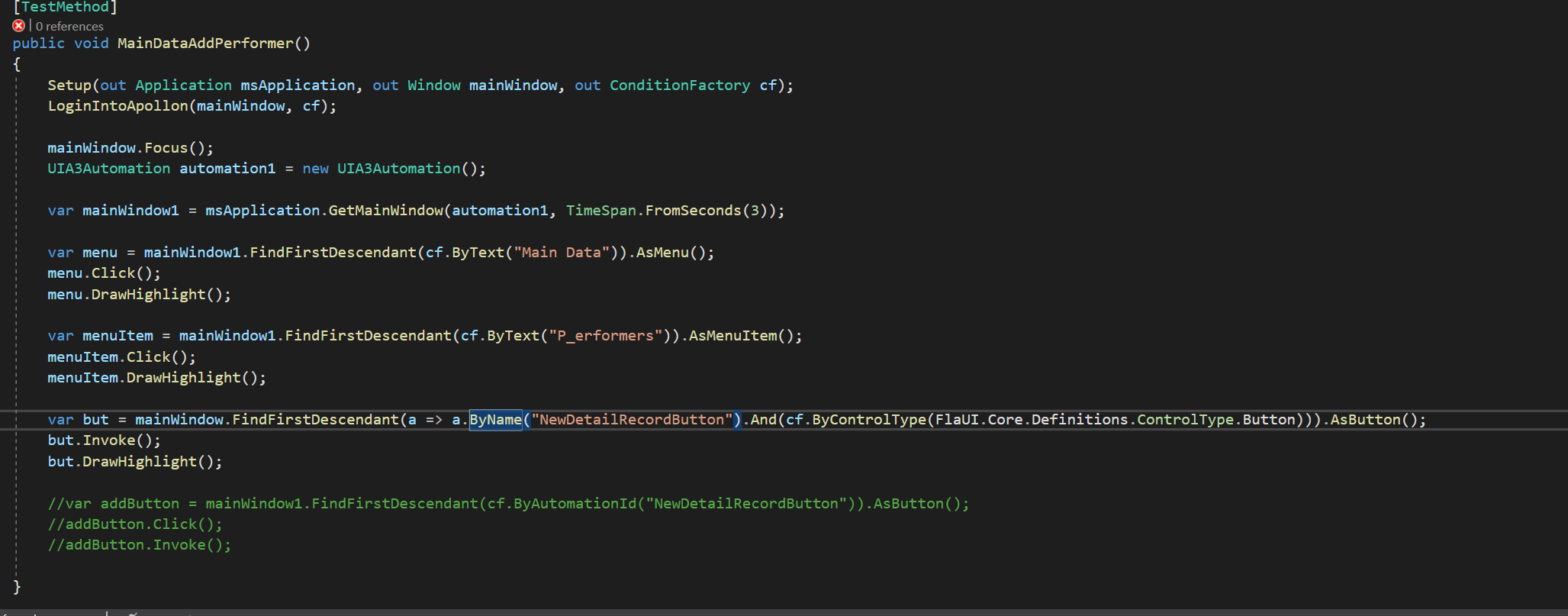
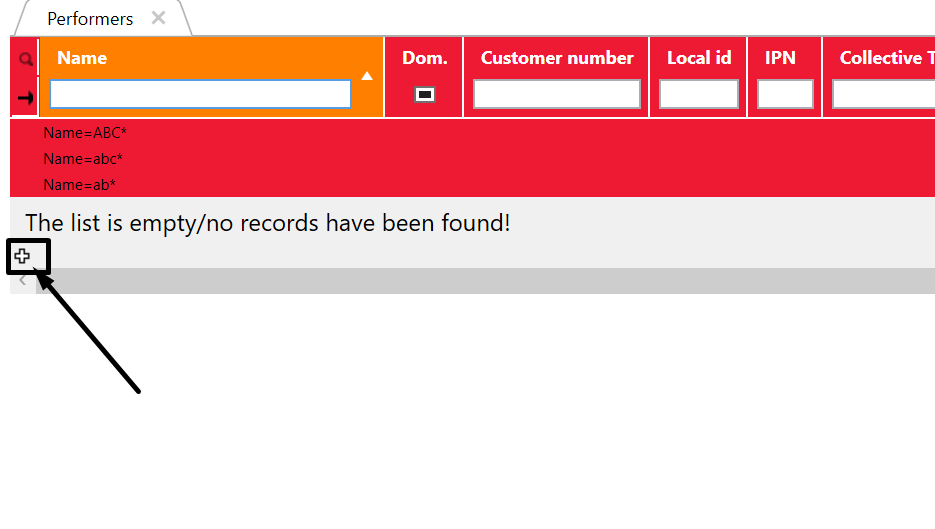
I cant find button. I have name and everything.
I have tried everything. I'm trying to click the button. But doesn't have any luck. Also, I could not find also with FLAui inspect or with the windows Inspect application.


@jolce95 You need to use FindFirstDescendant(cf => cf.ByAutomationId(id)). x:Name='id' in WPF will be translated to ID in FlaUI. I see that in my WPF application. Use next time the FlaUI Inspect tool to get the fields of your WPF element.

@kevinheyvaert Yea i have tried with FindFirstDescendant(cf => cf.ByAutomationId(id)) also, and using FLAui inspect notting seems to be solution.
@jolce95 , can you show me an output/screenshot of the FlaUI Inspect tool? just to see what is visible?
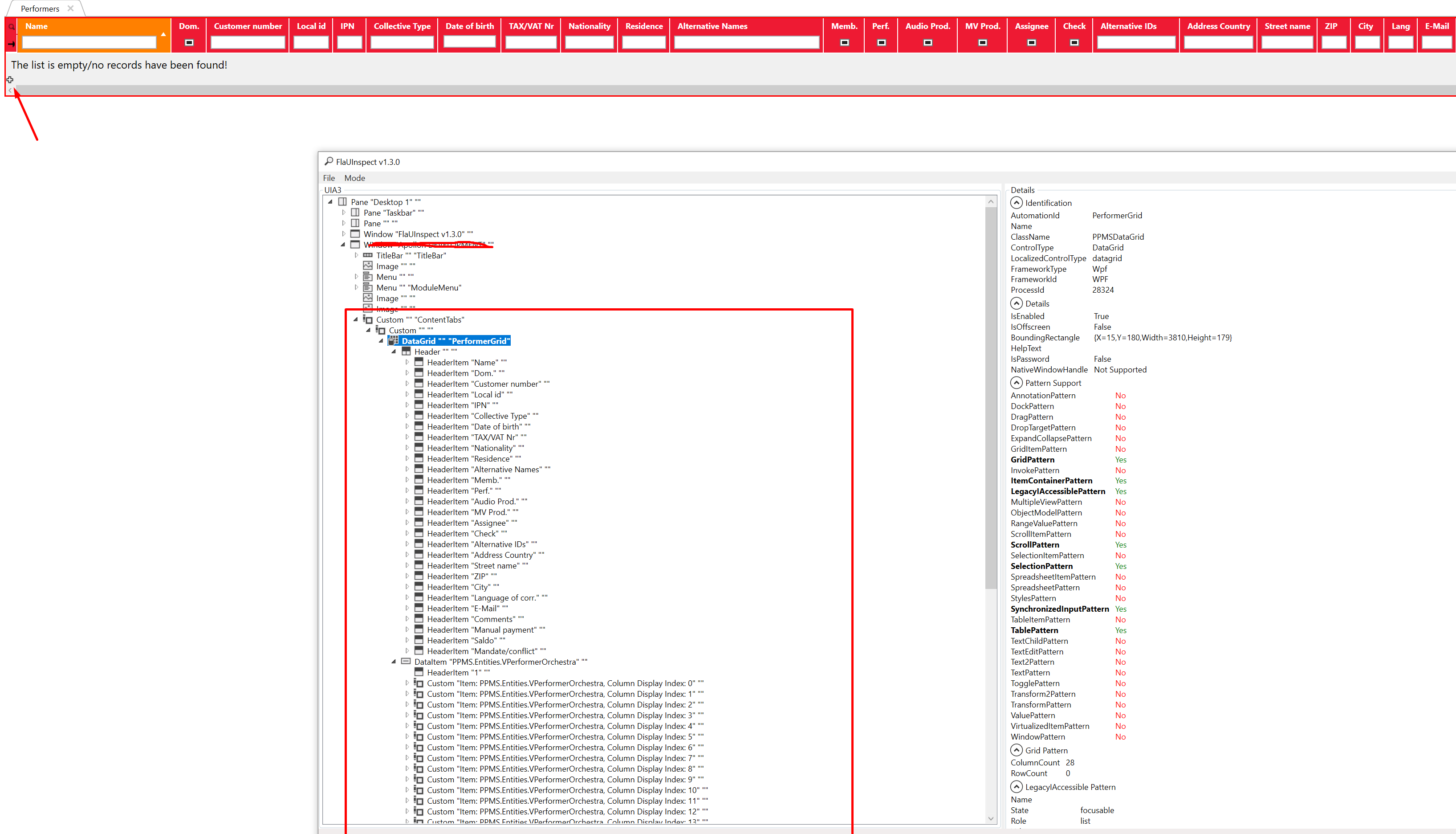
@jolce95 the inspector has the ability to track the item under your cursor. Did you try it? IIRC it's in the "Mode" menu.

Yea i have try also that. Its some custom button in our app. Probably need to change something in XAML to put some id or similar.
@jolce95 the inspector has the ability to track the item under your cursor. Did you try it? IIRC it's in the "Mode" menu.
@jolce95 in my app I assigned AutomationIds to every element I use in tests. It's the most reliable and easy thing to do, so I definitely recommend doing that.
I have this helper function:
    public static AutomationElement FindDescById(AutomationElement element, string automationId)
    {
        RetryResult<AutomationElement> result = Retry.WhileNull(
            () => element.FindFirstDescendant(cf => cf.ByAutomationId(automationId)),
            TimeSpan.FromMilliseconds(300));

        result.Success.Should().BeTrue($"we expect to find element with id '{automationId}', which is " +
                                       "not found or unavailable");
        return result.Result;
    }
Retry is needed in case when the element just appeared after the previous command, so we give it time to appear.
You can invoke it by feeding just the main window and the string ID you assigned. No manual delving is needed.