

 File-New-Project
Icons don't show up
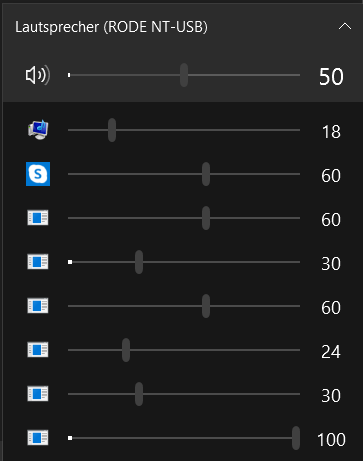
Since yesterday the icons don't show up anymore (see image). What can I do? I already restarted eartrumpet and my pc. Thanks

Getting the same problem as well; the icon for VLC Media Player never showed up on the EarTrumpet GUI.
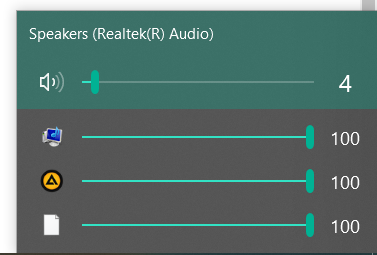

This happens on my system if Microangelo OnDisplay is installed: http://microangelo.us/free-download/change-vista-icons.asp It installs an icon handler shell extension (https://docs.microsoft.com/en-us/windows/win32/shell/how-to-create-icon-handlers) which causes icons in EarTrumpet to break. Can you guys find a workaround to show icons with it installed?

Update: It seems that Microangelo icon handler shell extension replaces the shell interface (IExtractIcon) that gets the icon from a file, but it only does it for the ANSI version IExtractIconA and not the Unicode version IExtractIconW. So the code needs to be updated to look for the ANSI interface if the Unicode is not found, and the icons will no longer be broken in EarTrumpet.
@Gaurav-Original-ClassicShellTester Can you create a new issue for your particular problem? Thanks!

Yes, sorry I wasn't sure if creating a separate issue for similar ones would be more annoying or less so I posted here. Created a separate issue now.
This happens on my system if Microangelo OnDisplay is installed: http://microangelo.us/free-download/change-vista-icons.asp It installs an icon handler shell extension (https://docs.microsoft.com/en-us/windows/win32/shell/how-to-create-icon-handlers) which causes icons in EarTrumpet to break. Can you guys find a workaround to show icons with it installed?
thanks!

Doing some issue cleanup, marking as duplicate of #384 (rounding up icon issues). Thanks!