

 File-New-Project
Volume randomly fluctuation back and forth between set volume and exactly 20% lower than what its set to.
Summary
Volume keeps fluctuating between the set value and exactly 20% less than the set volume back and forth. Everything except the set windows volume, system volume, and for some reason Discord is affected. I thought it was just visual for a while until today where I realized the volume is actually going up and down.
Steps to reproduce
It's automatic at all times going up and down.
EarTrumpet version
EarTrumpet 2.2.0.0
Windows version
10.0.19044.1766
Additional information
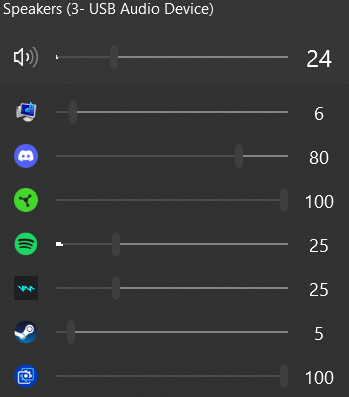
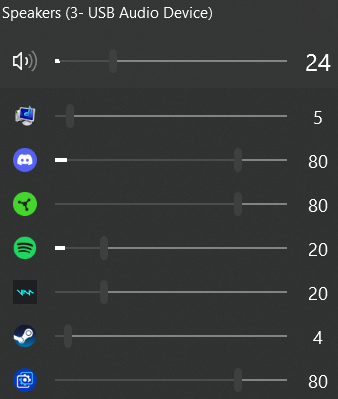

I just noticed that when right clicking discord, it has a sub category that IS affected even if it's initial volume isnt.

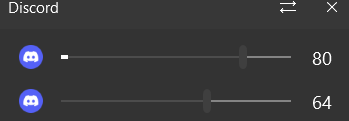
I'm having a similar issue, in my case the volume is going from 100 to 39 back and forth randomly, even when having the EarTrumpet window open the changes are visible.

Can you please restart EarTrumpet, then reproduce the issue (or wait), then collect fresh troubleshooting data (from Settings > General) and attach it here? I can't reproduce this yet.

If the volume changes when you or someone else speaks in Discord (or possibly in certain instances where other sound is coming through via Discord) then this is almost certainly a Discord setting. If you've already turned off volume attenuation in Windows Communication settings, then check Discord settings, Voice & Video, and scroll down to Attenuation (there will be a slider and two switches). Either move the slider all the way to the left or turn off both switches. That should resolve the issue.

This solved it for me! Not sure if there is a workaround. Otherwise I would maybe add a prompt in EarTrumpets to warn users
