

 File-New-Project
NVIDIA boradcast not showing up in Volume Mixer
Summary
I'm using NVidia broadcast for some applications as output device. This software pipes the output of a program through some filter and then outputs it to another audio device. When opening the EarTrumpet Volume Mixer it shows all my other output devices but not the NVidia broadcast so I can't set the import application volumes separately.
Steps to reproduce
Install NVidia broadcast and set the output of at least one program to it but the main output to your hardware device. Then open the Volume Mixer.
EarTrumpet version
2.1.9.0
Windows version
10.0.19042
Additional information
No response

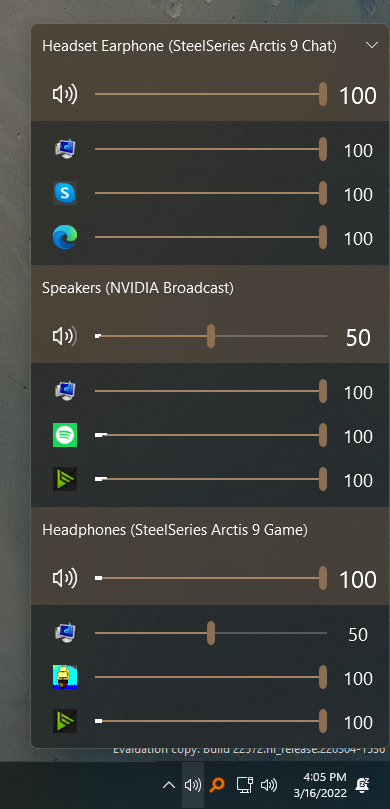
Hey @aglavic, cool app. Never heard of this until now.
Not seeing the issue here though. I set my primary audio device to my headset, sent Spotify output through NVIDIA Broadcast, then opened the flyout you see above.

Hi there. I'm cleaning up the issues list. This issue is a bit stale. Please try reproducing this issue with current version of EarTrumpet and ping me if you can still reproduce it.