

 Figma-Linux
Ignore hidpi scaling factor for canvas (X11)
When using a hidpi display, one would usually set a proper xft dpi to scale applications by 1.5x or 2x.
For a DPI of 96, to get 1.5x scaling, you'd set Xft.dpi: 144 in the xresources, or use your desktop environments settings panel.
Figmas ui scales properly, which is good, but unfortunately the canvas also scales. This means when looking at a 100x100 px container at 100% zoom, it is actually 150x150 px.
Here is an example of this:
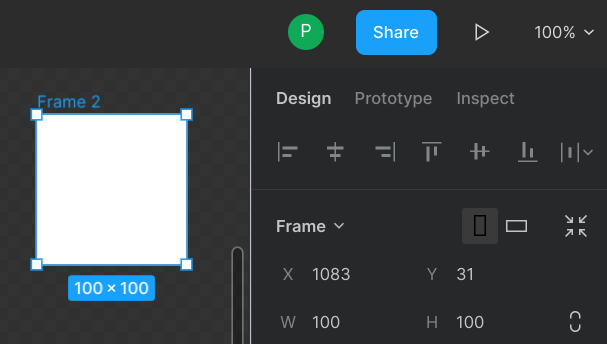 You can measure this with any application, the height is 150 pixels (it is actually 149 + 0.5 opaque at top and bottom, which adds to 150).
Now if you look at other applications like lets say Gimp, its UI scales, but the canvas stays true to the pixels.
Figma is still usable like this, but i have no grasp on how big things are actually gonna be.
