

 FancyWM
Active window hint
colored border around active window, active window hints exist in window managers like i3 and popos wm
You can run an autohotkey script to do this desired behaviour: https://www.autohotkey.com/boards/viewtopic.php?t=25520
This is low priority, I'm mainly posting to share my solution

Thanks for the suggestion. I will have to close this as it is a duplicate of #34.
On the implementation side: This is not as easy to implement as that forum thread would make it seem. The linked AHK script assumes that the focused window is always on top, but that is not always the case.
If one has Task Manager with Always on Top enabled, and a browser window focused, the following result can be expected.
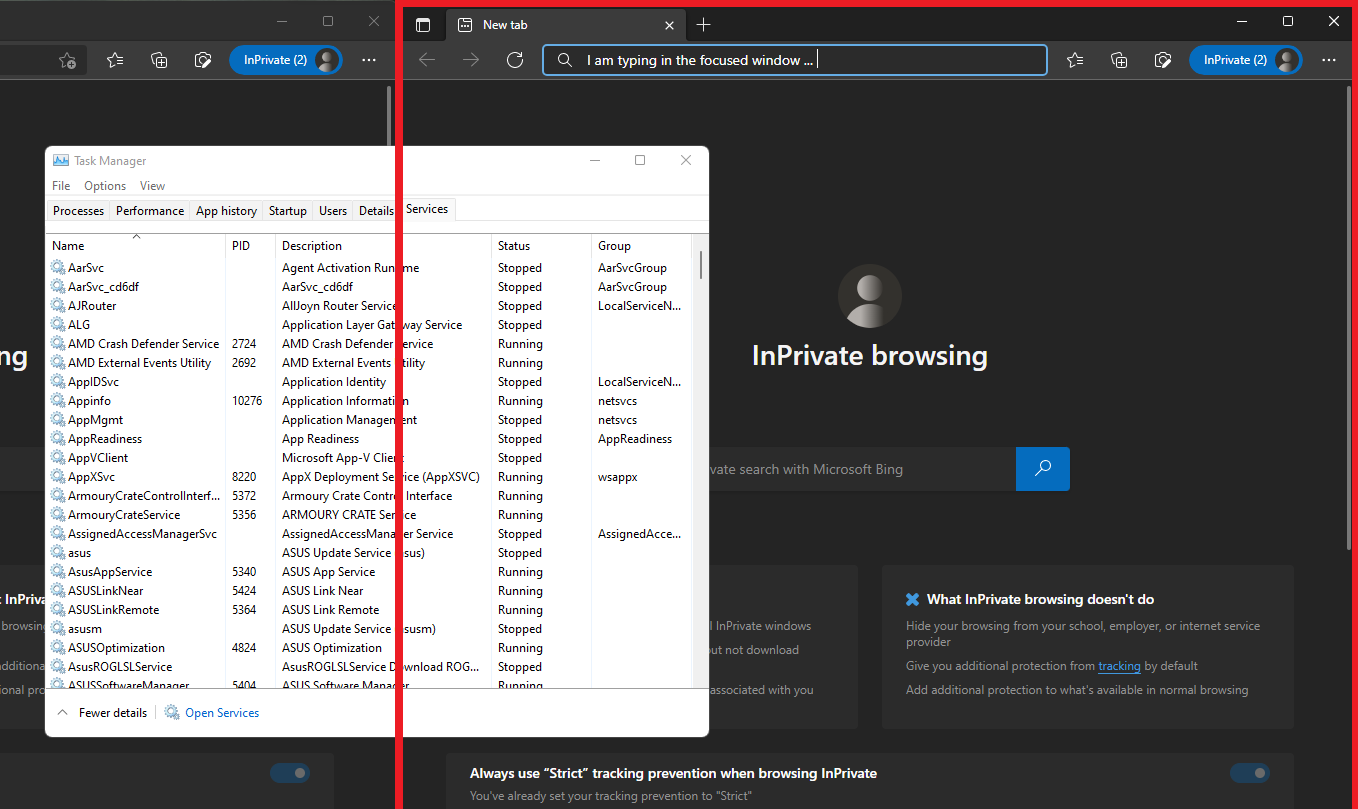
(The red rectangle was drawn on top with paint to illustrate how this can break.)
The drawing layer cannot be a topmost window (what the AHK does). FancyWM positions the overlay window above all managed windows, but not above all windows in the workplace, avoiding problems like the one above. FancyWM did have the border feature in version 1.x, but it was removed, because it would flicker whenever the focused window (superfluously) requests focus via ActivateWindow() (which is surprisingly often for some applications). That is, it was buggy.

I'm fine with this quirk being there and you just mark it as experimental, after all it is functional but not pretty. The flickering is actually a problem since it's distracting
Interesting, I could argue the inverse: the flickering doesn't bother me unless it's near-constant, and even perhaps less so than a border running through and over my floating apps, potentially obscuring content.
TBH both being added with explicit experimental warnings with no support promises might work as well, if you wanted.

Alright, I'm reopening this and will consider implementing as an "experimental" feature.
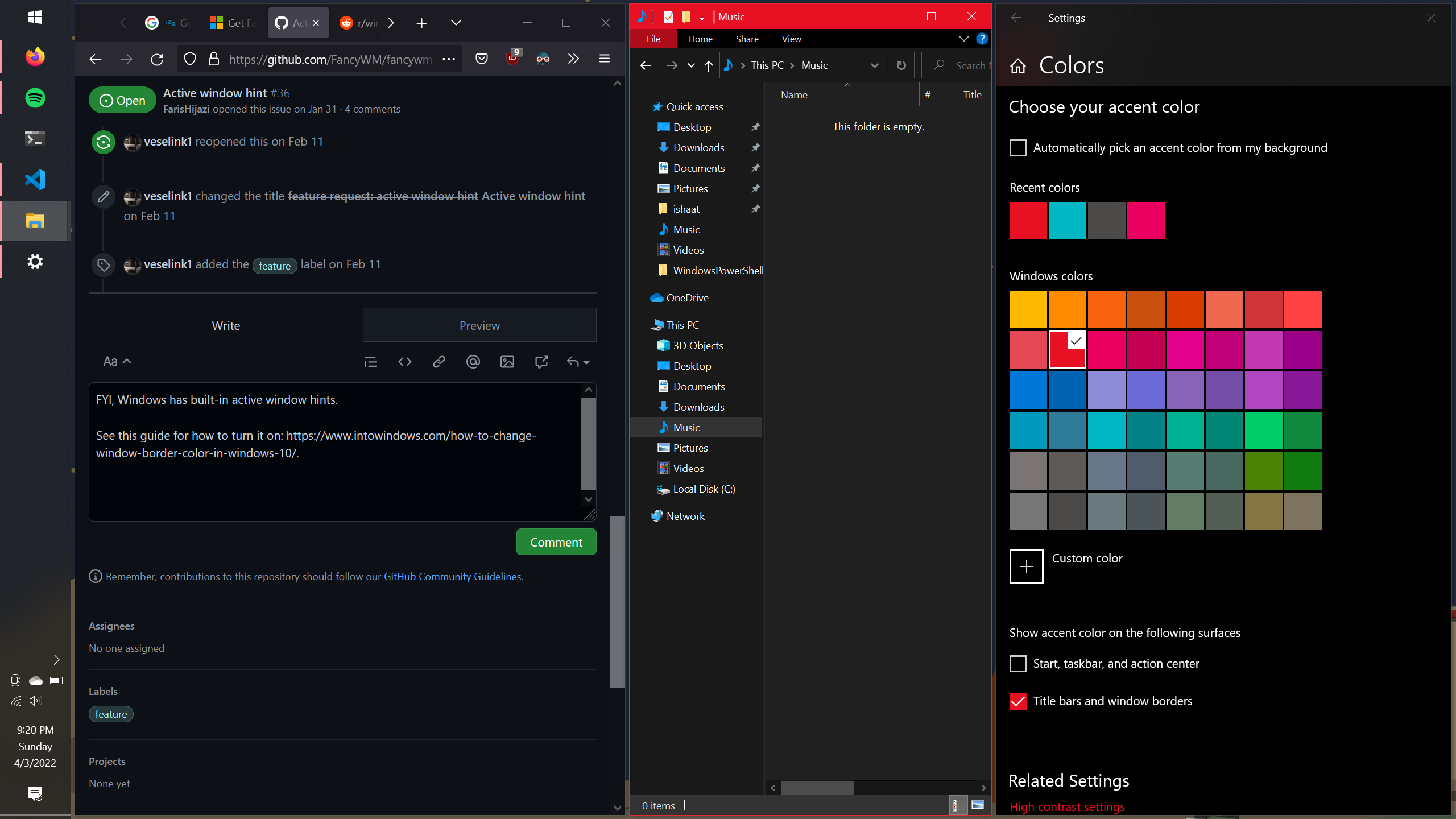
FYI, Windows has built-in active window hints.
See these guides for how to turn it on. Windows 10: https://www.intowindows.com/how-to-change-window-border-color-in-windows-10/. Windows 11: https://gearupwindows.com/how-to-enable-or-disable-window-borders-color-in-windows-11/.
This is what it looks like for me with FancyWM turned on:
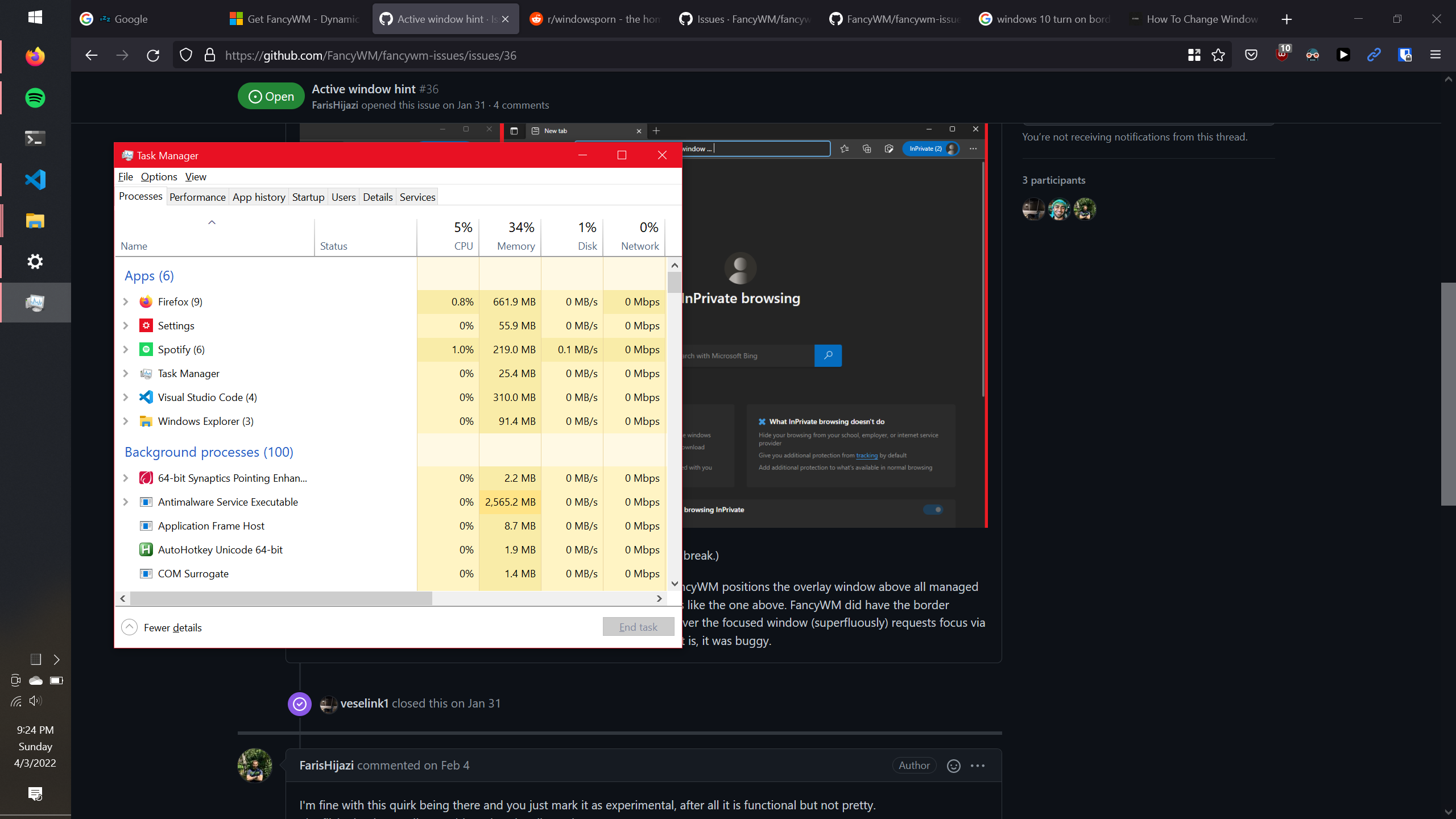
Seems to not hit any issues with Task Manager:
Maybe this doesn't need to be implemented in FancyWM after al?

Many apps don't respect/allow windows to color their borders or title bars (ex: slack). This is definitely a feature I would be in favor of.

This issue is stale because it has been open for 14 days with no activity.
![github-actions[bot] avatar](https://avatars.githubusercontent.com/in/15368?v=4 "Published by a pub.dev verified publisher")
This issue was closed because it has been inactive for 14 days since being marked as stale.