

 FS-Driverless
Drawing debug graphics
Hello, it's me again. This time, I'm trying to do some debug graphics.
- Background: I already have some experience with UE4, I know a bit of ROS. No AirSim experience though.
- What I'm trying to accomplish: Send some points to UE4 to render them in lines. I tried looking through the docs but nothing crops up.
Any idea how to do this? I can try extending client.py, but I think there's more to do inside the AirSim plugin to receive the data and command the engine to render it. Any and all pointers are appreciated.

Hi @KnockerPulsar,
I'm not exactly sure what you mean, but Airsim basically runs a server to which you send commands. I myself do not have a lot of experience but you could try to take a look at how the cones are transmitted inside the Referee blueprint. This referee then gets accessed from the ros package (by calling CarApiBase::RefereeState).
Hope this helps!

Thanks for the quick reply. I have attached an image of what I'm trying to achieve:
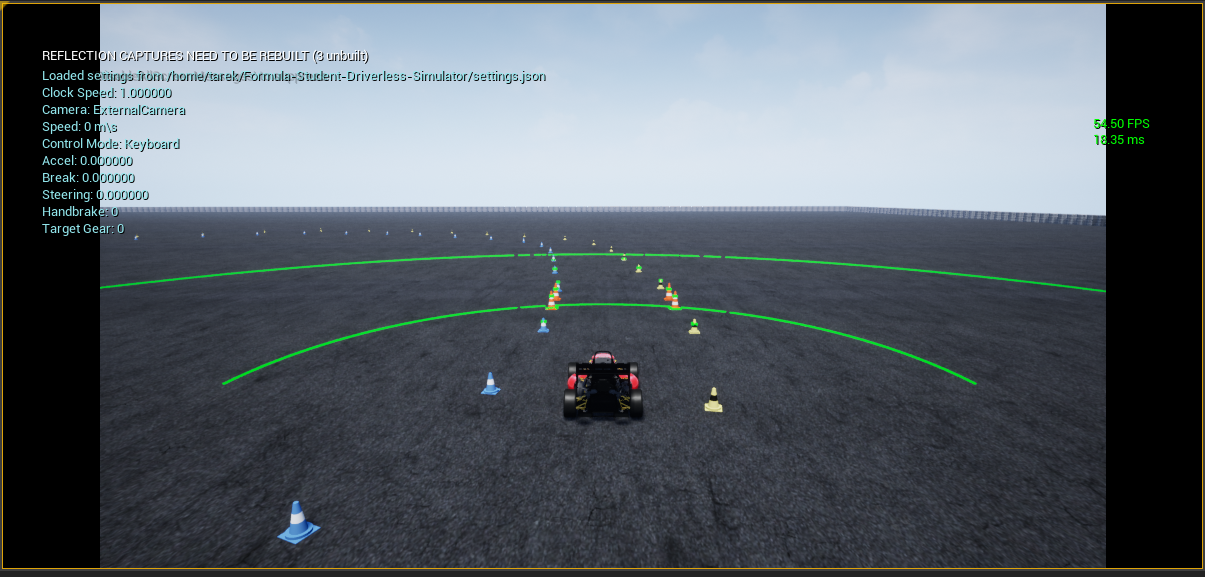
I'm hoping to do something similar to the lidar's debug lines but with my own lines sent from python code (if possible) The plan is:
- Get lidar readings and convert them to cones. Something similar to this is done in
autonomous_example.py. - Do some path planning algorithms on the cones, the output should be a set of points that construct a path.
- Send those points to AirSim/UE4 and draw them in the world, similar to how the lidar's lines are drawn.
The 2 big question marks for me are how to send data from python and receive it in UE4, and then how to command UE4 to draw them,
I tried doing a quick google on debug drawing in AirSim, but nothing useful came up.
You could try to do it this way, however, I think you are going to spend a lot more time than trying to plot everything in rviz.
Take a look at this. You could export meshes from the sim and draw them with the markers.
Here is an example from this repo
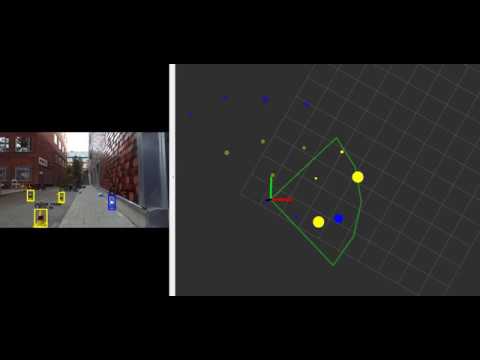
There are 2 topics with the exact data from the sim (marked with testing_only). If you use those, do not use the binary because there are still some bugs with the testing_only topics in there.
We're not currently planning on extending the support for debug drawing inside of the simulator. I'd recommend the same thing as Wouter, namely to perform all visualizations in RVIZ
