

 EvotecIT
Modal details display for New-HTMLTable
Cool concept: https://datatables.net/extensions/responsive/examples/display-types/modal.html
Would be useful for having let's say basic details of Domain Controllers and display some additional information in a modal box. Wondering if it's possible to apply totally different HTML to that.

I'm working on this and currently have it set to take the first row value but would like to add an option to select multiple values like 'Details for '+data[0]+' '+data[1] = 'Details for John Doe'.
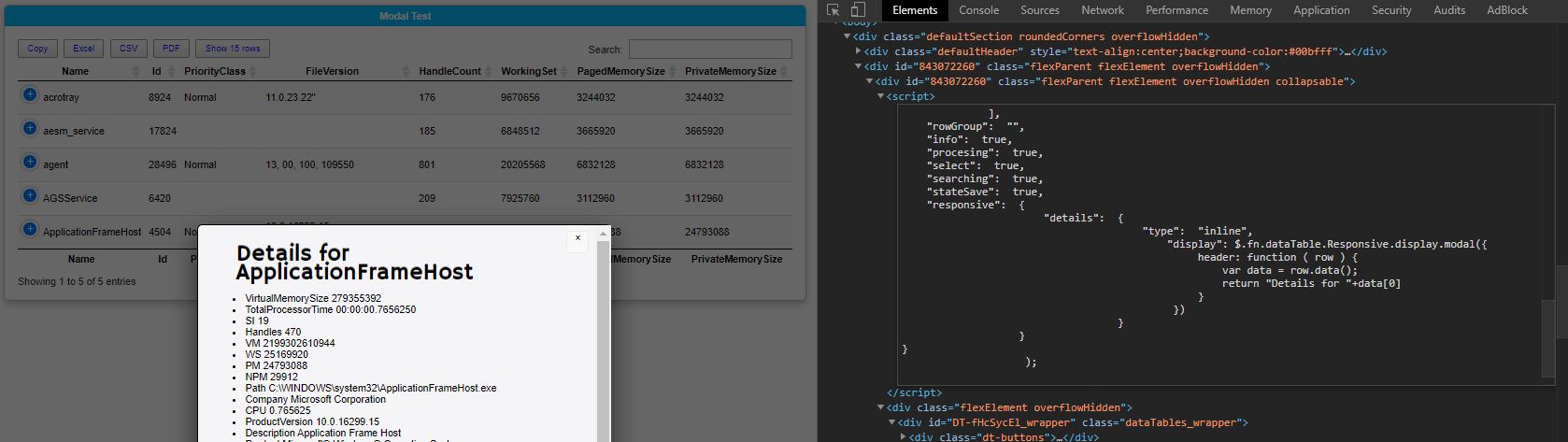

I was thinking that this would be totally different information. The blue + already provides a lot of data. What I was thinking about is some way to attach additional data that is not available in the table. Not sure how thou :-)
@xlrod do you think that would possible? Like to have additional HTML within details with a different source? Or are we bound to display only stuff from table (which still is cool)
This is what I would like to try:
Create a new [PSCustomObject] with a reference to the first object, like:
$Server = @()
$Server = [PSCustomObject] @{
    ServerName = "DC102"
    IPv4 = "10.0.0.1"
    DNS = "4.4.4.4"
}

$ServerDetails = @()
$ServerDetails = [PSCustomObject] @{
    ServerName = "DC102"
    Owner = "John Doe"
    Contact = "Support"
}
Add a parameter for the New-HTMLTable so the $ServerDetails only reference this table and not others with the same key value.
Add a check to validate if there's a match between the data table and the reference object:
If true, display the button, on click display the $ServerDetails in a modal box.
Else hide the button.
Should I continue with this idea?
You could try exploring it using idea from: https://github.com/EvotecIT/PSWriteHTML/tree/master/Examples/Example30-LinkedTable
However, I believe you would need to actually hardcode your table in HTML somewhere in invisible place. I am not sure how to approach this, but it would be cool concept.
I also think having the Modal feature would be awesome! As well as simply being able to limit the displayed columns and have the rest of the data in the "expansion button" regardless if the screen is too small. For example for a data set of 5 Columns have a switch to display only X Columns and put the rest in the expansion button.

You can already force display only 3 columns or 5 columns and force rest to be available ubder + button
How? I've been messing around with the "Table" options but don't see a way
Here is discussion about it with examples: https://github.com/EvotecIT/PSWriteHTML/issues/32