

 EsotericSoftware
Easier scaling of animation speed/dopesheet key spacing.
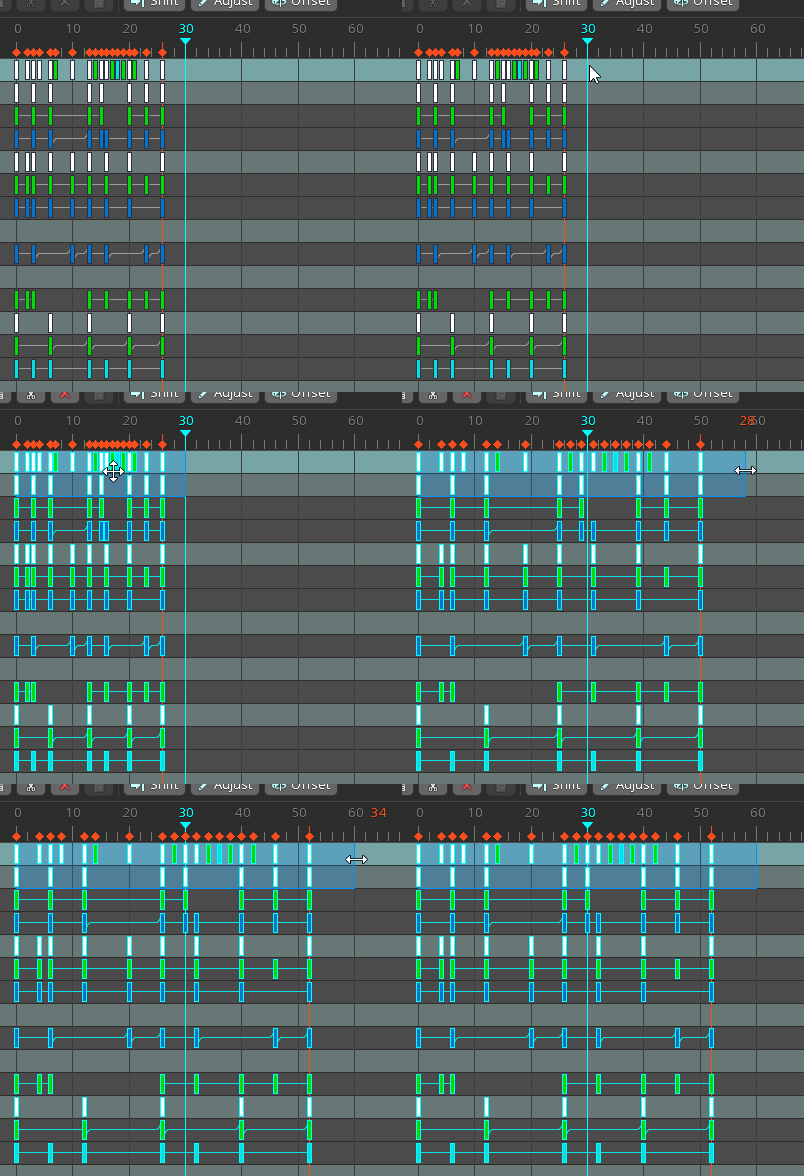
Normally, if you want to speed up or slow down an animation, you have to make a box selection over the dopesheet keys and then resize the dopesheet selection box.
The Dopesheet FPS feature makes it so you can change the dopesheet such that 30 frames means one second, or 60 frames means one second. Or even 120 frames means one second.
If you ever decided to switch your character from 30 to 60 or 120 dopesheet fps (because it turns out you have slowmo in your game, or you have faster movements than you originally anticipated). Since changing the dopesheet fps doesn't automatically move the keys around-- for understandable reasons, it would be helpful if there was an easy way to tell Spine "I want this animation to now be half the speed/the key times to be 2x/the dope sheet to be scaled by 2x".
Or, if there was some kind of modifier key you can hold so you can scale a dopesheet selection by 2x (or 0.5x)?
CURRENT WORKAROUND:
- Make a box selection wider than your animation duration in the dopesheet. Make it end at an easy frame number, like frame 50, 80, 100, or 200.
- Scale the selection box so 50 becomes 100, or 100 becomes 200 to make it twice as long.


hi, I have a problem, I cant scale my Keys,
https://user-images.githubusercontent.com/22079682/126948125-42455b85-0dfb-4b7b-b1df-04ed04ba44ac.mp4
