

 EddieHubCommunity
[FEATURE] Separate sections for projects
Description
A separate section to showcase the projects.
Currently, one can add links of their projects in My Links section through links field in their json data.
I think My Links is a more general space, one can figure out what to put there.
But having a Projects section can facilitate showcasing projects that one have worked on
The data can look like
    "projects": [
        {
            "title": "The name of the project",
            "techsUsed": [
                "ReactJS",
                "Typescript"
            ],
            "url": "url to the project if deployed",
            "githubRepo": " url to the repo if exists ",
            "contributors": []
        }
    ]
Screenshots
No response
Additional information
No response

It's great having you contribute to this project
Welcome to the community :nerd_face:If you would like to continue contributing to open source and would like to do it with an awesome inclusive community, you should join our Discord chat and our GitHub Organisation - we help and encourage each other to contribute to open source little and often 🤓 . Any questions let us know.
![github-actions[bot] avatar](https://avatars.githubusercontent.com/in/15368?v=4 "Published by a pub.dev verified publisher")
Great idea 👍
I was thinking, people could add the owner/name of the repo and we can get all the latest information from GitHub, for example EddieHubCommunity/LinkFree


@eddiejaoude using GitHub API we can get the project description, URL, and tech stack which will be the same as the about section in the GitHub repository. so far I have modified API to include a projects array in the profile where each project will have "title", "description", "githubrepo", "techUsed", "URL", "contributors"
fields.
I am thinking about UI like:-
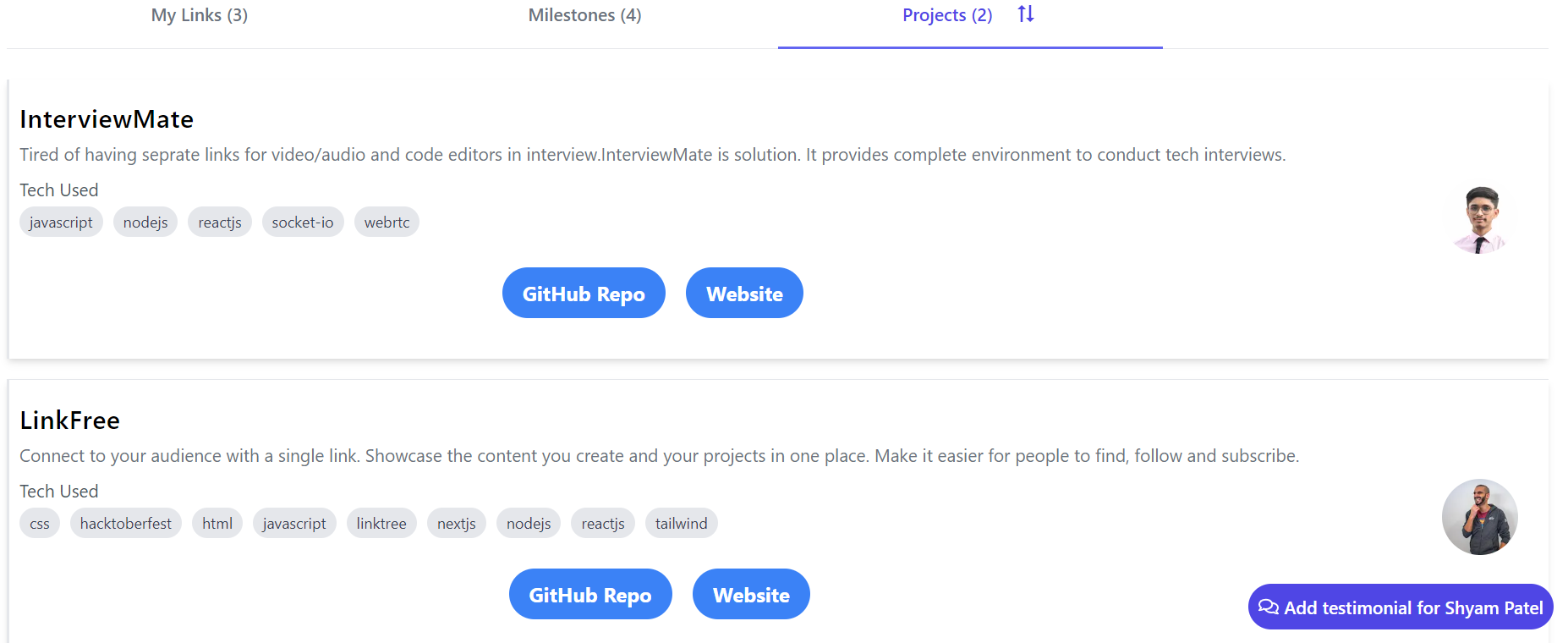 We can stack avatars of the top 3 contributors.
Let me know if you have any suggestions and should I go ahead with this or not.
so far I have modified API to include a projects array in the profile where each project will have "title", "description", "githubrepo", "techUsed", "URL", "contributors" fields.
What do you mean? What is in the user profile json file?
I would separate this into several sub spaces.
The structured as follows
- projects
- open source projects (GitHub projects)
- other projects (here a link or just a description will be needed)
Json draft would look like this in my opinion:
Project [ GitHub/url (if this is present use the GitHub data for the fields which are not specified) Title Url Date ...
]
I think we can enhance this but I'm keen to hear your opinions on how to handle GitHub projects approach.
Currently only on my phone so sorry for the formatting.

so far I have modified API to include a projects array in the profile where each project will have "title", "description", "githubrepo", "techUsed", "URL", "contributors" fields.
What do you mean? What is in the user profile json file?
In the JSON file, the user will only enter the owner and repo name. Using GitHub API, I am fetching the above details about the project
Thanks @schmelto , I think we only need this type of info in the user's json profile for now?
   "projects": {
      "github": ["EddieHubCommunity/LinkFree"]
   }
@shyam0705 not sure what your structure is like, but this is what I recommend
"projects": [ { "owner": "", "repo": "" }]
I have used like this but will modify it.
Thanks @schmelto , I think we only need this type of info in the user's json profile for now?
"projects": {
@eddiejaoude
My idea was that we can go with something like this:
   "projects": {
      "github": ["EddieHubCommunity/LinkFree"]
      "name": "name"
      "url": "url"
     [...]
   }
where those fields are only obligatory. If the github link is present the fields like name are filled with the github ones but you can also add a project which is not from github by not maintianing the github link and only using the name url ...
graph TD
    B(Projects)
    B --> C{github link present}
    C -->|yes| D[Call github api and fill empty fields]
    C -->|no| E[Use only the fields in the profile json]
I think that will make it more complicated for people to create. My suggestion I think keeps it the simplest - we can focus on GitHub for now and later add more options
Great idea 👍
I was thinking, people could add the owner/name of the repo and we can get all the latest information from GitHub, for example
EddieHubCommunity/LinkFree
what if the project do not have a github repo
This can be looked into further once forms have been completed as we don't want to add anymore data to the json files https://github.com/EddieHubCommunity/LinkFree/pull/6998
Work in progress...
- User can add/delete their GitHub repo in their profile
- Repo data is fetched from GitHub's API
- GitHub data is cached (similar to GitHub profile location data)
- Display new tab
Projecton profile - Have overall app page for projects (similar to Events)
The issue has been unlocked and is now ready for dev. If you would like to work on this issue, you can comment to have it assigned to you. You can learn more in our contributing guide https://github.com/EddieHubCommunity/LinkFree/blob/main/CONTRIBUTING.md