

 DynamoDS
Float Number Slider goes out of whack when dragging
Surprised to not find a report about this here, but maybe people are using older versions of Dynamo, or don't compile themselves.
When I add a float slider to my node tree, no matter what boundaries I use, whenever I drag the slider, the Min and/or Max values change unexpectedly. See series of screenshots for illustration.
Narrowed it down to commit d09b5b23 causing this behavior. Simply reverting the commit resolves the problem for me.
Dynamo version
RC2.15.0
the behavior is present in any release after commit d09b5b23 currently. However, I have not tested current master
Operating system
Windows 10
What did you do?
lay down a Float Slider
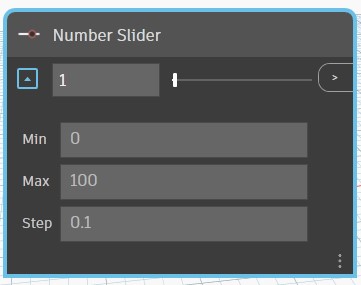
start dragging the handle
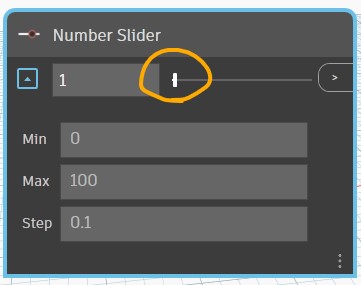
enjoy changed boundaries (in this case, Max was changed while dragging)
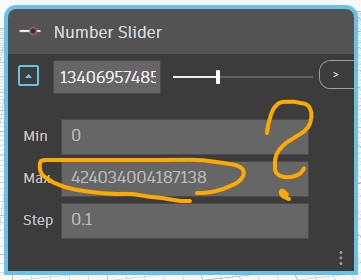
What did you expect to see?
Min and Max boundaries must not change, that's the point of them
What did you see instead?
read above

Thank you for submitting the issue to us. We are sorry to see you get stuck with your workflow. While waiting for our team member to respond, please feel free to browse our forum at https://forum.dynamobim.com/ for more Dynamo related information.
![github-actions[bot] avatar](https://avatars.githubusercontent.com/in/15368?v=4 "Published by a pub.dev verified publisher")

@aliasguru I was not able to reproduce the max value change when dragging the slider. The max value will be changed only when a value(greater than current max) is manually entered in the box, which is expected or when the max value field is changed manually. To understand it better, can you reproduce the same issue by placing a new node? Is the slider node connected to any other node in your example?


Thank you @reddyashish for investigating. I'm amazed it does not happen for you. First I thought this might be due to me compiling it myself, so to check that I downloaded the latest build from here and tried this example again. I just opened the Dynamo version and checked it is the latest one:
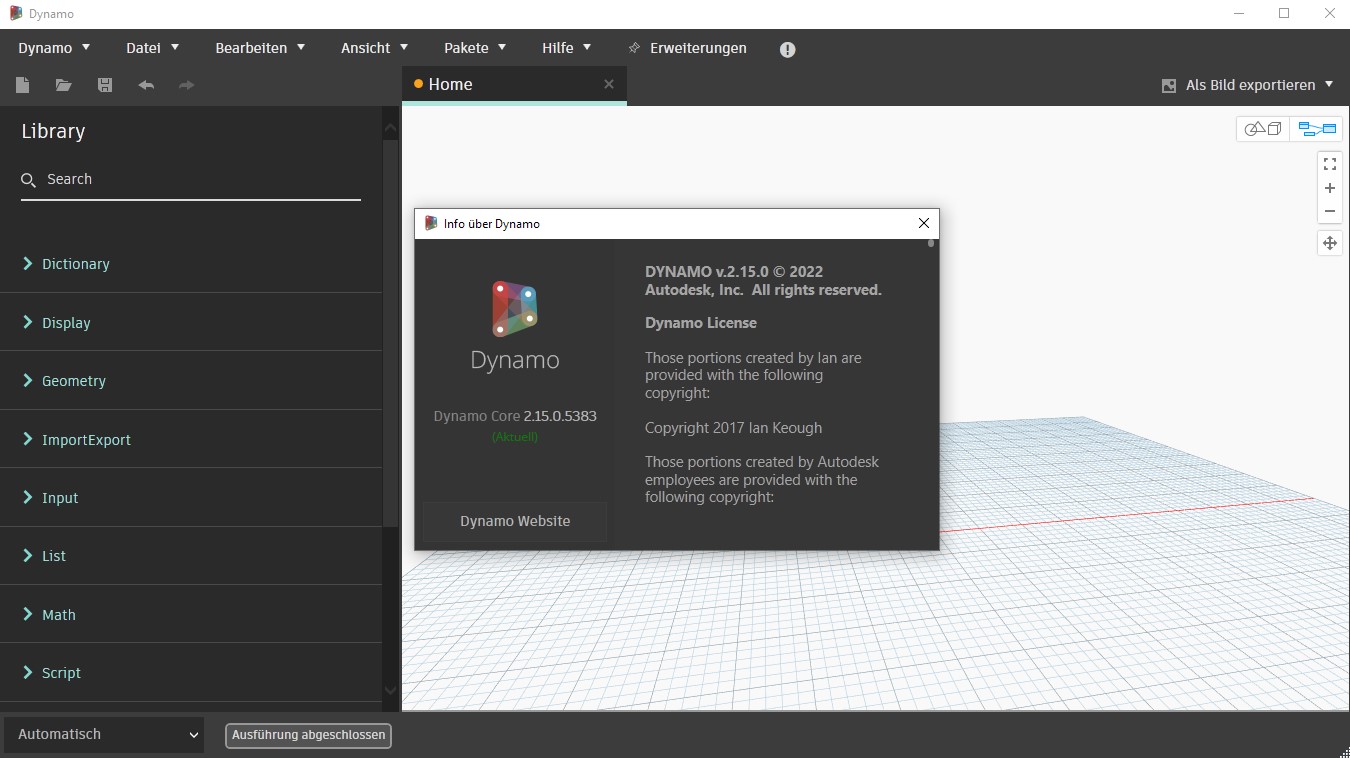
Next, I just add in a new Number Slider, without changing anything:
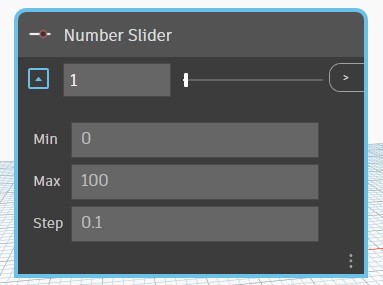
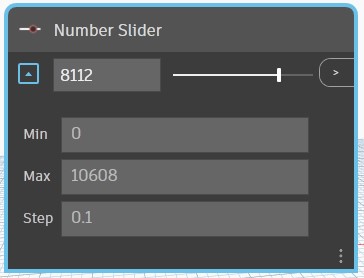
Then I just drag the slider to the right, and the Max value changes to something unpredictable (the value is never the same):
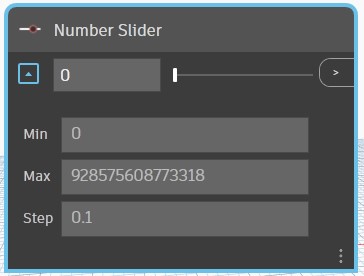
Out of curiosity, I then changed the max value back to 50. Then I dragged towards the left. Result:
I have no clue why you can't reproduce it, or why this is only happening to me. I'd love to provide a video or gif showing it, but out IT is blocking any screen recording software for security reasons.
Hah, managed to screen capture using X-Box Game Bar, so here it goes:
https://user-images.githubusercontent.com/24734924/183596015-0e83bdb2-379e-4de7-b043-dab536b463e0.mp4
Again, this is from the downloaded release, not my own compiled one. But the behavior is the same.
This is interesting to see as a bug. Inside the team, we tried a few machines but we could not reproduce the buggy behavior you are showing (I could not either). At this point, it seems it does not relate to whether you compiled it or not. Underneath, it is a WPF slider so I am wondering if this is a bug on WPF with certain computer setup or .NET. Would you do us a favor and ask any of your colleagues to also give it a try?

I've now been testing this on three different computers, with the official Dynamo2.15 Release as well as with self-compiled ones. Two computers were from work and are maintained by our IT, essentially meaning their setup is identical (Windows 10, .NET 4.8.x). My home machine runs under Windows 11, and has this Framework installed:
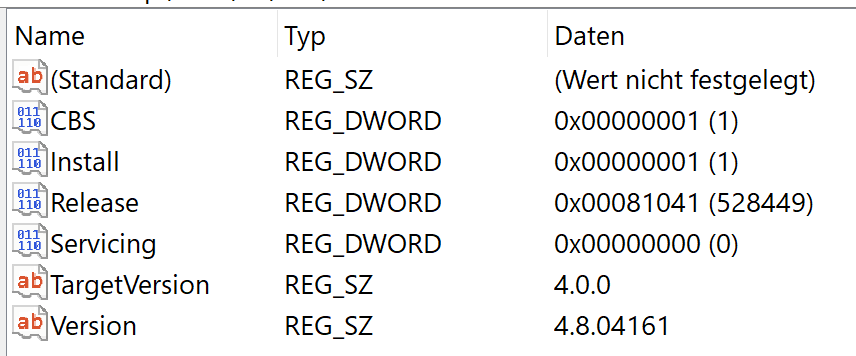
Which to my surprise is also a 4.8 one. All three computers show the same NumberSlider behavior as described. Running out of computers to try this on to be honest.
On the Windows 11 I have multiple .NET Frameworks installed, how would I know which one is picked by Dynamo? The console does not print that info afaik.
It might also be worth mentioning that I only experience the problem on the Number Slider, not on the Integer Slider.
Uhm... Guys, maybe there is a problem with the code logic after all. Not sure if this makes sense to you, but when I change the code in SliderViewModel.Value<T> to the following...
    public T Value
    {
        get { return model.Value; }
        set
        {
            if (value.CompareTo(model.Max) == 1)
                value = model.Max;

            if (value.CompareTo(model.Min) == -1)
                value = model.Min;

            model.UpdateValue(new Dynamo.Graph.UpdateValueParams(nameof(Value), value.ToString()));
        }
    }
...the sliders work as intended for me. Can you confirm this on your side? The change is basically to set value to the boundaries, instead of the other way around (right hand side is new code):

Does this make sense to you?
Thank you @aliasguru for investigating it. We will look into it and get back soon.
@aliasguru After looking into it more, the public T Value{} property is only triggered when the value in slider is changed by dragging it. In this case, as the value in the slider cannot exceed the max value and cannot be less than the min value, the max/min value should not be changed at all. Those 2 '"if" conditions will never be true, so I have removed that and created a PR https://github.com/DynamoDS/Dynamo/pull/13248. The value in the slider is updated using model.UpdateValue API and we don't need to set the value property again.
Since I am not able to reproduce the actual issue, I would request you to try the changes from that PR and let us know if that fixed the issue.
@aliasguru This PR https://github.com/DynamoDS/Dynamo/pull/13348 by @mjkkirschner should fix the issue. Merged into latest daily build.