
terminus-quick-cmds
 terminus-quick-cmds copied to clipboard
 Domain
Quick commands for terminus
Bumps [node-sass](https://github.com/sass/node-sass) from 4.12.0 to 4.13.1. Release notes Sourced from node-sass's releases. v4.13.1 Community Fix render example syntax (@ZoranPandovski , #2787) Fix sourceMap option inconsistencies (@saper , #2394) Fix possible...
![dependabot[bot] avatar](https://avatars.githubusercontent.com/in/29110?v=4 "dependabot[bot] avatar")
it would be nice if it would be possible to have a bigger editor to place multiple line commands and maybe even snippets of code.

Bumps [elliptic](https://github.com/indutny/elliptic) from 6.4.0 to 6.5.3. Commits 8647803 6.5.3 856fe4d signature: prevent malleability and overflows 6048941 6.5.2 9984964 package: bump dependencies ec735ed utils: leak less information in getNAF() 71e4e8e 6.5.1...

Hey there, I wanted to check this addon out, but when I installed it, this happened to the tab bar.  Thanks, -MH

Sending commands doesn't seem to work under Terminus 1.0.97 (Win 10). Also:  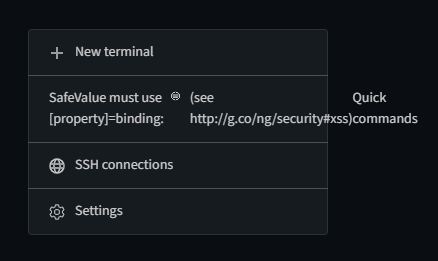

Bumps [lodash](https://github.com/lodash/lodash) from 4.17.11 to 4.17.19. Release notes Sourced from lodash's releases. 4.17.16 Commits d7fbc52 Bump to v4.17.19 2e1c0f2 Add npm-package 1b6c282 Bump to v4.17.18 a370ac8 Bump to v4.17.17 1144918...
Bumps [electron](https://github.com/electron/electron) from 1.7.10 to 7.2.4. Release notes Sourced from electron's releases. electron v7.2.4 Release Notes for v7.2.4 Fixes Fixed Promise timeout issue when running Electron as Node. #23324 Fixed...
please see yourself: https://youtu.be/DPLQH53GJpQ beside that, there is a "empty screen" 🐛


It is recommended that you add shortcuts to each of the custom statements in Quick-cmd, such as pressing "F1" and actually copying a script on the terminal that is like...
