

 DevExpress
Session not running on https server for android
Not able to run a HTTPS on android devices on Browserstack. Tried to narrow down, saw a hardcoded code here

Hello @SaranshBS,
I tested TestCafe on several different Android devices in BrowserStack and found no issues. Please send me your test, config, run command, and error messages.

This issue was automatically closed because there was no response to our request for more information from the original author. Currently, we don't have enough information to take action. Please reach out to us if you find the necessary information and are able to share it. We are also eager to know if you resolved the issue on your own and can share your findings with everyone.
![no-response[bot] avatar](https://avatars.githubusercontent.com/u/26350515?v=4 "Published by a pub.dev verified publisher")
@felis2803 Please find the details below -
Test
import { Selector } from 'testcafe';

fixture('TestCafe example page').page(
  'https://devexpress.github.io/testcafe/example/'
);

test("Should submit developer's name successfully", async user => {
  // To interact with a DOM element, we must use the Selector function
  const interfaceSelect = Selector('#preferred-interface');
  const interfaceOption = interfaceSelect.find('option');

  await user
    .typeText('#developer-name', 'Sourav')
    .click('#remote-testing')
    .click(interfaceSelect)
    .click(interfaceOption.withText('Both'))
    .expect(interfaceSelect.value)
    .eql('Both')
    .click('#submit-button')
    .expect(Selector('#article-header').innerText)
    .eql('Thank you, Sourav!');
});
Command
testcafe "browserstack:Samsung Galaxy S20 Ultra" ./testcafe_ssl.js --ssl server.cert --hostname bs-local.com
Error
The session should have opened up an https url, but it's opening http. Image attached
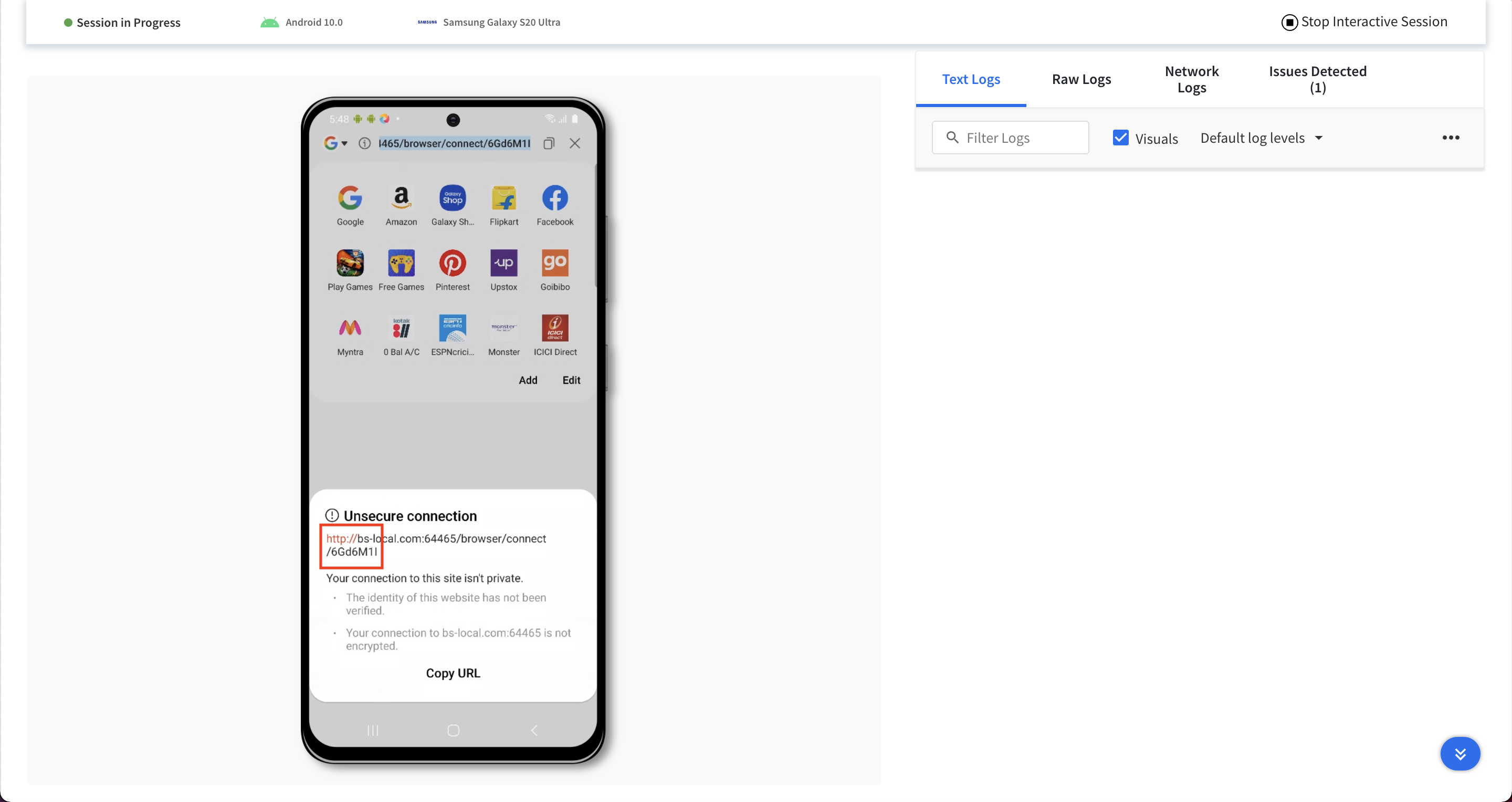
While I tried to run the same on local, it opens up https url
Command
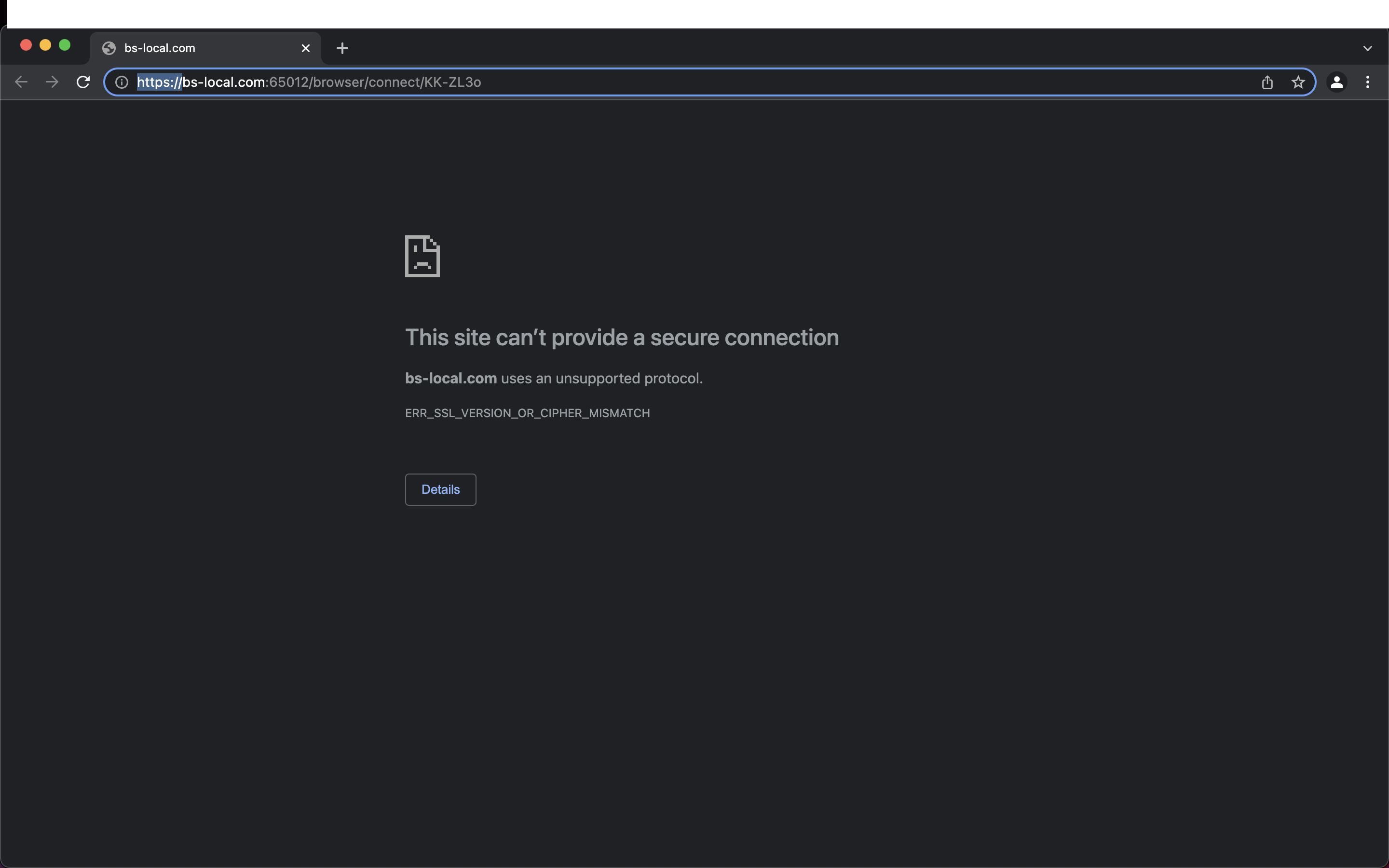
testcafe chrome ./testcafe_ssl.js --ssl server.cert --hostname bs-local.com
Screenshot (ignore the page not loading error)

@felis2803 sorry for the delay, can you please reopen this issue. I've added the details in the comment above
This issue was automatically closed because there was no response to our request for more information from the original author. Currently, we don't have enough information to take action. Please reach out to us if you find the necessary information and are able to share it. We are also eager to know if you resolved the issue on your own and can share your findings with everyone.
This issue was automatically closed because there was no response to our request for more information from the original author. Currently, we don't have enough information to take action. Please reach out to us if you find the necessary information and are able to share it. We are also eager to know if you resolved the issue on your own and can share your findings with everyone.
Hi @SaranshBS
Thank you for sharing the additional information. I've reproduced the issue.

This issue has been automatically marked as stale because it has not had any activity for a long period. It will be closed and archived if no further activity occurs. However, we may return to this issue in the future. If it still affects you or you have any additional information regarding it, please leave a comment and we will keep it open.
![github-actions[bot] avatar](https://avatars.githubusercontent.com/in/15368?v=4 "Published by a pub.dev verified publisher")
We're closing this issue after a prolonged period of inactivity. If it still affects you, please add a comment to this issue with up-to-date information. Thank you.