
DataV

DataV copied to clipboard
 DataV-Team
轮播表 想要实现单击选中的行。单独渲染当前行的背景样式为高亮效果,可以 实现吗
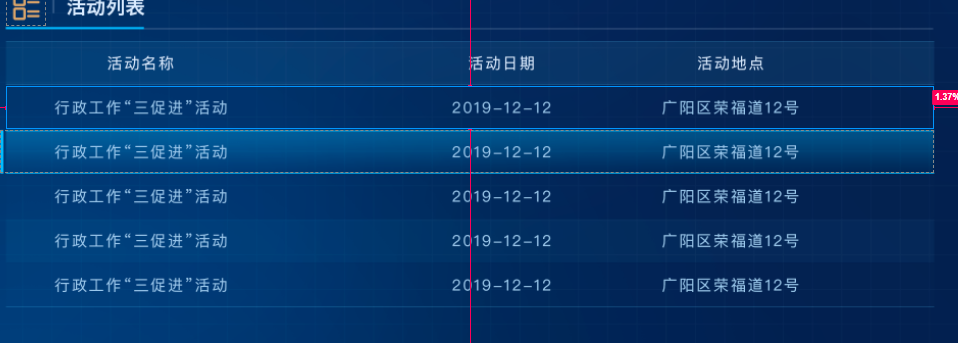


<dv-scroll-board :key="boardKey" ref="scrollBoard2" :style="{ width: '100%', height: '248px', }" :config="config" @click="handleClick" />
handleClick(row) { const { rowIndex } = row // 获取所有行元素 const rows = this.$refs.scrollBoard2.$el.querySelectorAll('.row-item'); // 移除所有行的高亮类 rows.forEach(row => row.classList.remove('row-active')); // 为点击的行添加高亮类 if (rows[rowIndex]) { rows[rowIndex].classList.add('row-active'); } },
::v-deep { .dv-scroll-board .header .header-item { background-color: rgba(255, 255, 255, 0.1); font-size: 12px !important; color: rgba(255, 255, 255, 0.6) !important; div { padding: 0 !important; } } // 添加高亮样式 .dv-scroll-board .row-item.row-active { background-color: rgba(255, 255, 255, 0.1) !important; background: rgba(250, 17, 0, 0.05) !important; box-shadow: inset 0px 0px 12px 0px rgba(250, 17, 0, 0.6) !important; } .dv-scroll-board .rows .row-item { background-color: rgba(255, 255, 255, 0.1); padding: 0 !important; color: rgba(255, 255, 255) !important; } }
