
Chivy
 Chivy copied to clipboard
 DZamataev
iOS web browser control which looks and behaves like modern Safari and is highly customizable


Chivy
iOS web browser control which looks and behaves like modern Safari and is highly customizable
Demo
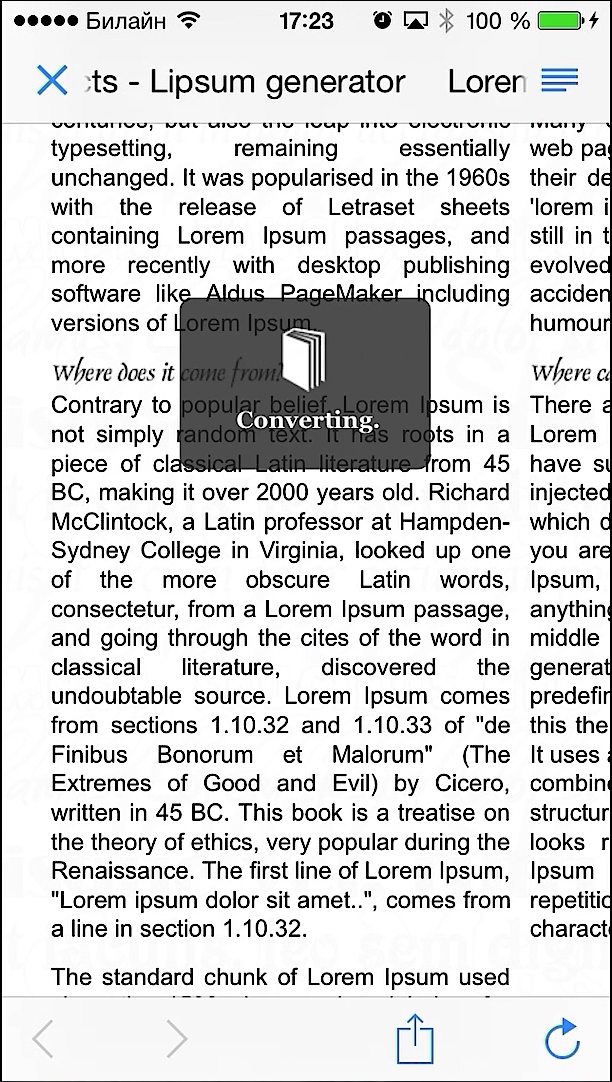
Features
- helps you to get URL from text including hostname IDN encoding, path percent escaping, schema check. Use URL instantiation helper:
[CHWebBrowserViewController URLWithString:s]or set internal property namedhomeUrlStringinstead of passing url; - all the features are customizable and can be turned off. Main customization point is
webBrowserController.cAttributesproperty. Feel free to access it from storyboard runtime attributes section; - hiding top navigation bar on scrolling down the webView and showing it on scrolling up
- the transition to web browser controller can be:
- modal, which creates the navigation controller and presents it by the controller you provide or rootViewController. There are much static helper methods in
CHWebBrowserControllerto deal with it; - push, which exposes necessery properties to customize back button;
- storyboard segue, to use it simply create the controller of class
CHWebBrowserController_iPadorCHWebBrowserController_iPhonein your storyboard and remove its view in order to initiate it from imported xib;
- modal, which creates the navigation controller and presents it by the controller you provide or rootViewController. There are much static helper methods in
- web browser controller handles basic HTTP authentication, providing user to enter login and password. Credits goes to TKAURLProtocol by Kiril Antonov. I've just patched it a bit to work with iOS 7;
- 'make page readable' action is a simple trigger of Readability bookmarklet (provided in .js), it features the user to experience the Readability service which makes (usually) the page easy to read on mobile device;
- the appearance can be customized using Interface Builder. I like it, neither do you?
- 'Share' action provides not only native way of sharing URL, but the possibility to open it in Safari or Google Chrome (if it is installed)
Installation
via CocoaPods
pod 'Chivy'


 DZamataev