CroatianMeteorNetwork
Show skipped frames on the captured stack
As a user, I want to know if a meteor camera had “skipped frames” during the night (so that I can investigate and fix the problem).
Skipped frames occur when there is more than 9 seconds between chunks of 256 frames. Skipped frames can be caused by a number of issues (CPU throttling due to fan issues, camera connection issues, camera power issues, etc) and can result in meteors being missed.
—
Proposed solution: Use the time stamp in the .fit filenames to show visually on the “captured stack” image when a skipped frame has occurred.
—
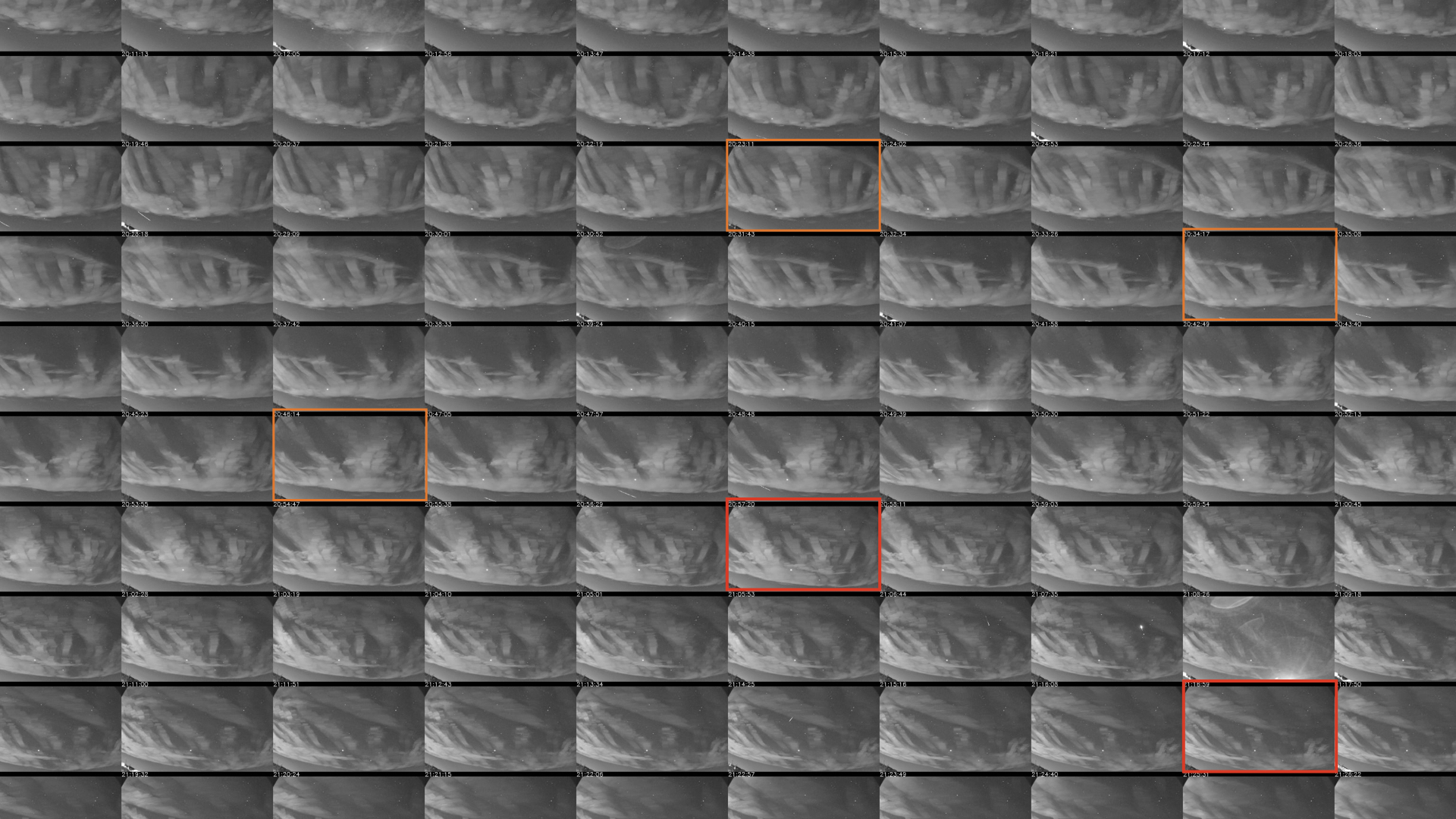
For example, a coloured border could be placed around a frame when there is a gap of more than 9 seconds from the previous frame. In the attached (very rough) mockup 01, an orange border is used to show a small gap (maybe 10-30 seconds?) and a red border is used to show a large gap (maybe >30 seconds?).
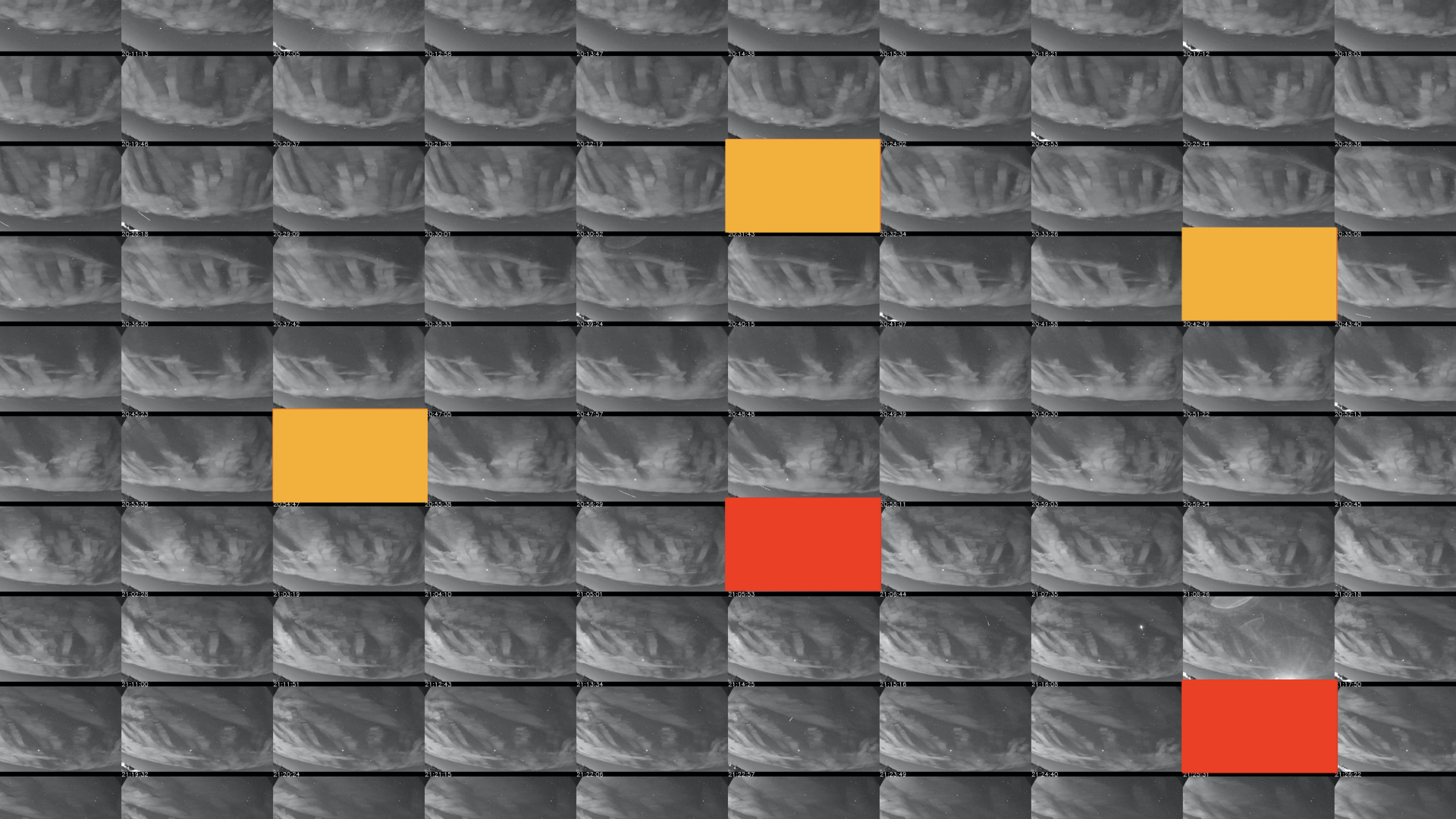
Alternatively, a blank frame could be inserted where a gap of more than 9 seconds occurred. In the attached (very rough) mockup 02, an orange blank frame shows a small time gap and a red blank frame shows a large time gap.
—
Side note… It doesn’t have to be just “orange” or “red”… it could be a gradual colour shift from black (<=9 seconds) through orange to red.
Side note… There are manual ways to check for “skipped frames” (eg. watch the time lapse video or review the syslog files) but these require manual effort (which means that many people will forget or not bother). Also, showing the problem on the captured stack means that anyone can use Istrastream to quickly check anyone else’s camera on any date to see if a meteor was missed due to skipped frames.