

 ComputerScienceHouse
Export/Link Schedule to Tiger Center
User Story
As an RIT student, I would like the ability to export my schedule to Tiger Center, so that I can easily add those classes to my shopping cart.
Scope of Changes to Schedule Maker
- Link to Tiger Center, associated with each schedule
- URL construction that includes the
termandclass IDsin the query parameters
Notes
- There may be some error cases that need to be considered, such as trying to enroll in a past term. Tiger Center will definitely take care of these on our end, but the scope of exception handling in Schedule Maker is more flexible (if you'd like!)
- Tiger Center does have some branding guidelines, so we can easily share colors and any iconography that you'll need
- Classes can be identified most easily by providing the term and a SIS-specific course ID. If CSH does not have that course ID readily available, the second easiest option would be to rely on this format:
subject-catalog number-class section. Examples:SWEN-101-01,CSCI_141-02

I'm trying out some basic design mockups to figure out location for this. There's a few options I've come up with, may need to play with the existing button layout some more:
Option 1: Add to Share
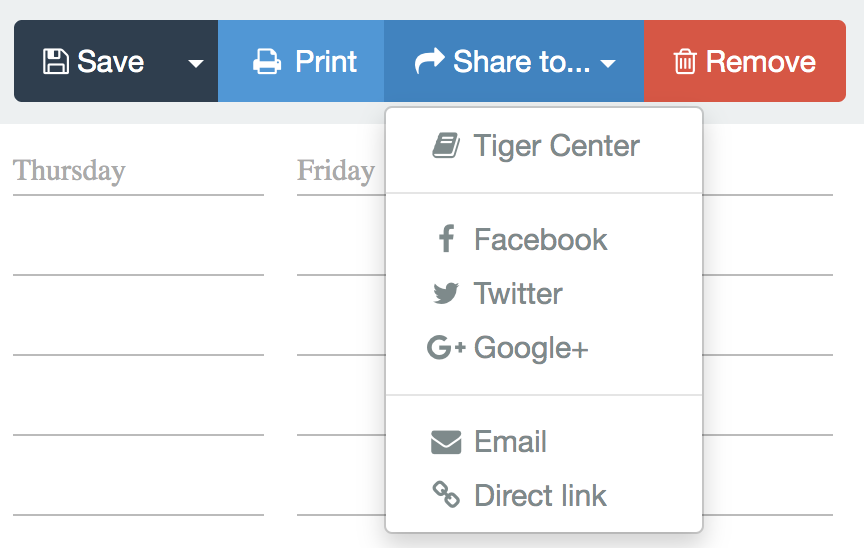
- Pros: Easy UI change, minimal change for the user
- Cons: Not super obvious that the button should be there, which may lead to poor adoption
Option 2: Change share to export
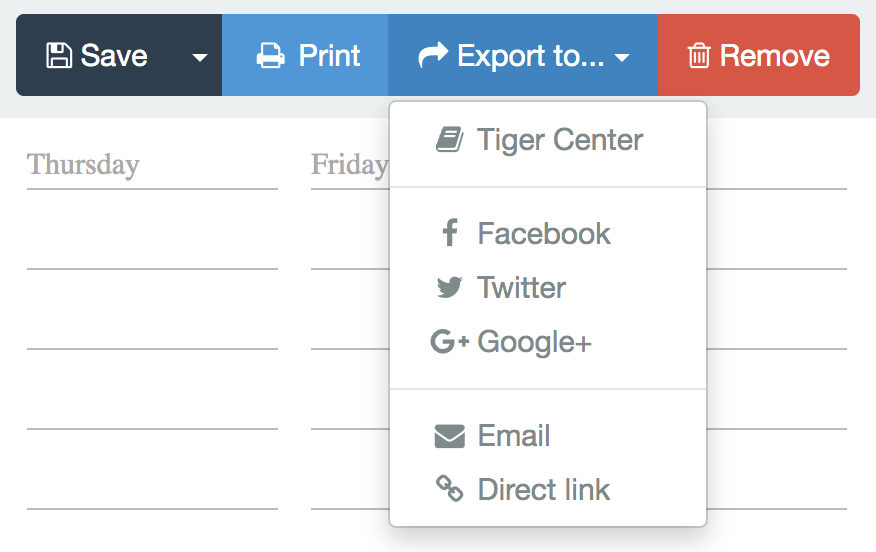
- Pros: Easy UI change, minimal change for the user, export makes sense for location
- Cons: All other options don't make as much sense as "Exports", also potentially poor adoption
Option 3: Dedicated Button

- Pros: High visibility, high adoption
- Cons: Increases the menu bar size dramatically, will be hidden on smaller displays and mobile
Option 4: In Save Menu (Courtesy of @MoralCode)
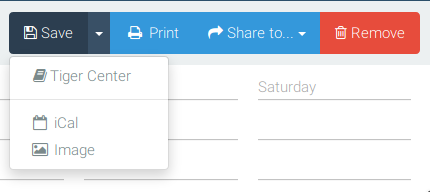
- Pros: Most used menu, simple design
- Cons: Slightly hidden, not exactly a "Save", but close enough
I'm open to additional design ideas, this is just a first pass

I think it would make sense to have the existing "save" button dropdown act as the "export" (since it already has options for ics file export and export as image) and keep "share" for social media/ sharing actions.
If the "open in tigercenter" button were part of that dropdown, then my quick-and-dirty resize-my-browser testing suggests the dropdown should still be accessible on mobile (not hurting adoption as badly) and still makes logical sense while still requiring roughly the same effort to implement.

So when playing around more with the UI I've landed on what I think will be the style

The design evolved from these options


The new design or more or less the same size as the current menu bar having minimal effect on mobile and smaller screen interaction.
The alt text will say Enroll with Tiger Center, and if you would like the icon to be the Tiger Center logo (iconography you said you can provide) that will work perfectly.
@rmnill202 I have written up the base code on my end and will have a draft PR up within the week.
If you could provide us with:
- [ ] The endpoint you plan on having us hit (and the format of the query params)
- [ ] The iconography for the button
Then we will have everything ready on our end to simply hit merge when Tiger Center is ready
Looks great, really happy with the work being done here!
Endpoint Format
The endpoint that you would be hitting is https://tigercenter.rit.edu/tigerCenterApp/login_shib/tc/enrollment/import
For actually passing data to TC, we could just use some query strings in this format:
../import?term=...&courses=...
- Where term is a four-number long ID for each semester (2181, 2185, 2188)
- Where courses is just a CSV string of each course/section (SWEN-261-01,CSCI-344-01)
Iconography
For iconography, we're looking to have the Tiger Center logo included on the button.


Since TigerCenter is now no longer supported, I'm gonna close this
i believe it is, but its not great/its similar to how well schedulemaker is (was) currently supported for the past year or so (i.e. on life support/only being fixed for very broken stuff). source: I was able to get at least one ticket for an issue to be implemented by ITS (you can file help.rit.edu tickets to request improvements to TC), but it took like 2 months and i have another one thats been open for 3+ months so far.
although the chances that enrollment gets restored are probably very low at this point so i guess the point i just made isnt actually that meaningful