

 CommunityToolkit
Command does not execute after CanExecute is false than true
Describe the bug
Command binding for checkbox stops working for unknown reason.
Regression
No response
Steps to reproduce
clone https://github.com/leaderanalytics/LeaderPivot.XAML.WPF.git

set branch to `require_one_measure`

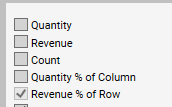
Usage note: Measures are checkboxes in upper left.  Grand Totals is not a measure.  See screenshot below.

Uncheck than re-check arbitrary measures to verify command handler executes.

Uncheck all measures except last (which will be disabled) as shown in screenshots area below.

Re-check any measure.  The command does not execute even though it is enabled.  It appears that after CanExecute returns false than true the command does not execute normally.
Expected behavior
Command executes if CanExecute returns true.
Screenshots
Uncheck all measures except last (which will be disabled):
IDE and version
VS 2022
IDE version
No response
Nuget packages
- [ ] CommunityToolkit.Common
- [ ] CommunityToolkit.Diagnostics
- [ ] CommunityToolkit.HighPerformance
- [ ] CommunityToolkit.Mvvm (aka MVVM Toolkit)
Nuget package version(s)
8.0.0-preview4
Additional context
No response
Help us help you
No, just wanted to report this

Hey there. Could you please include a minimal repro in the issue we can use. That is, a standalone code snippet that causes the issue, that does not depend on other UI frameworks. That'll help us a lot investigate this. Thanks! 🙂

There are maybe thirty lines of code which I have documented for you:
   ToggleMeasureEnabledCommand = new AsyncRelayCommand<Selectable<Measure>>(ToggleMeasureEnabledCommandHandler, (m) => {

            // The intent of this logic is to require at least one measure to be selected.
            // Therefore, the checkbox should be enabled if any of the following is true:
            // 1.) Checkbox is unchecked - user should always be able to select (check) a measure.
            // 2.) More than one checkbox is checked.

            bool canExecute = !m.IsSelected || ViewBuilder.Measures.Count(x => x.Item.IsEnabled) > 1;
            return canExecute;
        });


  public async Task ToggleMeasureEnabledCommandHandler(Selectable<Measure> measure)
      {
          measure.Item.IsEnabled = measure.IsSelected;
          ToggleMeasureEnabledCommand.NotifyCanExecuteChanged();
          await BuildGrid(null);
      }


    <CheckBox
        Content="{Binding Item.DisplayValue}"
        IsChecked="{Binding IsSelected }"
        Command="{Binding RelativeSource={RelativeSource AncestorType=local:LeaderPivotControl}, Path=ToggleMeasureEnabledCommand}"
        CommandParameter="{Binding}"
        Style="{Binding RelativeSource={RelativeSource AncestorType=local:MeasureContainerCell}, Path=MeasureCheckBoxStyle}" Padding="2" />
Are you actually invalidating the command state? That is, are you calling NotifyCanExecuteChanged? The CanExecute method only includes the logic to determine if a command can be executed, but it's up to you to invoke it. If you don't do that, then the command state will never be refreshed. In your case, since the condition depends on whether any buttons are selected, it seems to me you should invalidate the command any time any of the checkboxes is selected/unselected. Are you doing that?
That is, are you calling NotifyCanExecuteChanged?
Yes, see this line:
ToggleMeasureEnabledCommand.NotifyCanExecuteChanged();
As mentioned the code runs fine until CanExecute returns false at least once. Checking than re-checking the boxes will work fine all day long.
CanExecute returns false when the only option for the user is to check one of the checkboxes. At that point, when any checkbox is checked the command does not execute.
@sam-wheat - You are almost certainly running into this issue. If so, it's not an issue with CommunityToolkit, it's a problem with WPF.
You can see from the WPF source code, that in ButtonBase, when the Command property changes, the HookCommand method is called, which updates the CanExecute property - that's going to drive whether or not the button is enabled.
You can also see that for ButtonBase.CommandParameterProperty, there is no PropertyChangedCallback defined in its FrameworkPropertyMetadata - it simply does not react to a change in command parameter.
You can also see that in the implementation of RelayCommand<T> that CommunityToolkit.Mvvm provides, if the parameter is null, and the default value of T is not null - then false is returned - your CanExecute handler is never executed.
This includes all value types:
- All
enumtypes - all built-in numeric types (
int,double, etc.), - all
struct(includingDateTime,TimeSpan,Color,Thickness, etc.), - all
record struct, allValueTuple - the list goes on.
It does not include reference types - classes, records (FYI - this includes string). For those, your CanExecute handler will receive null as its parameter.
IF you are in fact running into this issue... which, given that you said the CommandParameter is a boolean, is almost certainly the case - you have these three options:
- Create a custom implementation of
IRelayCommand<T>that will forwardnullcommand parameters, even if it's a value type. Here's some sample code I wrote.- Con: You can't use the source generator feature in
CommunityToolkit.Mvvm.
- Con: You can't use the source generator feature in
- Use an attached property, as seen in StackOverflow answer I linked, to "refresh" the
Commanddatabinding when theCommandParameterchanges.- Con: You have to remember to set
CommandParameterusing the attached property, instead of the regular property, each and every time you have a value type command parameter.
- Con: You have to remember to set
- Subclass
Button, to do the same thing that ☝️ the attached property does. Here's some sample code I wrote.- Com: You have to remember to use this subclass, instead of using
Button.
- Com: You have to remember to use this subclass, instead of using

Side note, @sam-wheat - it's not exactly the ☝️ above issue.
But, note the important part of what I have outlined above.
You can also see that for ButtonBase.CommandParameterProperty, there is no PropertyChangedCallback defined in its FrameworkPropertyMetadata - it simply does not react to a change in command parameter.
In your example code above, you have your CommandParameter set via Binding. While the CommandParameter does change, CanExecute does not change automatically.
but.... I do see that you appear to have refreshed CanExecute manually.... Hmm....
Can you give one of the three options I outlined above ☝️ a try? Maybe the attached property and/or the custom button?
@binarycow Thank for your detailed answer. I can tell you with confidence that the issue I documented is not related in any way to this one. Author of cited ticket says:
The problem is that the parameter passed to CanExecute is NULL the first time it's called
Nothing about the steps to reproduce, nature, or symptoms of the problem I reported is related to this StackOverflow problem.
You can quickly check this for yourself by following the steps to reproduce which I provided.
Note that you can check than uncheck the boxes to which the command is bound and it works fine. You can check/uncheck all day every day for 100 years and the control will continue to work fine. The command executes and the parameter is not null. It works.
The problem occurs after a certain condition is met: That condition is that the CanExecute function returns false for any control that it is bound to. After that, the command does not execute for any bound control - I don't know if the parameter is null or not because I don't get that far. The problem is that the control remains enabled and command does not execute.
May I please suggest that you run the code I have provided to you. It will only take a moment to clone the repo and see for yourself the sequence of events that leads the problem.
Can you provide a small, minimal, platform agnostic, self-contained repro we can use to investigate? 🙂
@Sergio0694 Yes as soon as I have a free moment I will provide another example.
note on the above comment after I just ran into this issue while migrating from MVVM Light:
You can also see that in the implementation of RelayCommand<T> that CommunityToolkit.Mvvm provides, if the parameter is null, and the default value of T is not null - then false is returned - your CanExecute handler is never executed.
I don't think this should be the behavior. That behavior worked in MVVM Light and I believe the default value was passed in to my CanExecute(). Sometimes a developer's CanExecute() will use the parameter to validate and other times it won't. If it doesn't, there is no way (except the workarounds) to get CanExecute() called. I would prefer the MVVM Light approach where CanExecute() is still called regardless of the value of the parameter.
Further, if I do not specify a CanExecute(), it should return true regardless of the parameter value (which I do not think it is doing either).
Just my 2 cents...
thx

@sam-wheat Based on the supplied sample, it appears to me that you are calling NotifyCanExecuteChanged at an inappropriate time. Calling it in the very handler that is being gate kept by the CanExecute that you want to notify comes with the risk of the very behavior you are (were, I assume, given the age of this thread) experiencing. NotifyCanExecuteChanged would be better suited to getting called in response to a property changing. Is there a property that you might use, instead?
