

 CommunityToolkit
WrapLayout doesn't respond to dynamic visibility
Describe the bug
Related to investigation around #3695. Think it's a different issue as I know we updated WrapPanel logic for 7.0, but I don't think we touched WrapLayout. This probably wasn't supported initially for ItemsRepeater?
Steps to Reproduce
- [x] Can this be reproduced in the Sample App? (Either in a sample as-is or with new XAML pasted in the editor.) If so, please provide custom XAML or steps to reproduce. If not, let us know why it can't be reproduced (e.g. more complex setup, environment, dependencies, etc...)
Steps to reproduce the behavior:
- Go to sample app WrapLayout sample
- Modify DataTemplate:
    <DataTemplate x:Key="WrapTemplate">
      <Border Width="{Binding Width}" Height="50" Visibility="{Binding IsChecked,ElementName=MyCheck}">
        <Border.Background>
          <SolidColorBrush Color="{Binding Color}"/>
        </Border.Background>
        <CheckBox x:Name="MyCheck" Content="{Binding Index}" FontSize="20" IsChecked="True"/>
      </Border>
    </DataTemplate>
- Start checking boxes...
Expected behavior
Left over spacing collapses, also scrolling and re-constituting proper layout should work. Think there's a few issues here.
Screenshots
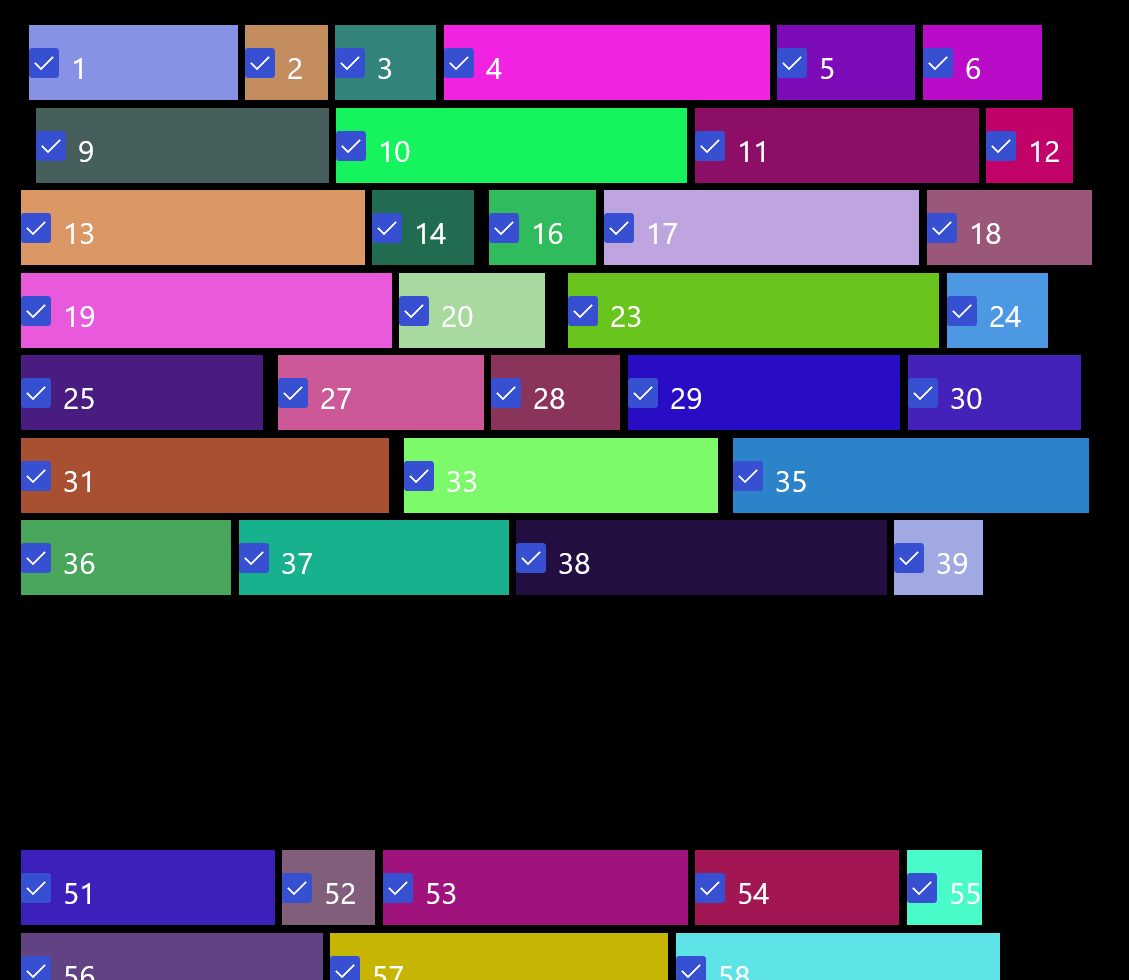
FYI @skendrot

Hello michael-hawker, thank you for opening an issue with us!
I have automatically added a "needs triage" label to help get things started. Our team will analyze and investigate the issue, and escalate it to the relevant team if possible. Other community members may also look into the issue and provide feedback 🙌

