

 CommunityToolkit
WebView is always gray with no error
Hi , I got the same issue here : https://github.com/windows-toolkit/WindowsCommunityToolkit/issues/2226
I tried solutions but they didn't work. I checked my UAC and tried "https://github.com/rjmurillo/webview-samples" , same result .
Here's the result of example file posted here (https://github.com/windows-toolkit/Microsoft.Toolkit.Win32/issues/32#issuecomment-402250879) :
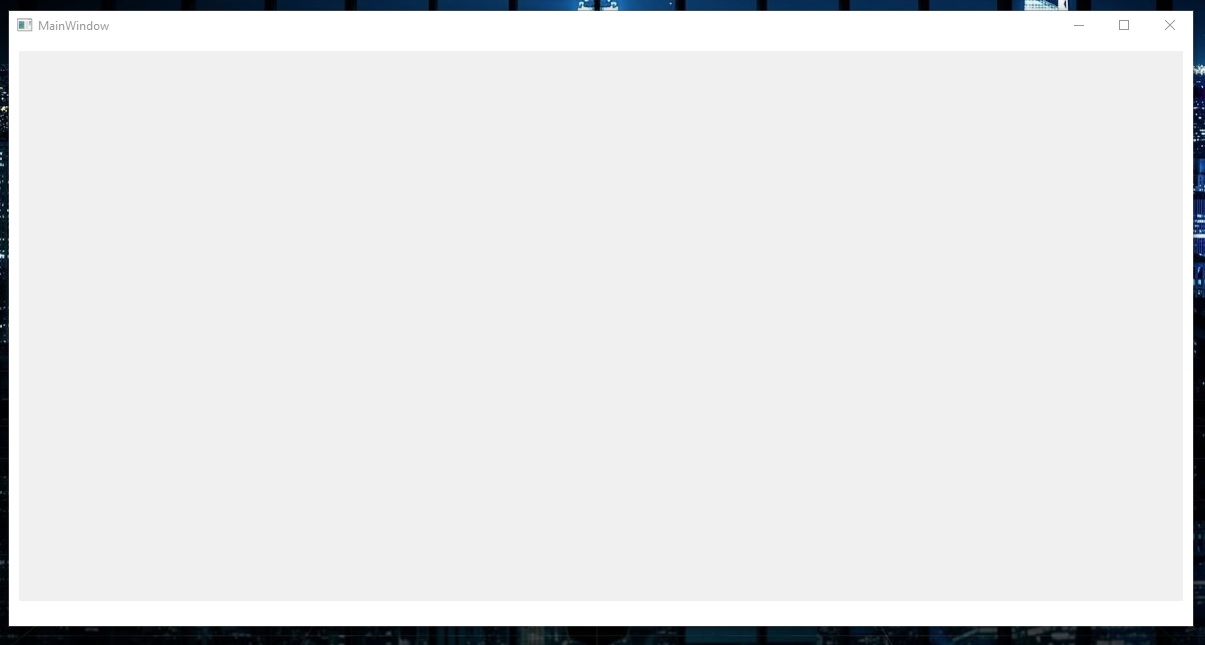
Windows 10 Build Number:
- [ ] Fall Creators Update (16299)
- [ ] April 2018 Update (17134)
- [ ] October 2018 Update (17763)
**- [ X ] Build (1803)**


Device form factor:
**- [ X ] Desktop**
- [ ] Mobile
- [ ] Xbox
- [ ] Surface Hub
- [ ] IoT

Visual Studio
**- [ X ] 2017 (version:15.8.5 )**
- [ ] 2017 Preview (version: )

Hi @XnullptrX, are you using .NET Framework or .NET core? And with what version of the NuGet package?
If you could share your sample project you're encountering this issue on that could be helpful too. Thanks!

@michael-hawker I have raised similar issue https://github.com/rjmurillo/webview-samples/issues/5, Can you please have a look and let me know if you have any light to throw on the same?
Thanks!

@rjmurillo @azchohfi any thoughts here? It seems different than the other issue we documented better here?
Are you using WebView.Navigate(Uri) or WebView.Source = Uri, the first one has issues, and even it doesn't allow to show the container window.

I'm having this issue also. I've attached a sample app. -- Windows 10 Enterprise Version 1809 -- Nuget version 5.1.1 -- Framework 4.7.2
Some things I've discovered:
-
If you leave the highDpi settings commented out in the app.manifest it runs without error but logs an error in the windows application log with faults in wwahost and edgemanager. The full errors are in the zip file in an ErrorFiles directory.
-
If I apply the highDpi settings in the app.manifest then I get a RPC error in WebViewControlProcess.CreateWebViewControlHostAsync(IntPtr hostWindowHandle, Rect bounds) method line 96.

Hi,
I am working on a WPF application where I need to host a WebView control inside of my WPF window. It worked in my Windows 10 machine when I ran as non-admin.
But when I copied those Debug folder into my Windows 7 VM, the moment when I opened the window where WebView control is hosted, the application crashed with following exception logged n EventViewer.
Exception details -
Log Name: Application
Source: .NET Runtime
Date: 6/20/2019 6:36:09 PM
Event ID: 1026
Task Category: None
Level: Error
Keywords: Classic
User: N/A
Computer: WIN-MHSMLC7JTJH
Description:
Application: WebBrowserUsage.exe
Framework Version: v4.0.30319
Description: The process was terminated due to an unhandled exception.
Exception Info: System.EntryPointNotFoundException
at Microsoft.Toolkit.Win32.UI.Controls.Interop.Win32.NativeMethods._EnableMouseInPointer(Boolean)
at Microsoft.Toolkit.Win32.UI.Controls.Interop.Win32.NativeMethods.EnableMouseInPointer(Boolean)
at Microsoft.Toolkit.Wpf.UI.Controls.WebViewHost.BuildWindowCore(System.Runtime.InteropServices.HandleRef)
at System.Windows.Interop.HwndHost.BuildWindow(System.Runtime.InteropServices.HandleRef)
at System.Windows.Interop.HwndHost.BuildOrReparentWindow()
at System.Windows.Interop.HwndHost.OnSourceChanged(System.Object, System.Windows.SourceChangedEventArgs)
at System.Windows.SourceChangedEventArgs.InvokeEventHandler(System.Delegate, System.Object)
at System.Windows.RoutedEventArgs.InvokeHandler(System.Delegate, System.Object)
at System.Windows.RoutedEventHandlerInfo.InvokeHandler(System.Object, System.Windows.RoutedEventArgs)
at System.Windows.EventRoute.InvokeHandlersImpl(System.Object, System.Windows.RoutedEventArgs, Boolean)
at System.Windows.UIElement.RaiseEventImpl(System.Windows.DependencyObject, System.Windows.RoutedEventArgs)
at System.Windows.UIElement.RaiseEvent(System.Windows.RoutedEventArgs)
at System.Windows.PresentationSource.UpdateSourceOfElement(System.Windows.DependencyObject, System.Windows.DependencyObject, System.Windows.DependencyObject)
at System.Windows.PresentationSource.OnVisualAncestorChanged(System.Windows.DependencyObject, System.Windows.Media.AncestorChangedEventArgs)
at System.Windows.UIElement.OnVisualAncestorChanged(System.Object, System.Windows.Media.AncestorChangedEventArgs)
at System.Windows.Media.Visual.ProcessAncestorChangedNotificationRecursive(System.Windows.DependencyObject, System.Windows.Media.AncestorChangedEventArgs)
at System.Windows.Media.Visual.ProcessAncestorChangedNotificationRecursive(System.Windows.DependencyObject, System.Windows.Media.AncestorChangedEventArgs)
at System.Windows.Media.Visual.FireOnVisualParentChanged(System.Windows.DependencyObject)
at System.Windows.Media.Visual.AddVisualChild(System.Windows.Media.Visual)
at System.Windows.FrameworkElement.set_TemplateChild(System.Windows.UIElement)
at System.Windows.Controls.ContentPresenter+UseContentTemplate.BuildVisualTree(System.Windows.FrameworkElement)
at System.Windows.StyleHelper.ApplyTemplateContent(System.Windows.UncommonField1<System.Collections.Specialized.HybridDictionary[]>, System.Windows.DependencyObject, System.Windows.FrameworkElementFactory, Int32, System.Collections.Specialized.HybridDictionary, System.Windows.FrameworkTemplate) at System.Windows.FrameworkTemplate.ApplyTemplateContent(System.Windows.UncommonField1<System.Collections.Specialized.HybridDictionary[]>, System.Windows.FrameworkElement)
at System.Windows.FrameworkElement.ApplyTemplate()
at System.Windows.FrameworkElement.MeasureCore(System.Windows.Size)
at System.Windows.UIElement.Measure(System.Windows.Size)
at System.Windows.Documents.AdornerDecorator.MeasureOverride(System.Windows.Size)
at System.Windows.FrameworkElement.MeasureCore(System.Windows.Size)
at System.Windows.UIElement.Measure(System.Windows.Size)
at System.Windows.Controls.Border.MeasureOverride(System.Windows.Size)
at System.Windows.FrameworkElement.MeasureCore(System.Windows.Size)
at System.Windows.UIElement.Measure(System.Windows.Size)
at System.Windows.Window.MeasureOverrideHelper(System.Windows.Size)
at System.Windows.Window.MeasureOverride(System.Windows.Size)
at System.Windows.FrameworkElement.MeasureCore(System.Windows.Size)
at System.Windows.UIElement.Measure(System.Windows.Size)
at System.Windows.Interop.HwndSource.SetLayoutSize()
at System.Windows.Interop.HwndSource.set_RootVisualInternal(System.Windows.Media.Visual)
at System.Windows.Interop.HwndSource.set_RootVisual(System.Windows.Media.Visual)
at System.Windows.Window.SetRootVisual()
at System.Windows.Window.SetRootVisualAndUpdateSTC()
at System.Windows.Window.SetupInitialState(Double, Double, Double, Double)
at System.Windows.Window.CreateSourceWindow(Boolean)
at System.Windows.Window.CreateSourceWindowDuringShow()
at System.Windows.Window.SafeCreateWindowDuringShow()
at System.Windows.Window.ShowHelper(System.Object)
at System.Windows.Window.Show()
at WebBrowserUsage.MainWindow.ShowDialogClick(System.Object, System.Windows.RoutedEventArgs)
at System.Windows.RoutedEventHandlerInfo.InvokeHandler(System.Object, System.Windows.RoutedEventArgs)
at System.Windows.EventRoute.InvokeHandlersImpl(System.Object, System.Windows.RoutedEventArgs, Boolean)
at System.Windows.UIElement.RaiseEventImpl(System.Windows.DependencyObject, System.Windows.RoutedEventArgs)
at System.Windows.UIElement.RaiseEvent(System.Windows.RoutedEventArgs)
at System.Windows.Controls.Primitives.ButtonBase.OnClick()
at System.Windows.Controls.Button.OnClick()
at System.Windows.Controls.Primitives.ButtonBase.OnMouseLeftButtonUp(System.Windows.Input.MouseButtonEventArgs)
at System.Windows.UIElement.OnMouseLeftButtonUpThunk(System.Object, System.Windows.Input.MouseButtonEventArgs)
at System.Windows.Input.MouseButtonEventArgs.InvokeEventHandler(System.Delegate, System.Object)
at System.Windows.RoutedEventArgs.InvokeHandler(System.Delegate, System.Object)
at System.Windows.RoutedEventHandlerInfo.InvokeHandler(System.Object, System.Windows.RoutedEventArgs)
at System.Windows.EventRoute.InvokeHandlersImpl(System.Object, System.Windows.RoutedEventArgs, Boolean)
at System.Windows.UIElement.ReRaiseEventAs(System.Windows.DependencyObject, System.Windows.RoutedEventArgs, System.Windows.RoutedEvent)
at System.Windows.UIElement.OnMouseUpThunk(System.Object, System.Windows.Input.MouseButtonEventArgs)
at System.Windows.Input.MouseButtonEventArgs.InvokeEventHandler(System.Delegate, System.Object)
at System.Windows.RoutedEventArgs.InvokeHandler(System.Delegate, System.Object)
at System.Windows.RoutedEventHandlerInfo.InvokeHandler(System.Object, System.Windows.RoutedEventArgs)
at System.Windows.EventRoute.InvokeHandlersImpl(System.Object, System.Windows.RoutedEventArgs, Boolean)
at System.Windows.UIElement.RaiseEventImpl(System.Windows.DependencyObject, System.Windows.RoutedEventArgs)
at System.Windows.UIElement.RaiseTrustedEvent(System.Windows.RoutedEventArgs)
at System.Windows.UIElement.RaiseEvent(System.Windows.RoutedEventArgs, Boolean)
at System.Windows.Input.InputManager.ProcessStagingArea()
at System.Windows.Input.InputManager.ProcessInput(System.Windows.Input.InputEventArgs)
at System.Windows.Input.InputProviderSite.ReportInput(System.Windows.Input.InputReport)
at System.Windows.Interop.HwndMouseInputProvider.ReportInput(IntPtr, System.Windows.Input.InputMode, Int32, System.Windows.Input.RawMouseActions, Int32, Int32, Int32)
at System.Windows.Interop.HwndMouseInputProvider.FilterMessage(IntPtr, MS.Internal.Interop.WindowMessage, IntPtr, IntPtr, Boolean ByRef)
at System.Windows.Interop.HwndSource.InputFilterMessage(IntPtr, Int32, IntPtr, IntPtr, Boolean ByRef)
at MS.Win32.HwndWrapper.WndProc(IntPtr, Int32, IntPtr, IntPtr, Boolean ByRef)
at MS.Win32.HwndSubclass.DispatcherCallbackOperation(System.Object)
at System.Windows.Threading.ExceptionWrapper.InternalRealCall(System.Delegate, System.Object, Int32)
at System.Windows.Threading.ExceptionWrapper.TryCatchWhen(System.Object, System.Delegate, System.Object, Int32, System.Delegate)
at System.Windows.Threading.Dispatcher.LegacyInvokeImpl(System.Windows.Threading.DispatcherPriority, System.TimeSpan, System.Delegate, System.Object, Int32)
at MS.Win32.HwndSubclass.SubclassWndProc(IntPtr, Int32, IntPtr, IntPtr)
at MS.Win32.UnsafeNativeMethods.DispatchMessage(System.Windows.Interop.MSG ByRef)
at System.Windows.Threading.Dispatcher.PushFrameImpl(System.Windows.Threading.DispatcherFrame)
at System.Windows.Threading.Dispatcher.PushFrame(System.Windows.Threading.DispatcherFrame)
at System.Windows.Application.RunDispatcher(System.Object)
at System.Windows.Application.RunInternal(System.Windows.Window)
at System.Windows.Application.Run(System.Windows.Window)
at System.Windows.Application.Run()
at WebBrowserUsage.App.Main()
Event Xml:
<Event xmlns="http://schemas.microsoft.com/win/2004/08/events/event">
<System>
<Provider Name=".NET Runtime" />
<EventID Qualifiers="0">1026</EventID>
<Level>2</Level>
<Task>0</Task>
<Keywords>0x80000000000000</Keywords>
<TimeCreated SystemTime="2019-06-20T10:36:09.000000000Z" />
<EventRecordID>2298</EventRecordID>
<Channel>Application</Channel>
<Computer>WIN-MHSMLC7JTJH</Computer>
<Security />
</System>
<EventData>
<Data>Application: WebBrowserUsage.exe
Framework Version: v4.0.30319
Description: The process was terminated due to an unhandled exception.
Exception Info: System.EntryPointNotFoundException
at Microsoft.Toolkit.Win32.UI.Controls.Interop.Win32.NativeMethods._EnableMouseInPointer(Boolean)
at Microsoft.Toolkit.Win32.UI.Controls.Interop.Win32.NativeMethods.EnableMouseInPointer(Boolean)
at Microsoft.Toolkit.Wpf.UI.Controls.WebViewHost.BuildWindowCore(System.Runtime.InteropServices.HandleRef)
at System.Windows.Interop.HwndHost.BuildWindow(System.Runtime.InteropServices.HandleRef)
at System.Windows.Interop.HwndHost.BuildOrReparentWindow()
at System.Windows.Interop.HwndHost.OnSourceChanged(System.Object, System.Windows.SourceChangedEventArgs)
at System.Windows.SourceChangedEventArgs.InvokeEventHandler(System.Delegate, System.Object)
at System.Windows.RoutedEventArgs.InvokeHandler(System.Delegate, System.Object)
at System.Windows.RoutedEventHandlerInfo.InvokeHandler(System.Object, System.Windows.RoutedEventArgs)
at System.Windows.EventRoute.InvokeHandlersImpl(System.Object, System.Windows.RoutedEventArgs, Boolean)
at System.Windows.UIElement.RaiseEventImpl(System.Windows.DependencyObject, System.Windows.RoutedEventArgs)
at System.Windows.UIElement.RaiseEvent(System.Windows.RoutedEventArgs)
at System.Windows.PresentationSource.UpdateSourceOfElement(System.Windows.DependencyObject, System.Windows.DependencyObject, System.Windows.DependencyObject)
at System.Windows.PresentationSource.OnVisualAncestorChanged(System.Windows.DependencyObject, System.Windows.Media.AncestorChangedEventArgs)
at System.Windows.UIElement.OnVisualAncestorChanged(System.Object, System.Windows.Media.AncestorChangedEventArgs)
at System.Windows.Media.Visual.ProcessAncestorChangedNotificationRecursive(System.Windows.DependencyObject, System.Windows.Media.AncestorChangedEventArgs)
at System.Windows.Media.Visual.ProcessAncestorChangedNotificationRecursive(System.Windows.DependencyObject, System.Windows.Media.AncestorChangedEventArgs)
at System.Windows.Media.Visual.FireOnVisualParentChanged(System.Windows.DependencyObject)
at System.Windows.Media.Visual.AddVisualChild(System.Windows.Media.Visual)
at System.Windows.FrameworkElement.set_TemplateChild(System.Windows.UIElement)
at System.Windows.Controls.ContentPresenter+UseContentTemplate.BuildVisualTree(System.Windows.FrameworkElement)
at System.Windows.StyleHelper.ApplyTemplateContent(System.Windows.UncommonField1<System.Collections.Specialized.HybridDictionary[]>, System.Windows.DependencyObject, System.Windows.FrameworkElementFactory, Int32, System.Collections.Specialized.HybridDictionary, System.Windows.FrameworkTemplate) at System.Windows.FrameworkTemplate.ApplyTemplateContent(System.Windows.UncommonField1<System.Collections.Specialized.HybridDictionary[]>, System.Windows.FrameworkElement)
at System.Windows.FrameworkElement.ApplyTemplate()
at System.Windows.FrameworkElement.MeasureCore(System.Windows.Size)
at System.Windows.UIElement.Measure(System.Windows.Size)
at System.Windows.Documents.AdornerDecorator.MeasureOverride(System.Windows.Size)
at System.Windows.FrameworkElement.MeasureCore(System.Windows.Size)
at System.Windows.UIElement.Measure(System.Windows.Size)
at System.Windows.Controls.Border.MeasureOverride(System.Windows.Size)
at System.Windows.FrameworkElement.MeasureCore(System.Windows.Size)
at System.Windows.UIElement.Measure(System.Windows.Size)
at System.Windows.Window.MeasureOverrideHelper(System.Windows.Size)
at System.Windows.Window.MeasureOverride(System.Windows.Size)
at System.Windows.FrameworkElement.MeasureCore(System.Windows.Size)
at System.Windows.UIElement.Measure(System.Windows.Size)
at System.Windows.Interop.HwndSource.SetLayoutSize()
at System.Windows.Interop.HwndSource.set_RootVisualInternal(System.Windows.Media.Visual)
at System.Windows.Interop.HwndSource.set_RootVisual(System.Windows.Media.Visual)
at System.Windows.Window.SetRootVisual()
at System.Windows.Window.SetRootVisualAndUpdateSTC()
at System.Windows.Window.SetupInitialState(Double, Double, Double, Double)
at System.Windows.Window.CreateSourceWindow(Boolean)
at System.Windows.Window.CreateSourceWindowDuringShow()
at System.Windows.Window.SafeCreateWindowDuringShow()
at System.Windows.Window.ShowHelper(System.Object)
at System.Windows.Window.Show()
at WebBrowserUsage.MainWindow.ShowDialogClick(System.Object, System.Windows.RoutedEventArgs)
at System.Windows.RoutedEventHandlerInfo.InvokeHandler(System.Object, System.Windows.RoutedEventArgs)
at System.Windows.EventRoute.InvokeHandlersImpl(System.Object, System.Windows.RoutedEventArgs, Boolean)
at System.Windows.UIElement.RaiseEventImpl(System.Windows.DependencyObject, System.Windows.RoutedEventArgs)
at System.Windows.UIElement.RaiseEvent(System.Windows.RoutedEventArgs)
at System.Windows.Controls.Primitives.ButtonBase.OnClick()
at System.Windows.Controls.Button.OnClick()
at System.Windows.Controls.Primitives.ButtonBase.OnMouseLeftButtonUp(System.Windows.Input.MouseButtonEventArgs)
at System.Windows.UIElement.OnMouseLeftButtonUpThunk(System.Object, System.Windows.Input.MouseButtonEventArgs)
at System.Windows.Input.MouseButtonEventArgs.InvokeEventHandler(System.Delegate, System.Object)
at System.Windows.RoutedEventArgs.InvokeHandler(System.Delegate, System.Object)
at System.Windows.RoutedEventHandlerInfo.InvokeHandler(System.Object, System.Windows.RoutedEventArgs)
at System.Windows.EventRoute.InvokeHandlersImpl(System.Object, System.Windows.RoutedEventArgs, Boolean)
at System.Windows.UIElement.ReRaiseEventAs(System.Windows.DependencyObject, System.Windows.RoutedEventArgs, System.Windows.RoutedEvent)
at System.Windows.UIElement.OnMouseUpThunk(System.Object, System.Windows.Input.MouseButtonEventArgs)
at System.Windows.Input.MouseButtonEventArgs.InvokeEventHandler(System.Delegate, System.Object)
at System.Windows.RoutedEventArgs.InvokeHandler(System.Delegate, System.Object)
at System.Windows.RoutedEventHandlerInfo.InvokeHandler(System.Object, System.Windows.RoutedEventArgs)
at System.Windows.EventRoute.InvokeHandlersImpl(System.Object, System.Windows.RoutedEventArgs, Boolean)
at System.Windows.UIElement.RaiseEventImpl(System.Windows.DependencyObject, System.Windows.RoutedEventArgs)
at System.Windows.UIElement.RaiseTrustedEvent(System.Windows.RoutedEventArgs)
at System.Windows.UIElement.RaiseEvent(System.Windows.RoutedEventArgs, Boolean)
at System.Windows.Input.InputManager.ProcessStagingArea()
at System.Windows.Input.InputManager.ProcessInput(System.Windows.Input.InputEventArgs)
at System.Windows.Input.InputProviderSite.ReportInput(System.Windows.Input.InputReport)
at System.Windows.Interop.HwndMouseInputProvider.ReportInput(IntPtr, System.Windows.Input.InputMode, Int32, System.Windows.Input.RawMouseActions, Int32, Int32, Int32)
at System.Windows.Interop.HwndMouseInputProvider.FilterMessage(IntPtr, MS.Internal.Interop.WindowMessage, IntPtr, IntPtr, Boolean ByRef)
at System.Windows.Interop.HwndSource.InputFilterMessage(IntPtr, Int32, IntPtr, IntPtr, Boolean ByRef)
at MS.Win32.HwndWrapper.WndProc(IntPtr, Int32, IntPtr, IntPtr, Boolean ByRef)
at MS.Win32.HwndSubclass.DispatcherCallbackOperation(System.Object)
at System.Windows.Threading.ExceptionWrapper.InternalRealCall(System.Delegate, System.Object, Int32)
at System.Windows.Threading.ExceptionWrapper.TryCatchWhen(System.Object, System.Delegate, System.Object, Int32, System.Delegate)
at System.Windows.Threading.Dispatcher.LegacyInvokeImpl(System.Windows.Threading.DispatcherPriority, System.TimeSpan, System.Delegate, System.Object, Int32)
at MS.Win32.HwndSubclass.SubclassWndProc(IntPtr, Int32, IntPtr, IntPtr)
at MS.Win32.UnsafeNativeMethods.DispatchMessage(System.Windows.Interop.MSG ByRef)
at System.Windows.Threading.Dispatcher.PushFrameImpl(System.Windows.Threading.DispatcherFrame)
at System.Windows.Threading.Dispatcher.PushFrame(System.Windows.Threading.DispatcherFrame)
at System.Windows.Application.RunDispatcher(System.Object)
at System.Windows.Application.RunInternal(System.Windows.Window)
at System.Windows.Application.Run(System.Windows.Window)
at System.Windows.Application.Run()
at WebBrowserUsage.App.Main()
Environment- Windows 7 SP1 VM .Net framework 4.6.2 also installed
Can someone tell if WebView control supports to run on Windows 7 machines or not? or Do I need to install any other additionally re-distributable packages to make it work?
Thank you

You can use WebViewCompatible control which will switch on Windows 7 to WebBrowser. There is an upcoming control called WebView2 that will allow one runtime for both OS versions. https://blogs.windows.com/msedgedev/2019/06/18/building-hybrid-applications-with-the-webview2-developer-preview/

@omnjpa27516 You're going to need to call Win32 code for that. StackOverflow has some similar questions and answers (like this one)--you'll probably get better/faster answers there
Any progress here? I have the exact same problem, gray window, no errors. .NET Framework 4.7.2


I've had the same issue until I installed Canary channel build of MS Edge, available here: https://www.microsoftedgeinsider.com/en-us/download Perhaps that helps. Microsoft seems to mention that in Getting Started with WebView2 guide.

This is still an issue! Not showing anything on .Net core 3.1 WPF. Please deal with this.

After installing WebView2 Runtime from https://developer.microsoft.com/en-us/microsoft-edge/webview2/ Browser seems to be working just fine!