

 Code52
Feature request : Display mouse click
Is it possible to visualize mouse clicks at the same time? It will help in record mouse click in making screen casts.

Don't forget to cover the edge case for displaying the operation keys as well, such as ctlr+scroll (zoom in ms office suite), Shift+click (osnap menu in AutoCAD).

Hi, I created a first prototype of a mouse click highlighter. Any feedback welcome. It does not yet cover edge cases (mixing key + mouse)
https://github.com/bfritscher/carnac/releases/tag/mouse_test

@bfritscher Currently do not have an implementation to display mouse commands on carnac, so I wanted to ask developers to add features, but thank you very much for your implementation. Can you also implement mouse middle click and scroll wheel commands? On Windows these commands are especially important in 3D graphics applications.

@kyjelblue Yes, middle button can be done, how do you imagine highlighting the scrolling? Do you have an example from another app? Since mouse wheel can be repeated events and of different speed/duration.
@bfritscher I do not know if this is a good example, but I am a user of Blender (an open source 3D app). There was an add-on named Screencast Keys Status in Blender's add-ons. It seems that development has stopped now, and the next link is a blog post that says other developers completely redesigned the structure and design based on the original. Personally I liked the design of this person quite. However, this add-on is no longer being developed as it was originally, and you know, it's only a limited implementation in Blender. In short, the implementation of the scroll wheel command is supposed to have no relation to the speed and duration in addition to the up and down distinction and repeatability.
http://jeh3.net/screencast-keys-status-addon-rewrite
@bfritscher Oh, and for reference, I have a handicap, so I use an HID input device, including a multi-button mouse, to define and use the OS key and modifier key inputs. But carnac does not seem to recognize such input. Can you fix this too?
Congratulation for this job! Colored circles look great but displaying a drawing of a mouse with the L/R key colored in red or any other strong color synced with the key pressed would probably be a better option - no guessing would be required. Thank you.

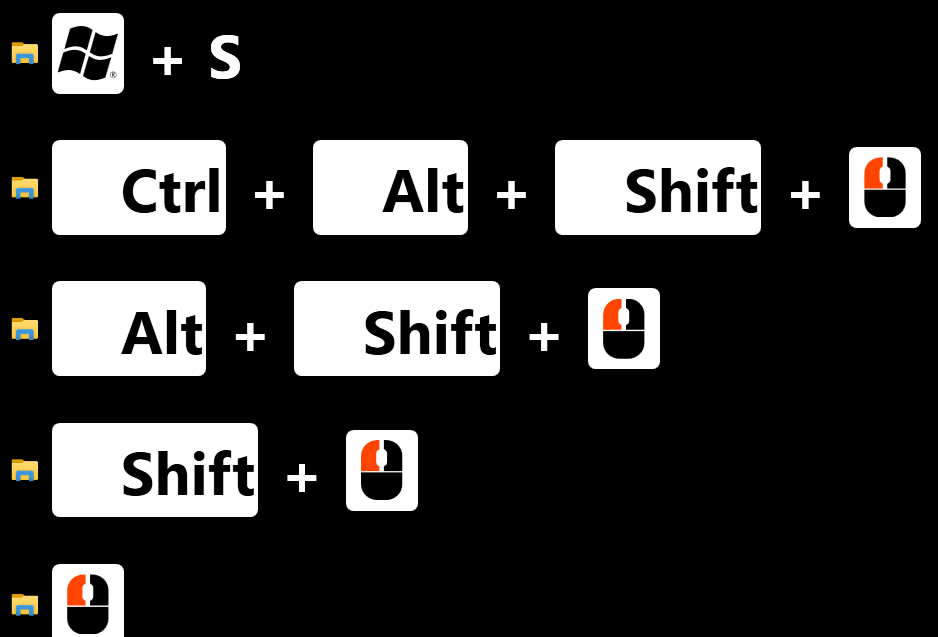
Hi I have a new beta release with edge cases and visual symbols for mouse. Feedback welcome. https://github.com/bfritscher/carnac/releases/tag/v3-beta
It supports Left, Right, Middle, XButton1 and 2 + ScrollWheel.
Hello. Thank you much, that is great news but it took me a while to figure out that I need to remove ALL the check marks from Keyboard to see the mouse picture...and that came with the price of displaying all keys pressed. I was expecting this to be added like a supplemental feature on top of the existing one: I would still generally use to display only the modifiers keys + whatever are combined with + mouse icon. A word on modifier key Shift: it doesn't work like Alt or Ctrl: while the latter remain on the screen and are being displayed combined with the next key pressed, like: Ctrl + F11 Shift is being replaced by the next key so the user sees the following sequence: Shift F11 - this being the only thing left displayed.
Also, in order to have Shift displayed some keys must have been pressed recently: if the pause is longer(don't exactly know how many seconds...) Shift is simply not displayed The mouse icon is sometimes shown when I press on Shift IF the previous thing displayed seconds ago was the mouse icon...really weird.
I tried to attach some picture and video to make this easier but for some reason I can't so I just hope I'm explaining well enough... Thanks a lot, keep up the great work!
...I must also say that it is a bit confusing the fact that the mouse picture appears to behave like a keyboard feature rather that a mouse one: I have 2 screens and I can see the mouse circles only when I'm clicking on one screen only - my understanding is that it's controlled from the General screen - whereas the mouse picture is displayed regardless the screen I'm clicking in. Thank you.
Hello. Another option/parameter for the Keyboard should be to choose the way multiple identical key stroked in a row are being displayed: LLLLL OR Lx5. Thank you.
@bfritscher Thank you for the beta release! (https://github.com/bfritscher/carnac/releases/tag/v3-beta) It works well. Maybe add it to the master branch and release it?

Hey I'm having an issue with the application... here is a video I made of the problems. -Chris https://www.youtube.com/watch?v=e1mupM75NEM

Is there a way to keep the mouse circles without the mouse icons showing up in the little shortcut section? This would be a great feature.

Hey I'm having an issue with the application... here is a video I made of the problems. -Chris https://www.youtube.com/watch?v=e1mupM75NEM
You got to hit save for changes to show up.
I added some options to have more controls on what gets displayed for the mouse keys in my latest update https://github.com/bfritscher/carnac/releases
I added some options to have more controls on what gets displayed for the mouse keys in my latest update https://github.com/bfritscher/carnac/releases
OMG thank you so much. SO great! I have tried keycastow and Crea Lesson which have both been buggy with zbrush. This works flawlessly so far!
I added some options to have more controls on what gets displayed for the mouse keys in my latest update https://github.com/bfritscher/carnac/releases
Great updates, I had one other question/request. Is it possible for the logger to show more than one modifier key at once? Sometimes I use two or more of shift/ctrl/alt, and it seems to only show one of those keys when I use them in combination. In zbrush I often use ctrl/alt or ctrl/alt/shift.
Sometimes I use two or more of shift/ctrl/alt, and it seems to only show one of those keys when I use them in combination. In zbrush I often use ctrl/alt or ctrl/alt/shift.
You should create an issue if you can provide a repeatable sequence of keys which illustrates the bug.
Just trying different modifiers they show up
How do I uninstall carnac? How do I open the settings. I clicked the application and it just goes and I can't change any settings or turn it off.

Hello, I'm French, sorry for my English. First of all, thank you for your application, it is wonderful! I had a question: is it possible for mouse clicks to be shown on click instead of released? Indeed, if we maintain the click to move an element, the mouse only appears when released after the movement, whereas it would be more natural to see appear the mouse when clicking, followed by the movement ... I don't know what you think of that ... Thanks in advance !
