

 Checkmarx
SARIF output on Kics docker mode is relative to docker mounting point
When running Kics as docker as part of a workflow(and not using kics GitHub action), SARIF output and the "artifactLocation" are all relative to the docker volume mounting point.
For example, when running kics as:
steps:
  - uses: actions/checkout@v2
  - name: Mkdir results-dir
    # make sure results dir is created
    run: mkdir -p results-dir
  - name: run kics Scan
    run: |
      ls -al
      docker run -v /home/runner/work/blabla/blabla/iac_examples:/path -v /home/runner/work/blabla/blabla/results-dir:/results-dir checkmarx/kics scan -p "/path" --ignore-on-exit results --report-formats sarif --output-path /results-dir
  - name: Show results
    run: |
      cat results-dir/results.sarif
  - name: Upload SARIF file
    uses: github/codeql-action/upload-sarif@v1
    with:
      sarif_file: results-dir/results.sarif
the SARIF output would be something like
{ "ruleId": "5a2486aa-facf-477d-a5c1-b010789459ce", "ruleIndex": 1, "kind": "fail", "message": { "text": "'associate_public_ip_address' is undefined or null" }, "locations": [ { "physicalLocation": { "artifactLocation": { "uri": "../../path/ec2.tf" }, "region": { "startLine": 1 } } } ] },
As you can see the "artifactLocation" is relative to the volume mounting point we have configured when running kics. Is there a way to get the full path/ or the original path, so kics results could be seen as annotations in a pull request?

Hi @liorj-orca hope you are doing great! Can you give more details about what would be the ideal uri according to the given path in docker?

@cxMiguelSilva Basically, the output file path/s for kics containerized/non-containerized mode should be the same
Example
If someone run the following
docker run -v /tmp/test:/path checkmarx/kics scan -p "/path"
Kics will currently output the findings with -
../../path/...
(e.g. ../../path/terraform/test_file.tf:1)
Instead, it should output the finding with -
/tmp/test/...
(e.g. /tmp/test/terraform/test_file.tf:1)

@cxMiguelSilva any update on this? This is particular relevante when trying to review the findings using the SARIF file. The "uri" from the "artifactLocation" is the "relative path" to the file and not the full path or even the relative path to the input path, making impossible to open the file directly.
When opening the SARIF report on VS Code for example:
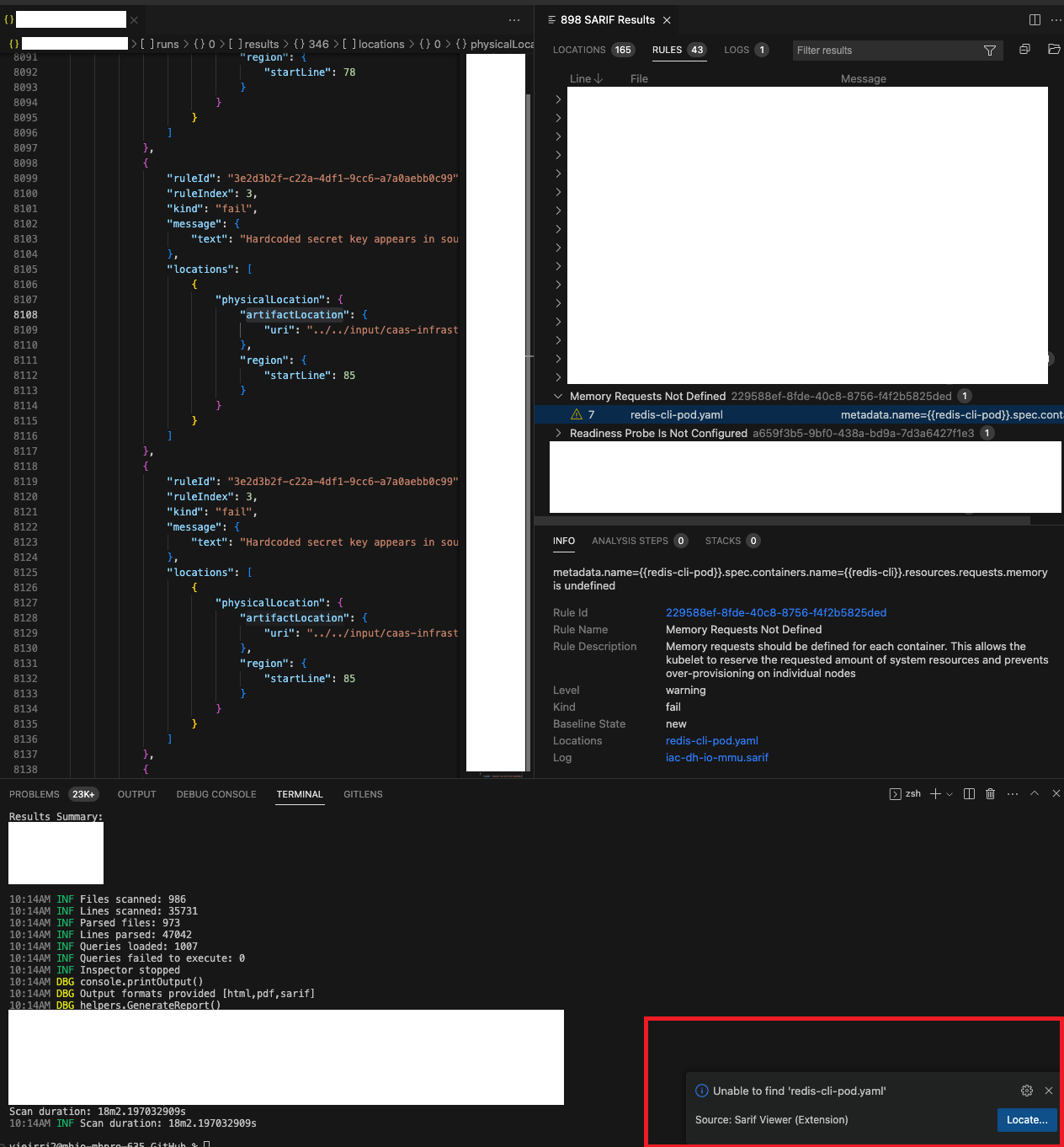
https://github.com/Checkmarx/kics/blob/master/pkg/report/model/sarif.go#L301

As per the SARIF spec, what is missing is the originalUriBaseIds on the "runs" object as well as the uriBaseId property on the artifactLocation objects. see: https://docs.oasis-open.org/sarif/sarif/v2.1.0/sarif-v2.1.0.pdf
Under the uriBaseID property documentation
EXAMPLE 2: In this example, the analysis tool has set the uri property of an artifactLocation object (§3.4) to a relative reference. The tool has also set the uriBaseId property to "%srcroot%". The analysis tool and the SARIF consumers have agreed upon a convention whereby this indicates that the relative reference is expressed relative to the root of the source tree in which the file appears.
You would have something like this:
...
runs: [
{
   ...
   "originalUriBaseIds": {
        "%srcroot%": {
          "uri": "file://<PATH-WHERE-THE-SCAN-RAN>"
        }
   },
   "results": [
     "level": "warning",
      "locations": [
        {
          "physicalLocation": {
            "artifactLocation": {
              "uri": "<PATH-RELATIVE-TO-BASE-URI-ID>",
              "uriBaseId": "%srcroot%"
            },
            "region": {
              "startLine": 7
            }
          }
        }
      ],
..
Then the parsing tools can read the location and decide to override the uriBaseId to provide relative paths to the scans. I have also seen SRCROOT used in other tools rather than %srcroot%.
