

 Card-Forge
Fat Pack / Booster Box image confusion in quest
Describe the bug A clear and concise description of what the bug is.
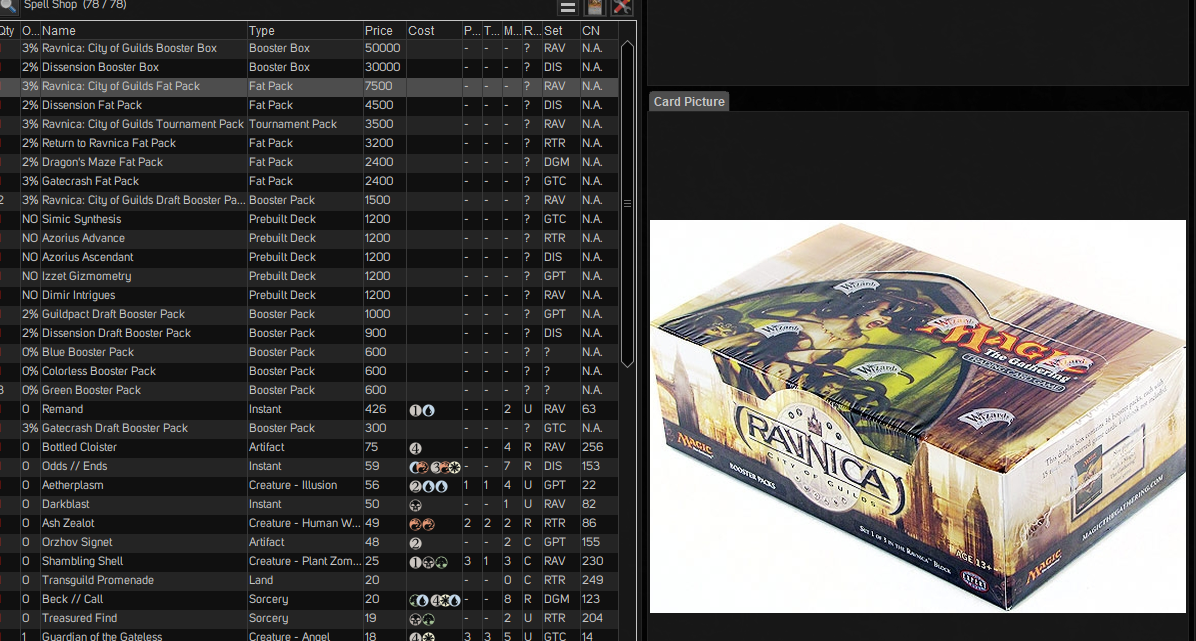
In a quest store, some fat pack images are not being used. Instead the booster box image is being used. The fat pack image file is in the fatpack folder, and appears like it should be all available.
To Reproduce Steps to reproduce the behavior:
- Start Forge
- Start a quest
- go to quest store
- look through fat packs selection, some fat packs don't show properly.
Expected behavior A clear and concise description of what you expected to happen.
Correct fatpack or image should be shown.
Screenshots If applicable, add screenshots to help explain your problem.
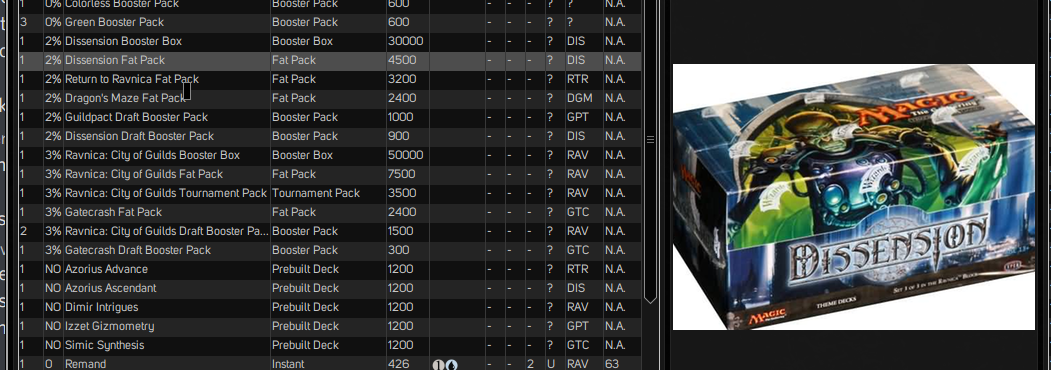
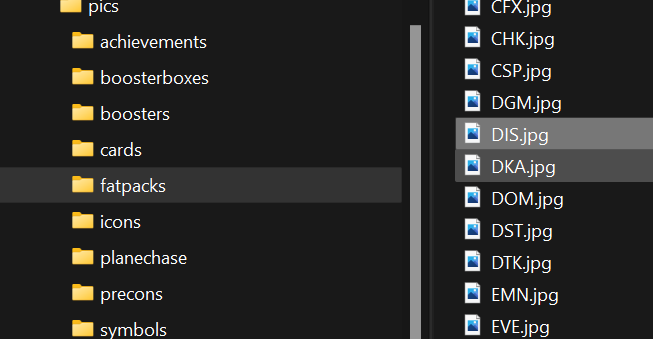
Desktop (please complete the following information):
- OS: [e.g. iOS]
- Browser [e.g. chrome, safari]
- Version [e.g. 22]
Yes
Smartphone (please complete the following information):
- Device: [e.g. iPhone6]
- OS: [e.g. iOS8.1]
- Browser [e.g. stock browser, safari]
- Version [e.g. 22]
Sometimes?
Additional context Add any other context about the problem here.

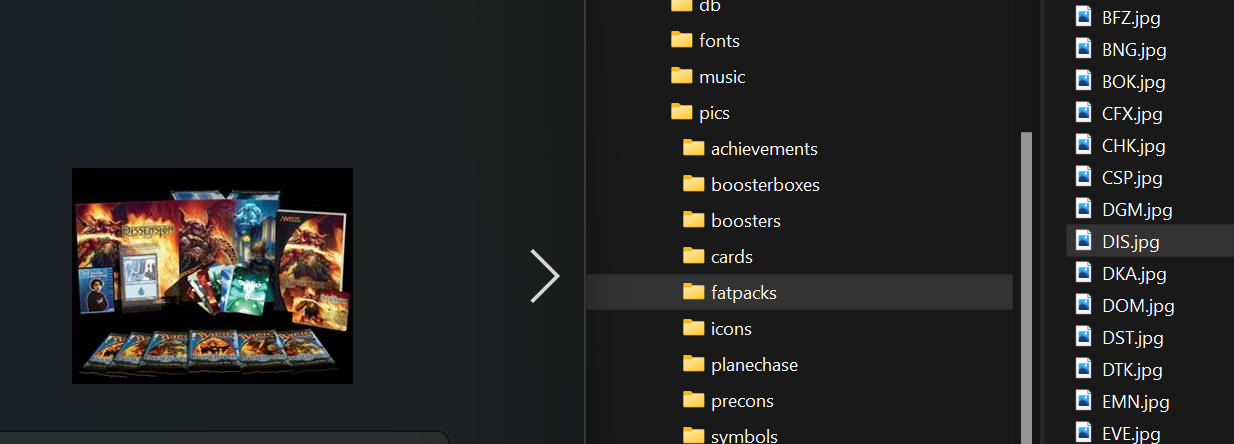
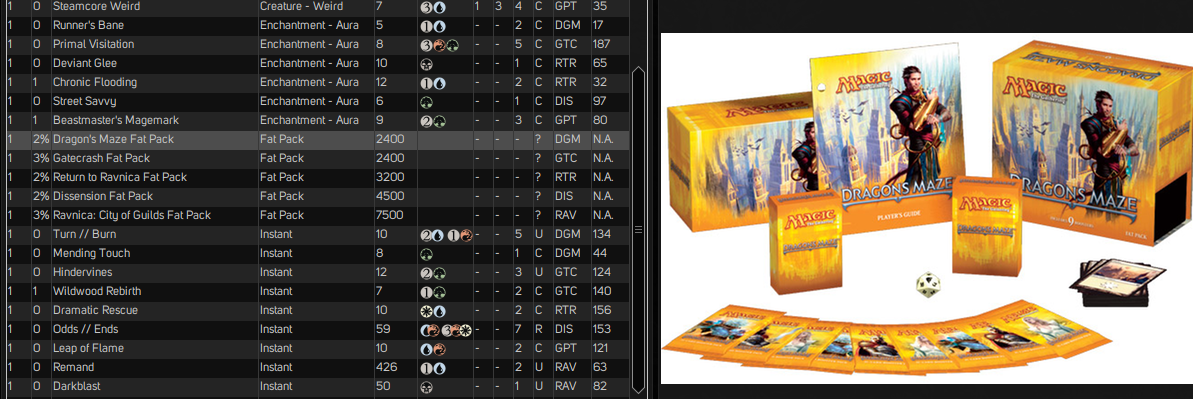
Appears to be showing only the booster box image when a booster box and the fat pack box is both available in the store.
This issue has not been updated in a while and has now been marked as stale. Stale messages will be auto closed.
![github-actions[bot] avatar](https://avatars.githubusercontent.com/in/15368?v=4 "Published by a pub.dev verified publisher")
This issue was closed because it has been stalled for 5 days with no activity.