

 CIDARLAB
Portions of Curved Mixer missing when placed in certain locations
Describe the bug Depending on the location in which a curved mixer element is placed, certain regions of the element will be effectively non-existent. As far as I have experienced, this only occurs with the curved mixer. The same missing portions can be observed when a mixer is being moved, placed for the first time (partially transparent), or selected. The spots remain stationary as parts are moved around the window, meaning a curved mixer can be removed and put back or replaced by a new curved mixer, and the same portions will be missing. It seems as if the dead spots are not always in the same locations between activations of the html file, but I cannot be sure. Typically they appear clustered around the left side of the window, but they have also been observed in the upper right. Updating my browser did not alleviate this issue, and it is encountered both on the 3Duf website and using the HTML from github.
Steps to reproduce the behavior:
- Open the html file for 3Duf.
- Create a curved mixer.
- Increase the number of bends on the curved mixer (not technically necessary but improved ability to find dead spots).
- Move the mixer around the screen to locate regions where the mixer cuts out.

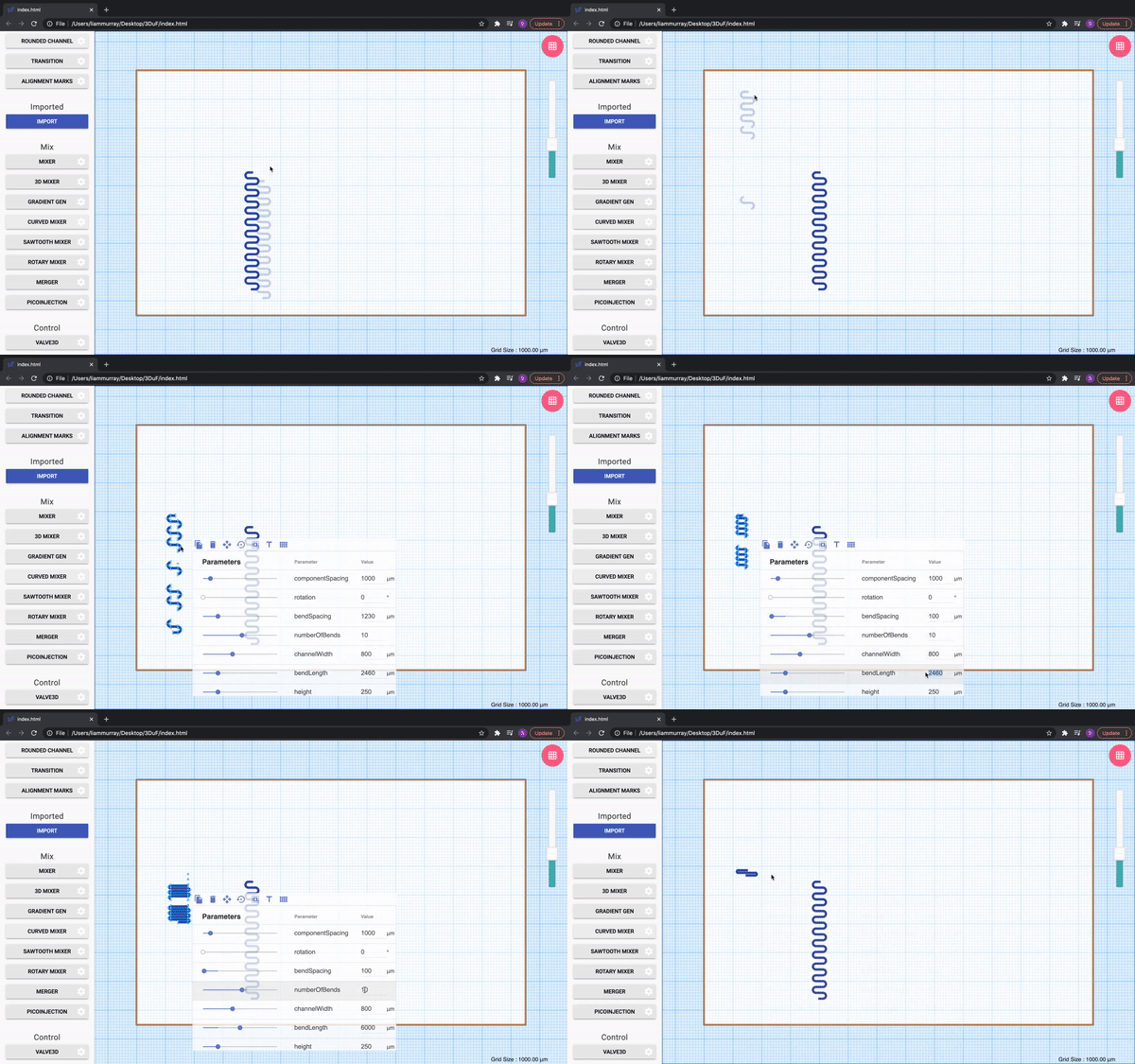
Expected behavior: Upon finding a dead spot, portions of the curved mixer should appear to blip in and out of existence. This behavior should be observed for all curved mixers in the file and cannot be remedied by changing qualities of the mixer itself.
Desktop:
- OS: macOS Catalina
- Browser: Chrome: Version 89.0.4389.90, Version 90.0.4430.85
- Version: 3Duf: 1.1.1
