

 BookStackApp
Add way to set page preview content
Describe the feature you'd like Allow the page Subtitle to be specified on the page.
Example;
<!-- SUBTITLE: Document Subtitle, Meta Description -->
Describe the benefits this feature would bring to BookStack users Instead of giving the first n characters of the document on the chapter screen, we can specify a subtitle.
Additional context
| Current |  |
|---|---|
| Subtitled | 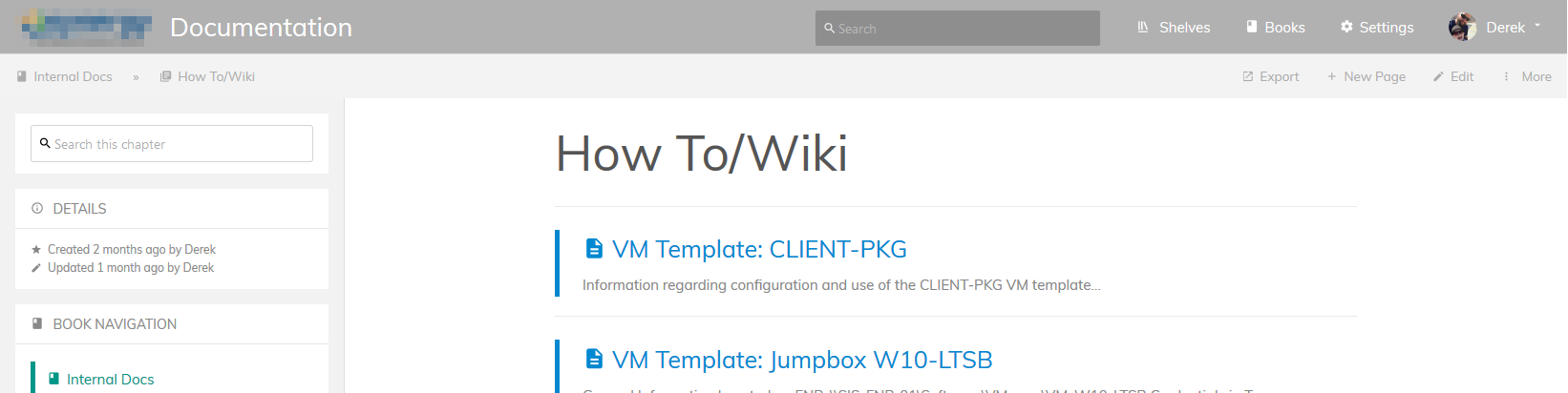 |


I would propose to add an extra field for this subtitle/summary, I just added an issue before I found this existing #1169

I've updated the title of this issue to not focus on a single editor in the interest in keeping them feature aligned.
Too add my thoughts, Personally I feel this would be a very micromanage-ery level feature. Within the editor it would have to be very out-of-the way (In the sidebar like tags) but then that does reduce visibility and opens up things like risk of custom-set preview text not being updated.

I wouldn't put it somewhere out of sight, I also have a problem with the tags and attachments being more or less completely out of sight, but thats another topic. I could imagine something like "add a subtitle" button that displays a second field beneath the title field. But of course with smaller font etc.
That would also go along with actually using it also as a subtitle beneath the title (sic!) in the page view.
+1
As a temporary solution, I changed Entity.php to display only first line.
public function getExcerpt(int $length = 100): string
{
    $text = $this->getText();

    // Display only first line
    if ($length > 0) {
        $text = explode($text, '\n', 2)[0];
    }


Too add my thoughts, Personally I feel this would be a very micromanage-ery level feature. Within the editor it would have to be very out-of-the way (In the sidebar like tags) but then that does reduce visibility and opens up things like risk of custom-set preview text not being updated.
I think that this would be a good way to add this feature! I personally don't mind it being somewhat hidden in the UI. I also think this feature would be a good addition to Bookstack, so +1.


public function getExcerpt(int $length = 100): string
{
    $text = $this->getText();

    // Display only first line
    if ($length > 0) {
        $text = explode($text, '\n', 2)[0];
    }
Your parameters for explode are reversed, prior to php8 i guess you might not have noticed this but now there are cases where this will throw an error. Also, you can't use single quotes or the \n won't be parsed. Lastly, if your page begins with a new line (dunno why) then it would use a blank description. I did not want that last behavior. This is now working for me:
    /**
     * Get an excerpt of this entity's descriptive content to the specified length.
     */
    public function getExcerpt(int $length = 100): string
    {
        $text = $this->{$this->textField} ?? '';

        // Trim to first non-empty line
        if ($length > 0) {
            $texts = explode("\n", $text);
            foreach ( $texts as $t){
                if(!empty(trim($t))){
                    $text = $t;
                    break;
                }
            }
        }

        if (mb_strlen($text) > $length) {
            $text = mb_substr($text, 0, $length - 3) . '...';
        }

        return trim($text);
    }
To achieve a description that isn't on the page, you can write the text you want, and then edit the page source and add style="display: None" to your description section. This will hide the text from displaying but the text will still be used as the description. To edit the "description" later, you will need to edit it via the source code since the editor won't show it anymore.
Just to note: This change does not appear to affect Shelf, Book, and Chapter descriptions which do not have their descriptions fetched via the getExcerpt() method.