

 Binaryify
The color scheme looks a lot of red
Describe the bug A clear and concise description of what the bug is.
Screenshots & Example Code

Desktop (please complete the following information):
- OS: Mac
- VSCODE Version 1.56
- Theme version 3.10.14


@fuyunliu Is seems you use Pylance plugin. If you disable it the redness would decrease. Nevertheless this behaviour is quite strange indeed.

Help please : My problem is that everything that should be in red is grey :
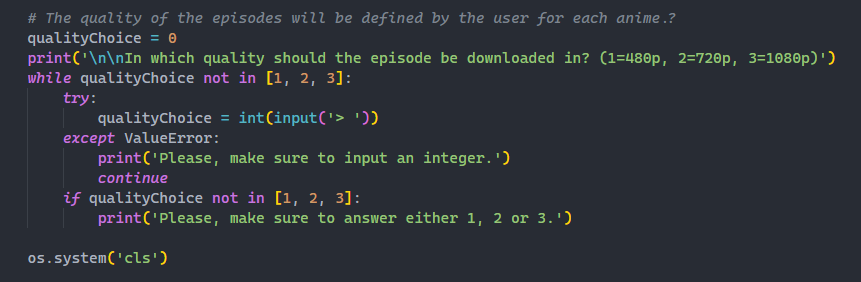
How to make variables red again ?

@fuyunliu @jk123vip @lromanov you could add this in your settings.json
"editor.semanticTokenColorCustomizations": {
    "rules": {
      "parameter:python": "#aaaaaa"
    }
  },

@marcpinet install Pylance plugins
I installed Pylance plugins, now I have the same issue above (almost everything is red) I also tried to copy/paste what you asked them to add in our settings.json but still doesn't work.
In my settings.json, when I put
"python.languageServer": "None",
where None replaces Pylance, it fixes the issue
@marcpinet read this https://github.com/Binaryify/OneDark-Pro#python--pylance-users
      "editor.tokenColorCustomizations": {
        "textMateRules": [
          {
            "scope": "support.type.exception.python",
            "settings": {
            "foreground": "#ffbe32"
            }
          },
          {
            "scope": "meta.fstring.python",
            "settings": {
              "foreground": "#D19A66"
            }
          },
          {
            "scope": "meta.item-access.python",
            "settings": {
              "foreground": "#E06C75"
            }
          },
          {
            "scope": "meta.function-call.arguments.python",
            "settings": {
              "foreground": "#D19A66"
            }
          }
        ]
      },
This fixed my issue partially