

 Baseflow
Leak on terminated app
🐛 Bug Report
I wanted to try to listen to locations even after i terminate app so i added
            notificationText:
            "Example app will continue to receive your location even when you aren't using it",
            notificationTitle: "Running in Background",
            enableWakeLock: true,
          )
to settings. But when i terminate the app i get this leak
E/ActivityThread(13871): Activity com.enviroapp.enviroapp.MainActivity has leaked ServiceConnection com.baseflow.geolocator.GeolocatorPlugin$1@576aec9 that was originally bound here
E/ActivityThread(13871): android.app.ServiceConnectionLeaked: Activity com.enviroapp.enviroapp.MainActivity has leaked ServiceConnection com.baseflow.geolocator.GeolocatorPlugin$1@576aec9 that was originally bound here
E/ActivityThread(13871): 	at android.app.LoadedApk$ServiceDispatcher.<init>(LoadedApk.java:1811)
E/ActivityThread(13871): 	at android.app.LoadedApk.getServiceDispatcherCommon(LoadedApk.java:1683)
E/ActivityThread(13871): 	at android.app.LoadedApk.getServiceDispatcher(LoadedApk.java:1662)
E/ActivityThread(13871): 	at android.app.ContextImpl.bindServiceCommon(ContextImpl.java:1819)
E/ActivityThread(13871): 	at android.app.ContextImpl.bindService(ContextImpl.java:1749)
E/ActivityThread(13871): 	at android.content.ContextWrapper.bindService(ContextWrapper.java:756)
E/ActivityThread(13871): 	at com.baseflow.geolocator.GeolocatorPlugin.onAttachedToActivity(GeolocatorPlugin.java:126)
E/ActivityThread(13871): 	at io.flutter.embedding.engine.FlutterEngineConnectionRegistry.add(FlutterEngineConnectionRegistry.java:155)
E/ActivityThread(13871): 	at io.flutter.plugins.GeneratedPluginRegistrant.registerWith(GeneratedPluginRegistrant.java:29)
E/ActivityThread(13871): 	at java.lang.reflect.Method.invoke(Native Method)
E/ActivityThread(13871): 	at io.flutter.embedding.engine.plugins.util.GeneratedPluginRegister.registerGeneratedPlugins(GeneratedPluginRegister.java:80)
E/ActivityThread(13871): 	at io.flutter.embedding.android.FlutterActivity.configureFlutterEngine(FlutterActivity.java:1004)
E/ActivityThread(13871): 	at io.flutter.embedding.android.FlutterActivityAndFragmentDelegate.onAttach(FlutterActivityAndFragmentDelegate.java:191)
E/ActivityThread(13871): 	at io.flutter.embedding.android.FlutterActivity.onCreate(FlutterActivity.java:459)
E/ActivityThread(13871): 	at android.app.Activity.performCreate(Activity.java:8000)
E/ActivityThread(13871): 	at android.app.Activity.performCreate(Activity.java:7984)
E/ActivityThread(13871): 	at android.app.Instrumentation.callActivityOnCreate(Instrumentation.java:1309)
E/ActivityThread(13871): 	at android.app.ActivityThread.performLaunchActivity(ActivityThread.java:3422)
E/ActivityThread(13871): 	at android.app.ActivityThread.handleLaunchActivity(ActivityThread.java:3601)
E/ActivityThread(13871): 	at android.app.servertransaction.LaunchActivityItem.execute(LaunchActivityItem.java:85)
E/ActivityThread(13871): 	at android.app.servertransaction.TransactionExecutor.executeCallbacks(TransactionExecutor.java:135)
E/ActivityThread(13871): 	at android.app.servertransaction.TransactionExecutor.execute(TransactionExecutor.java:95)
E/ActivityThread(13871): 	at android.app.ActivityThread$H.handleMessage(ActivityThread.java:2066)
E/ActivityThread(13871): 	at android.os.Handler.dispatchMessage(Handler.java:106)
E/ActivityThread(13871): 	at android.os.Looper.loop(Looper.java:223)
E/ActivityThread(13871): 	at android.app.ActivityThread.main(ActivityThread.java:7656)
E/ActivityThread(13871): 	at java.lang.reflect.Method.invoke(Native Method)
E/ActivityThread(13871): 	at com.android.internal.os.RuntimeInit$MethodAndArgsCaller.run(RuntimeInit.java:592)
E/ActivityThread(13871): 	at com.android.internal.os.ZygoteInit.main(ZygoteInit.java:947)
D/FlutterGeolocator(13871): Binding to location service.
D/FlutterGeolocator(13871): Destroying location service.
D/FlutterGeolocator(13871): Stop service in foreground.
Expected behavior
Wanted to fetch data in terminated state
Reproduction steps
I didnt find anything in issues..
Configuration
Same as in example Version: ^8.2.0
Platform:
- [x] :robot: Android

I add
assert pluginBinding != null; pluginBinding .getActivity() .unbindService( serviceConnection );
to function onDetachedFromActivity in file GeolocatorPlugin.java
and it look like this
@Override
    public void onDetachedFromActivity() {
        assert pluginBinding != null;
        pluginBinding
              .getActivity()
              .unbindService(
                      serviceConnection
              );
        dispose();
        deregisterListeners();
    }
but I'am not sure, that this is correct for rest of functionality

Now i get this message also
Tried to send a platform message to Flutter, but FlutterJNI was detached from native C++. Could not send. Channel: flutter.baseflow.com/geolocator_updates. Response ID: 11
Same error, but to me it happens on app startup. geolocator version ^8.2.0, minSdkVersion 29, targetSdkVersion 31, compileSdkVersion 31. It works fine with Android 10, Android 11 (hence, not returning any error), not working in Android 12.


Having a look at the code it seems like even though the service is starting in the foreground it is still dependent on the activity and the flutter engine associated with that activity so the service is not truly as detached as it should be. Terminating the activity this leads to the service having to be terminated with it, which is what is happening currently.
For the most part this will allow some form of background location with the system keeping the activity and the service alive on a best effort basis. This issues will mostly present itself if you have Do Not Keep Activities enabled on Android. I will have a look to see if I can implement this to be truly background enabled even when the activities are detached from the flutter engine but this may require a large amount of work on the library and potentially introduce breaking changes.
@Wackymax I understand its a lot of work. I dont need that feature right now. Problem is, when i terminate application (and i have enabled ForegroundNotificationConfig) it actually wont terminate the app? Android studio is showing that application is still running and i get these messages in console every millisecond. Can i somehow detach service when i terminate app? This is not happening if ForegroundNotificationConfig is not active.

Ok that is a separate issue that I can help fix
On 02 Mar 2022, at 16:54, Bujdy @.***> wrote:
@Wackymax I understand its a lot of work. I dont need that feature right now. Problem is, when i terminate application (and i have enabled ForegroundNotificationConfig) it actually wont terminate the app? Android studio is showing that application is still running and i get these messages in console every millisecond. Can i somehow detach service when i terminate app? This is not happening if ForegroundNotificationConfig is not active.
— Reply to this email directly, view it on GitHub, or unsubscribe. Triage notifications on the go with GitHub Mobile for iOS or Android. You are receiving this because you were mentioned.
Any updates? Also i would like to ask, whats the meaning of "running in background"? Is it when app is only minimized or phone is sleeping, or when i kill/terminate app?
I am not going to have time to fix it this week, but the fix would be to stop the service when the activity is detached from the engine and also unbinding the service connect.
For now background will work when the app is minimised, and if wake lock is true it will also stay alive when the phone goes to sleep. If the system comes under memory pressure Android may still choose to kill the activity which will terminate the application which will stop the foreground service.
On 03 Mar 2022, at 09:29, Bujdy @.***> wrote:
Any updates? Also i would like to ask, whats the meaning of "running in background"? Is it when app is only minimized or phone is sleeping, or when i kill/terminate app?
— Reply to this email directly, view it on GitHub, or unsubscribe. Triage notifications on the go with GitHub Mobile for iOS or Android. You are receiving this because you were mentioned.
So i tried it with your fixed version. After killing app, android studio shows that app is still running.
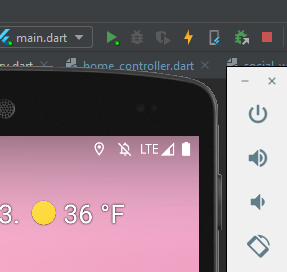 Logs after i killed app:

Hi Bujdy,
The PR was to address the leak reported by this issue. I am not sure why Android studio would still show the app as running but I think that is a different issue that will have to be investigated. I am also not sure if this is something that will be impacting production apps and if it is just the development environment that is impacted by this but we will have to investigate that.
Problem is that not only it shows application is still running, i still get leaks. For example i got another package where i listen to accelerometer. Because app is still running i get these leaks every millisecond

Even though i cancel all listeners. So there must be something wrong with killing the app when i got enabled ForegroundNotificationConfig
@bujdy To me it looks like in this case it is the accelerometer plugin that is still active.
According to the log it is trying to communicate on the method channel that no longer exists. The method channel mentioned is not used by the geolocator plugin.
Try removing the accelerometer plugin to see if the problem persists. If not you know it is the accelerometer plugin causing the current issues.
If the problem remains, it would be very helpful if you could create a small reproduction example app showing the same behavior. If you can provide such an example I can put some effort into debugging it tomorrow morning.

You are right, I can see the issue does still happen on my side. I am not sure why I didn't get it testing earlier. I am having a look on my side to see if I can identify possible solutions.
Ok so I had a look now and this is specifically related to the LocationServiceStatusReceiver and not the foreground service. Which is probably why I didn't pick up the issue earlier in my testing. I will make a PR to solve that issue for us. I had a look now at an older version of the library and I see the same behaviour where the app does not terminate when being killed and I am wondering if that is not perhaps a flutter issue, but it does seem to be related to streams communicating with native platforms.
@Wackymax Could be the same issue this PR is trying to solve: https://github.com/Baseflow/flutter-geolocator/pull/971
I haven't merged this one because I had some remarks but the original author doesn't seem to be keen on solving them.
@mvanbeusekom you are correct it is the same logic. I have added in additional check on my side to ensure the foreground service is indeed stopped in a similar scenario where we are stopping the stream. Happy if we close that PR and proceed with mine?
I have just released version 3.1.2 of the geolocator_android package. This contains the fix provided by @Wackymax and should resolve this issue. @bujdy could you have another try (make sure to run flutter pub upgrade to update to the latest version)?
Good job guys, everything is working, app is being killed. Only one problem, i get this error when i kill app.
D/AndroidRuntime( 7373): Shutting down VM
E/AndroidRuntime( 7373): FATAL EXCEPTION: main
E/AndroidRuntime( 7373): Process: sk.bluelemons.enviroapp, PID: 7373
E/AndroidRuntime( 7373): java.lang.RuntimeException: Unable to destroy activity {sk.bluelemons.enviroapp/sk.bluelemons.enviroapp.MainActivity}: java.lang.IllegalArgumentException: Receiver not registered: null
E/AndroidRuntime( 7373): 	at android.app.ActivityThread.performDestroyActivity(ActivityThread.java:5111)
E/AndroidRuntime( 7373): 	at android.app.ActivityThread.handleDestroyActivity(ActivityThread.java:5140)
E/AndroidRuntime( 7373): 	at android.app.servertransaction.DestroyActivityItem.execute(DestroyActivityItem.java:44)
E/AndroidRuntime( 7373): 	at android.app.servertransaction.TransactionExecutor.executeLifecycleState(TransactionExecutor.java:176)
E/AndroidRuntime( 7373): 	at android.app.servertransaction.TransactionExecutor.execute(TransactionExecutor.java:97)
E/AndroidRuntime( 7373): 	at android.app.ActivityThread$H.handleMessage(ActivityThread.java:2066)
E/AndroidRuntime( 7373): 	at android.os.Handler.dispatchMessage(Handler.java:106)
E/AndroidRuntime( 7373): 	at android.os.Looper.loop(Looper.java:223)
E/AndroidRuntime( 7373): 	at android.app.ActivityThread.main(ActivityThread.java:7656)
E/AndroidRuntime( 7373): 	at java.lang.reflect.Method.invoke(Native Method)
E/AndroidRuntime( 7373): 	at com.android.internal.os.RuntimeInit$MethodAndArgsCaller.run(RuntimeInit.java:592)
E/AndroidRuntime( 7373): 	at com.android.internal.os.ZygoteInit.main(ZygoteInit.java:947)
E/AndroidRuntime( 7373): Caused by: java.lang.IllegalArgumentException: Receiver not registered: null
E/AndroidRuntime( 7373): 	at android.app.LoadedApk.forgetReceiverDispatcher(LoadedApk.java:1435)
E/AndroidRuntime( 7373): 	at android.app.ContextImpl.unregisterReceiver(ContextImpl.java:1642)
E/AndroidRuntime( 7373): 	at android.content.ContextWrapper.unregisterReceiver(ContextWrapper.java:715)
E/AndroidRuntime( 7373): 	at com.baseflow.geolocator.LocationServiceHandlerImpl.disposeListeners(LocationServiceHandlerImpl.java:70)
E/AndroidRuntime( 7373): 	at com.baseflow.geolocator.LocationServiceHandlerImpl.stopListening(LocationServiceHandlerImpl.java:41)
E/AndroidRuntime( 7373): 	at com.baseflow.geolocator.GeolocatorPlugin.onDetachedFromEngine(GeolocatorPlugin.java:108)
E/AndroidRuntime( 7373): 	at io.flutter.embedding.engine.FlutterEngineConnectionRegistry.remove(FlutterEngineConnectionRegistry.java:273)
E/AndroidRuntime( 7373): 	at io.flutter.embedding.engine.FlutterEngineConnectionRegistry.remove(FlutterEngineConnectionRegistry.java:283)
E/AndroidRuntime( 7373): 	at io.flutter.embedding.engine.FlutterEngineConnectionRegistry.removeAll(FlutterEngineConnectionRegistry.java:291)
E/AndroidRuntime( 7373): 	at io.flutter.embedding.engine.FlutterEngineConnectionRegistry.destroy(FlutterEngineConnectionRegistry.java:121)
E/AndroidRuntime( 7373): 	at io.flutter.embedding.engine.FlutterEngine.destroy(FlutterEngine.java:425)
E/AndroidRuntime( 7373): 	at io.flutter.embedding.android.FlutterActivityAndFragmentDelegate.onDetach(FlutterActivityAndFragmentDelegate.java:669)
E/AndroidRuntime( 7373): 	at io.flutter.embedding.android.FlutterActivity.onDestroy(FlutterActivity.java:676)
E/AndroidRuntime( 7373): 	at android.app.Activity.performDestroy(Activity.java:8245)
E/AndroidRuntime( 7373): 	at android.app.Instrumentation.callActivityOnDestroy(Instrumentation.java:1344)
E/AndroidRuntime( 7373): 	at android.app.ActivityThread.performDestroyActivity(ActivityThread.java:5096)
E/AndroidRuntime( 7373): 	... 11 more
Seems like it is trying to unregister a receiver that is already null. Maybe we should add another null check just to be sure, what do you think @Wackymax ?
@mvanbeusekom apologies about that, completely missed it with the example app. New PR is up
No worries @Wackymax it happens. I am glad you are able to help and fix it so fast.
New version is published and all should be good now, @bujdy can you confirm?
I tried it with newer version and i dont get any errors in console, but app is still "running" after killing it :D
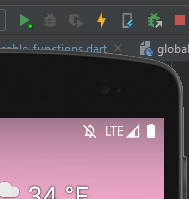
This behavior occurs in older versions of the library as well and I think that we should investigate as a separate issue. But it might just be the dev tooling in this case
On 09 Mar 2022, at 11:27, Bujdy @.***> wrote:
I tried it with newer version and i dont get any errors in console, but app is still "running" after killing it :D
— Reply to this email directly, view it on GitHub, or unsubscribe. Triage notifications on the go with GitHub Mobile for iOS or Android. You are receiving this because you were mentioned.
But previous version was OK, it killed app successfully, only problem was that java error.