XF-Material-Library

XF-Material-Library copied to clipboard
 Baseflow
MaterialMenuButton - assigned Command is not being called on menu selection
🐛 Bug Report
When the Command property is bound to an ICommand that exists in the ViewModel, the associated function is not being executed when a menu item is selected.
Expected behavior
If the Command property has a binding (i.e. ... Command="{Binding MenuCommand}" ... the associated view model command should be executed when the user selects a menu item.
Reproduction steps
Using the sample project in this repository, this is very easy to reproduce:
- Add the following to the
MaterialMenuButtonmarkup inViews/MaterialMenuButtonView.xaml
<material:MaterialMenuButton Image="icon_more.png" TintColor="Black" ButtonType="Text" CornerRadius="24" Choices="{Binding Actions}" Command="{Binding MenuCommand}" CommandParameter="CommandTest" MenuSelected="MenuSelected" />
- Change
Views/MaterialMenuButtonView.xaml.csto the following
using MaterialMvvmSample.ViewModels;
using Xamarin.Forms;
using XF.Material.Forms.UI;
using XF.Material.Forms.UI.Dialogs;

namespace MaterialMvvmSample.Views
{
    public partial class MaterialMenuButtonView : ContentPage
    {
        public MaterialMenuButtonView()
        {
            InitializeComponent();
            BindingContext = new MaterialMenuButtonViewModel();
        }

        private void MaterialMenuButton_MenuSelected(object sender, MenuSelectedEventArgs e)
        {
            MaterialDialog.Instance.AlertAsync("MenuSelected");
        }
    }
}
- Change
ViewModels/MaterialMenuButtonViewModel.csto the following
using System.Windows.Input;
using Xamarin.Forms;
using XF.Material.Forms.Models;
using XF.Material.Forms.UI.Dialogs;

namespace MaterialMvvmSample.ViewModels
{
    public class MaterialMenuButtonViewModel : BaseViewModel
    {
        public MaterialMenuItem[] Actions => new MaterialMenuItem[]
        {
            new MaterialMenuItem
            {
                Text = "Edit"
            },
            new MaterialMenuItem
            {
                Text = "Delete"
            }
        };

        public ICommand MenuCommand = new Command(
            execute: (arg) =>
            {
                MaterialDialog.Instance.AlertAsync("MenuCommand");
            },
            canExecute: (x) =>
            {
                bool? retval = MaterialDialog.Instance.ConfirmAsync(message: "Allow Menu?", confirmingText: "Yes", dismissiveText: "No").Result;
                return (retval.HasValue && retval.Value == true);
            });
    }
}
- Rebuild and run the code on a device or simulator and try the menu button. You will only see the "MenuSelected" message appear. Even with breakpoints in every possible execution path of the command, the only breakpoint that will fire is the one in the MenuSelected event handler.
Configuration
I have only tested it on Android and iOS because those are my only targets for this project. Version: 1.6.5
Platform:
- [x] :iphone: iOS
- [x] :robot: Android
- [x] :monkey: Xamarin.Forms
- [ ] :checkered_flag: WPF
- [ ] :earth_americas: UWP
- [ ] :apple: MacOS
- [ ] :tv: tvOS

@lwg-jmarciniak Hi there
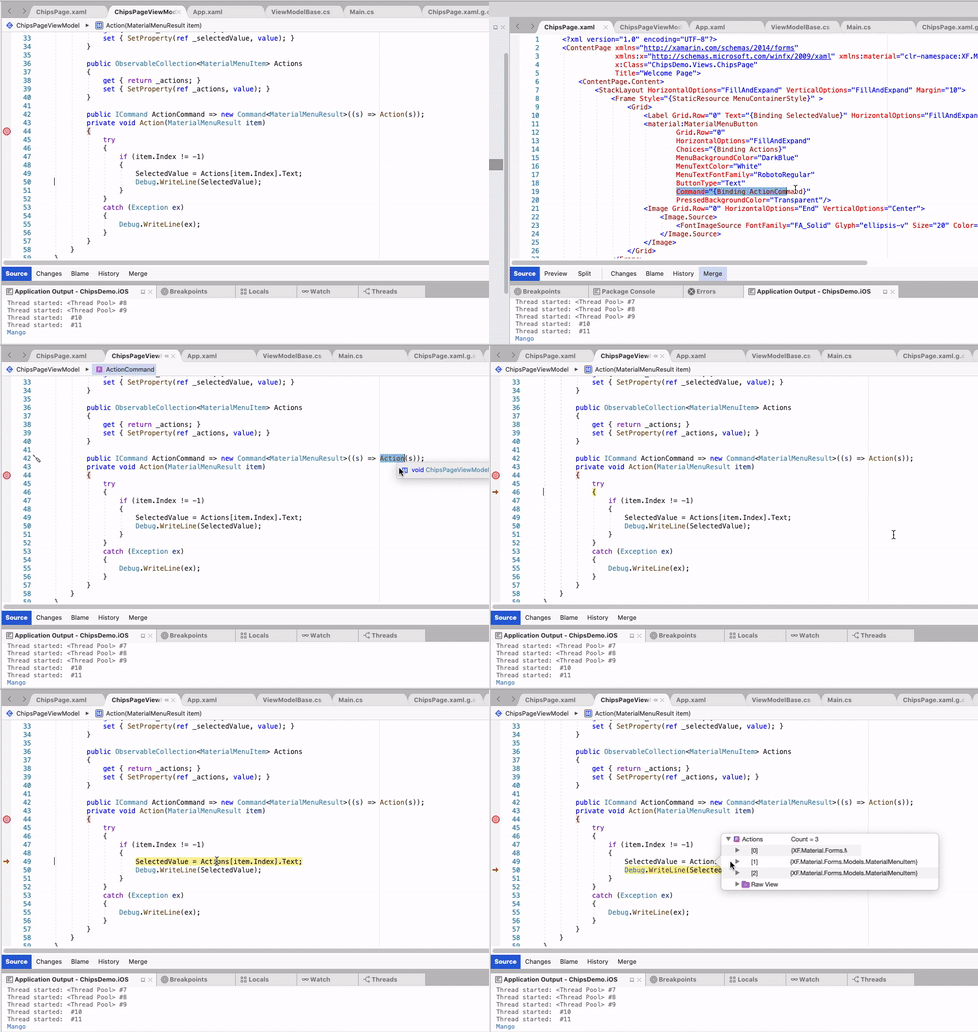
- I have used this plugin in my project and (command) it's working fine. You can check working sample here: XF.Material Sample
Platform:
- [x] 📱 iOS
- [x] 🤖 Android
Debug point is working fine
- CommandParameter is not required but if you want to pass it use
CommandParameter="{Binding .}"