

 BHoM
BHoM
Pipe diameter issue on pull
Description:
On pull of pipes, the diameters seem to come out mismatched:
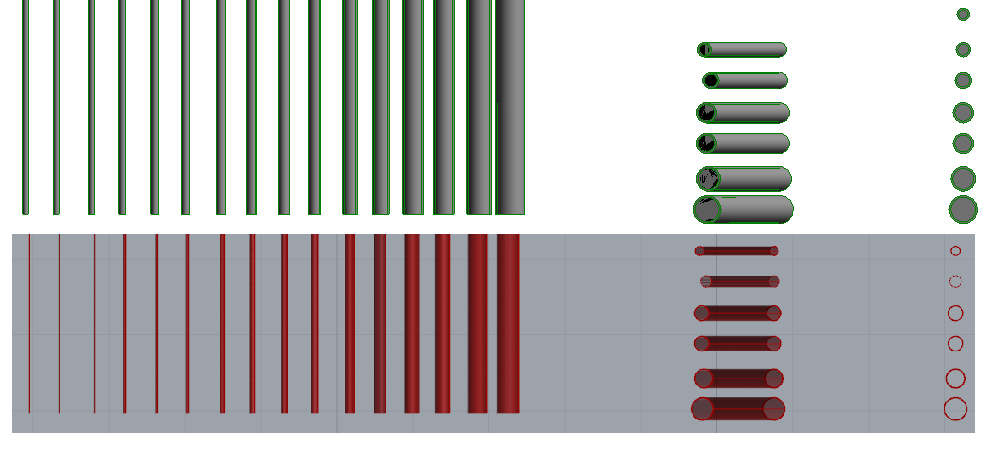

@pawelbaran Thank you for identifying the issue and you assistance with replicating it.
The screenshot below shows a replicated issue with the appearance of diameters.
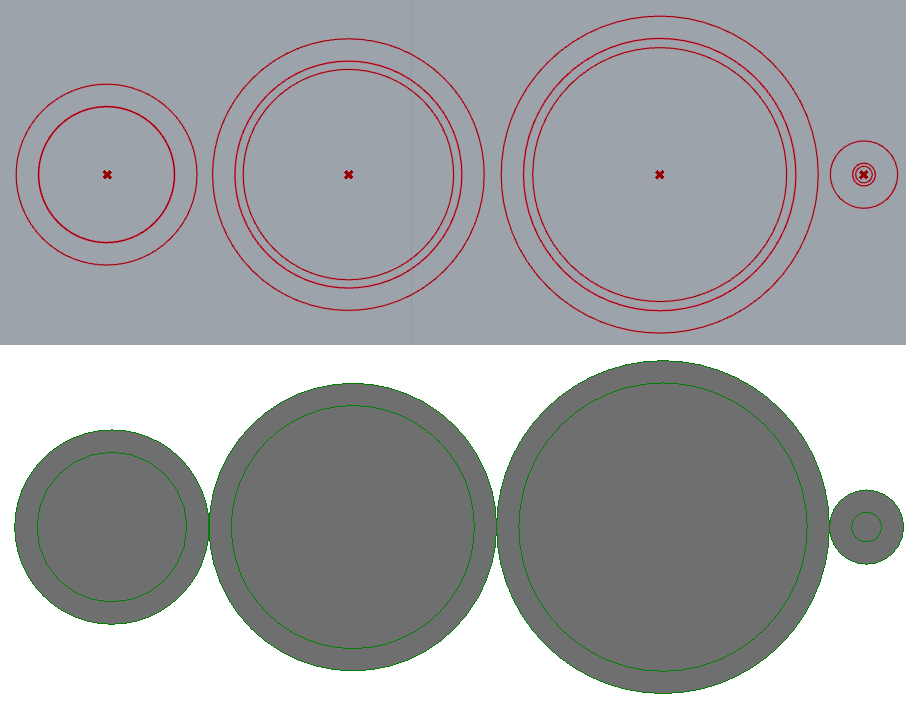 I am investigating the cause of the problem.

Insulation diameter check:
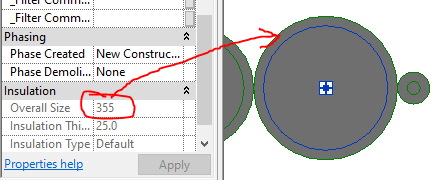
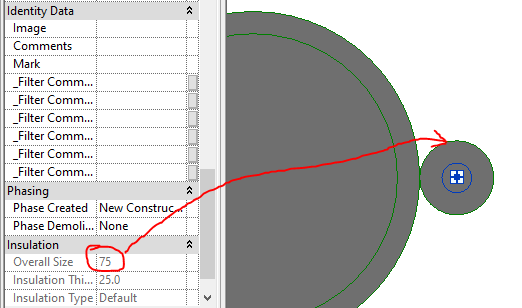
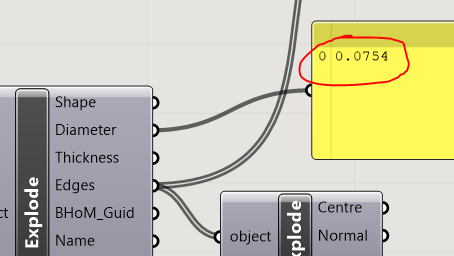
With the exception of some rounding of decimal places and having different units, the outer diameter of insulation checks out as shown below:
Large pipe:
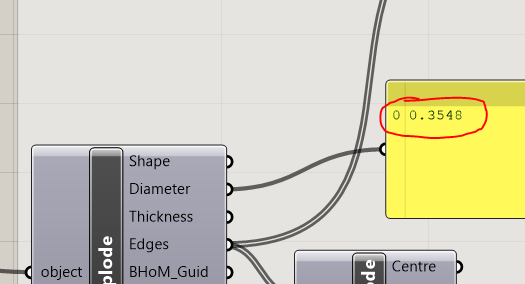
Small pipe:
Will check the pipe diameters to see if the problem originates there.
Pipe diameter test:
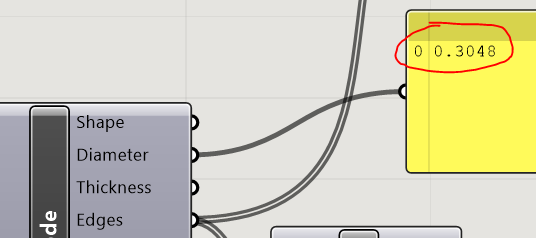
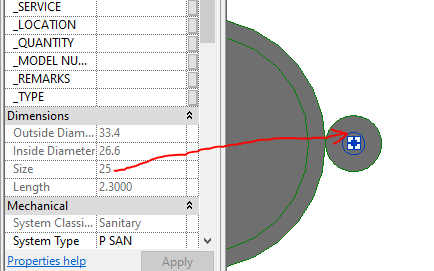
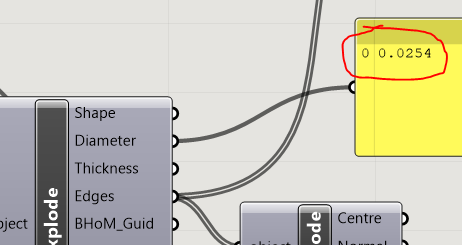
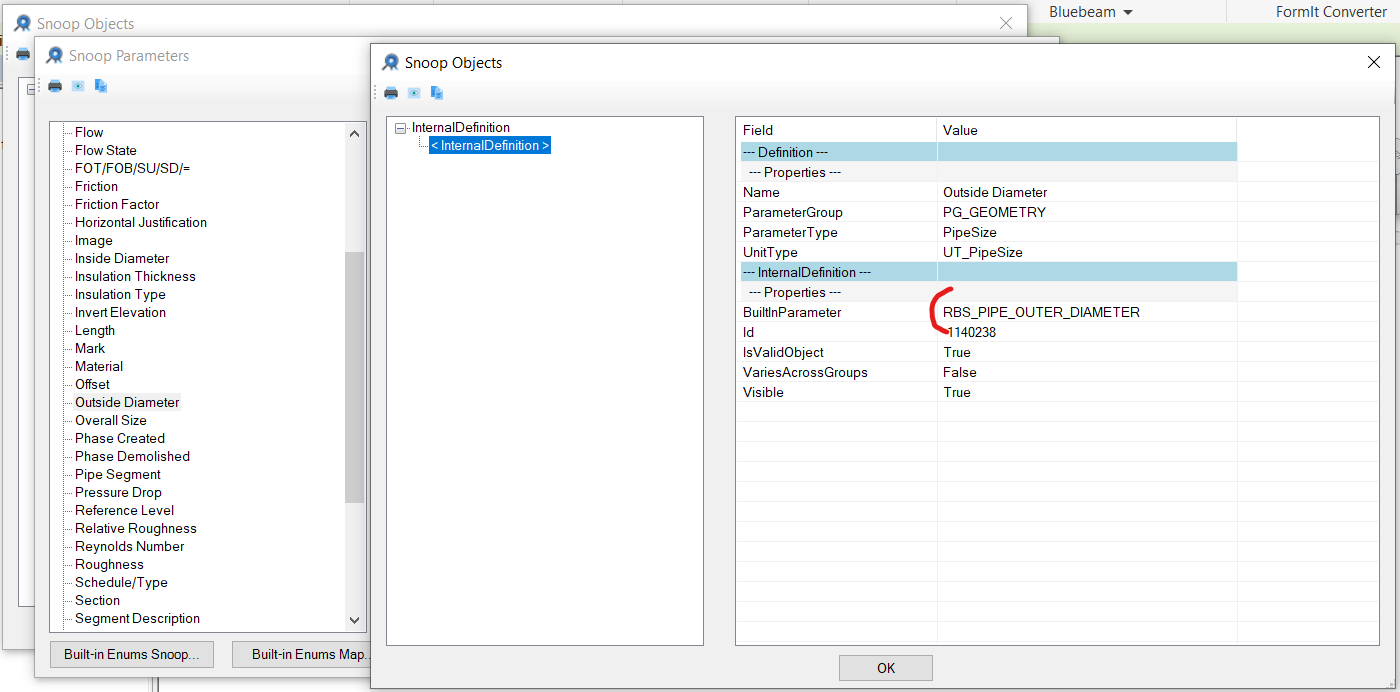
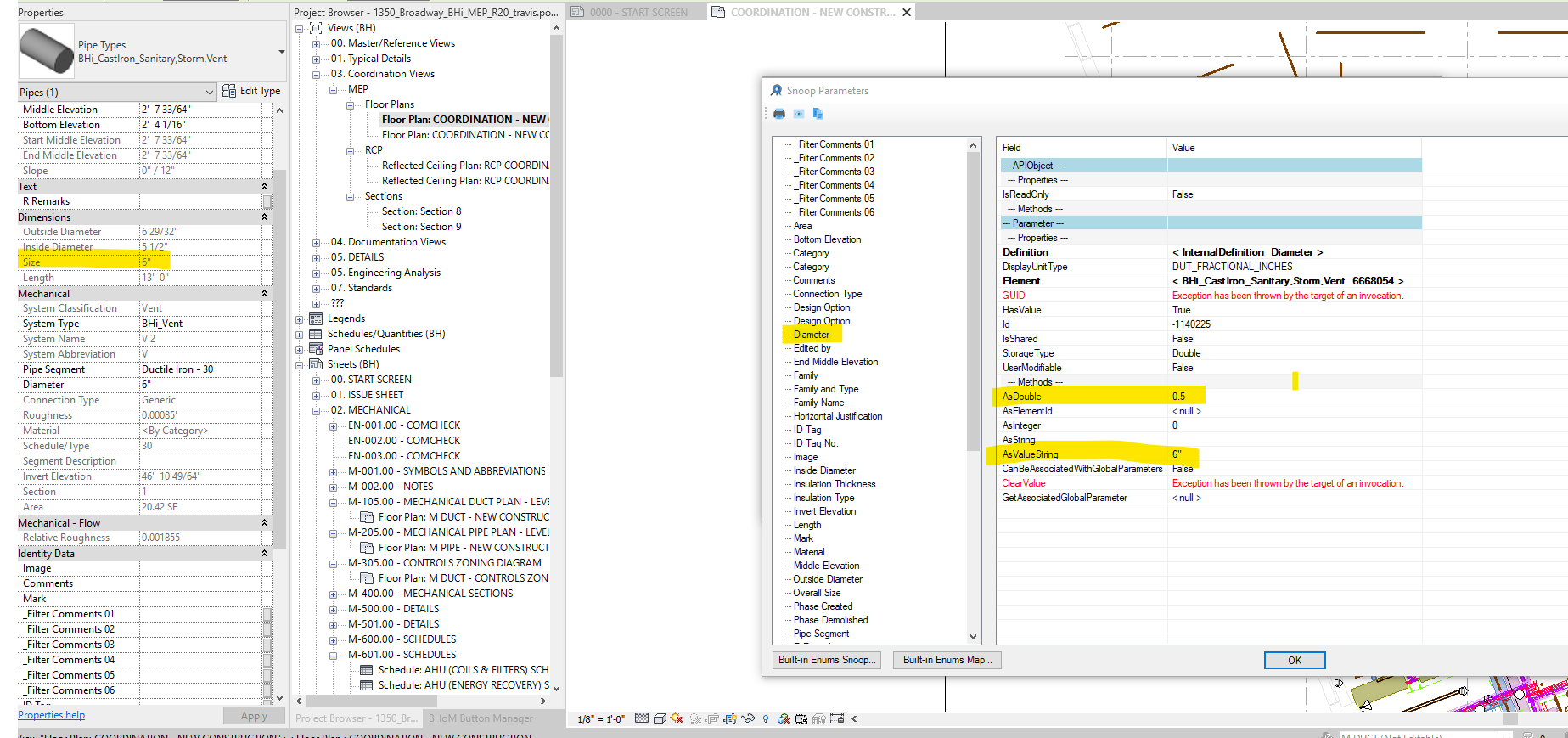
Based on the screenshots below, it appears that we are pulling the "nominal" pipe size and placing it in the Diameter property, which the description refers to as an Outer diameter. This may explain why the Grasshopper visualisation looks different, as the nominal size is neither an inner or outer diameter.
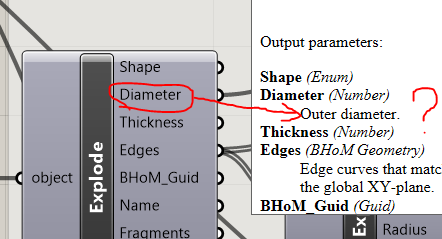
Large pipe:
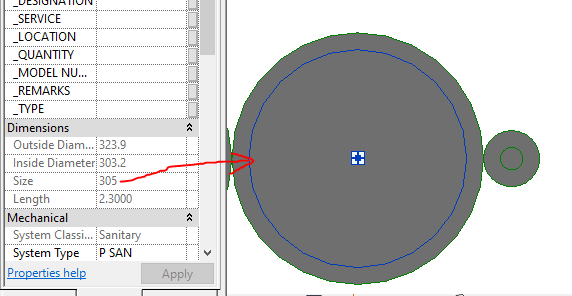
Small pipe:
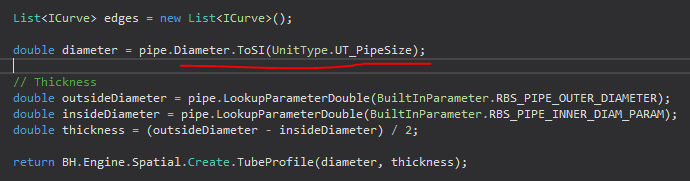
Well spotted @AndreBalasian. From what I can see it should be RBS_PIPE_OUTER_DIAMETER
After the discussion with @AndreBalasian, we decided to park this issue until the nominal and physical dimensions are distinguished on the oM side (see my comment).
@pawelbaran
Reviving this issue.
Only just saw your linked comment after having made this, so please mind the overlap in ideas.
We are unable to pull pipes of type Cast Iron at 1" due thickness being "inconceivable"

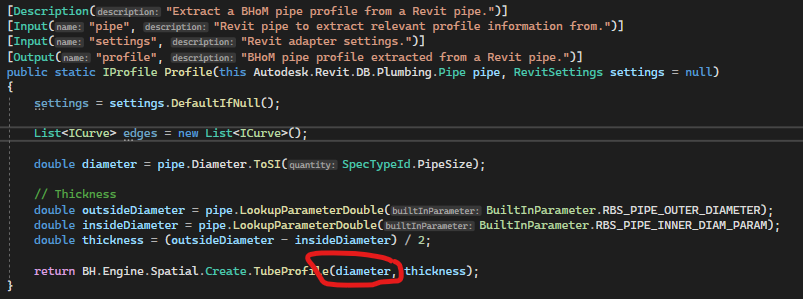
I propose a simple change from:
to:
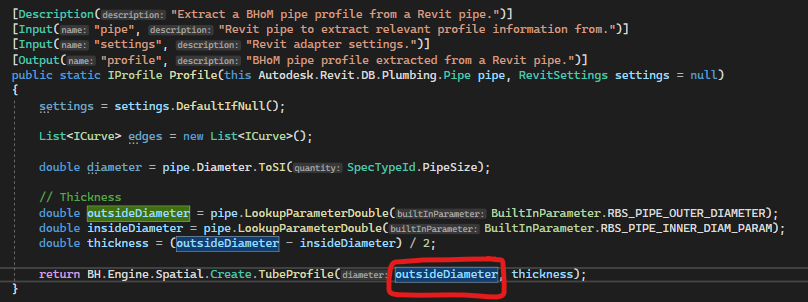
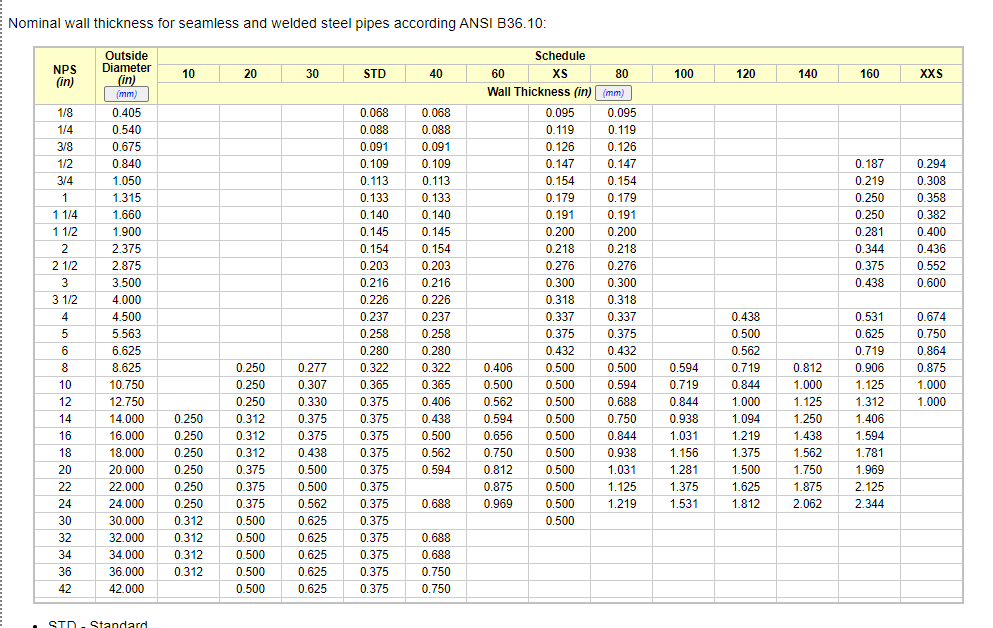
this would mean that any method that calls Create.TubeProfile would be using the outside diameter as it's diameter. Given that the thickness is also passed along, it is not apparent that the nominal diameter should be used since it is often not correct except for when ordering the pipe.
"Diameter" parameter on the pipe Pipe.SectionProperty.SectionProfile.ElementProfile should be loaded with the outside diameter value as this is an actual value relevant to the element profile
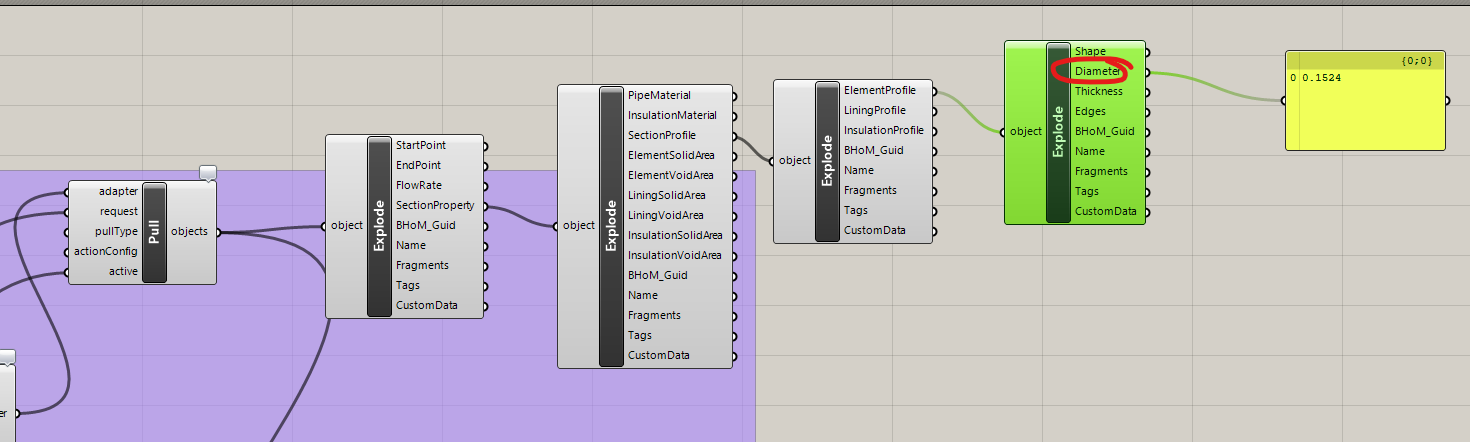
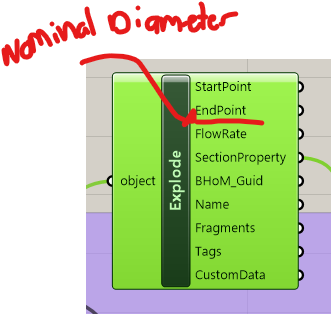
And the pipe object definition should include a "Nominal Diameter" parameter which pulls from Revit Diameter/Size property:
Example from EngineeringToolbox:

Thanks @travispotterBH for picking this up. Looks like we are on the same page: let's first sort out https://github.com/BHoM/BHoM/issues/1139 (tricky bit for you guys - possibly something to brainstorm around and map out in the coming milestone?), then this issue should become super simple.
@pawelbaran : I ran the Pipe-pulling script again and looks like it gave the correct pipe sizes compared to your screenshot in this issue's description. Have you already fixed this issue?

Hmm, we may have fixed it in the process, happy to close then.
@travispotterBH I am not sure whether the issue raised in your comment about cast iron still occurs, but if so, then I would suggest raising a separate, dedicated issue - discussion here started becoming a bit messy plus the originally reported problem does not exist any more.