

 Azure
Azure
Re-enabling Application Insights does not turn on Dynamic Tracing
Investigative information
It is easy to replicate the bug. Have been able to replicate it several times
- Timestamp: 22nd Feb 2022
- Function App name: CodeRuntimePrac2
- Function name(s) (as appropriate):
- Invocation ID:
- Region: centralus
Azure function deployed against Java 8 Code Runtime
Repro steps
Usually, to enable application insights 3, we need to add the following config ApplicationInsightsAgent_EXTENSION_VERSION=~3. And the dynamic tracing functionality automatically works.
Steps:
-
Enable dynamic tracing by adding the above flag. Goto App Insights and confirm if
Application mapis showing the graphs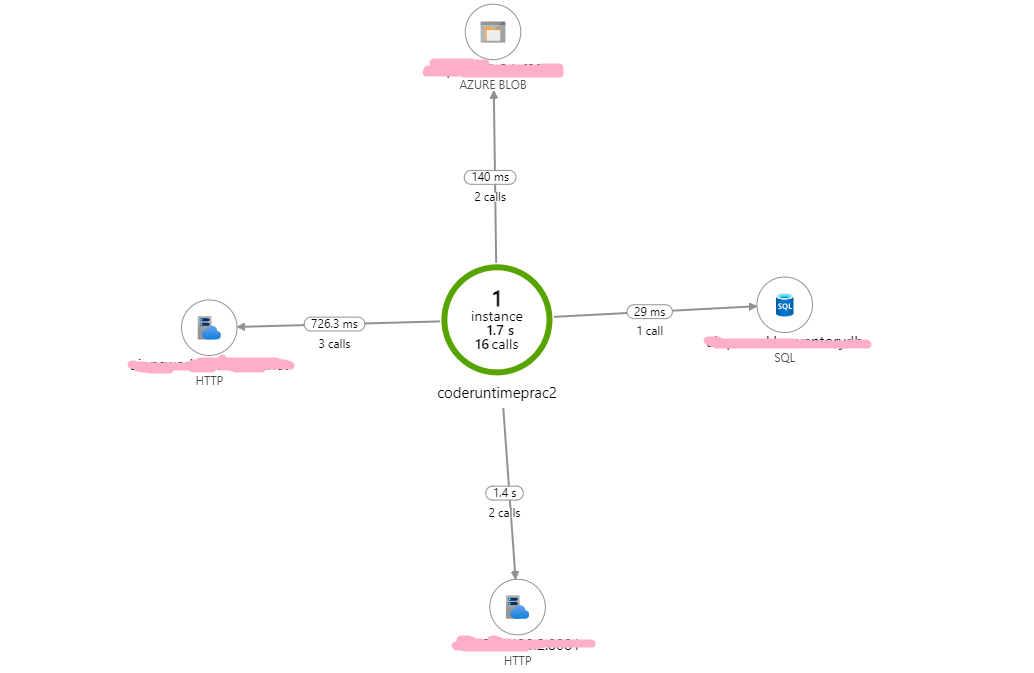
-
Now, In your azure-function portal, goto
Settings -> Application InsightsanddisableApp Insights -
This restarts the function app. Wait for about a minute for the app to come up.
-
In your azure-function portal, goto
Settings -> Application InsightsandenableApp Insights again
Now visit App Insights page and recheck Application map. It does not show any new map components.

Expected behavior
Dynamic tracing should work if re-enabled
Actual behavior
It doesn't work
Known workarounds
I am not aware. I had to delete the function app and redeploy.
Related information
Provide any related information
- Programming language used : Java
- Links to source: Generic. Easy for anyone to replicate


@purijatin thanks for reporting this issue. We have public review 2 of distributed tracing released now. Please try if this issue is resolved. I cannot reproduce this issue from myside. Thanks.
This issue has been automatically marked as stale because it has been marked as requiring author feedback but has not had any activity for 4 days. It will be closed if no further activity occurs within 3 days of this comment.
