

 Azure
Azure
Model Type column text overflow tooltip does not show array brackets
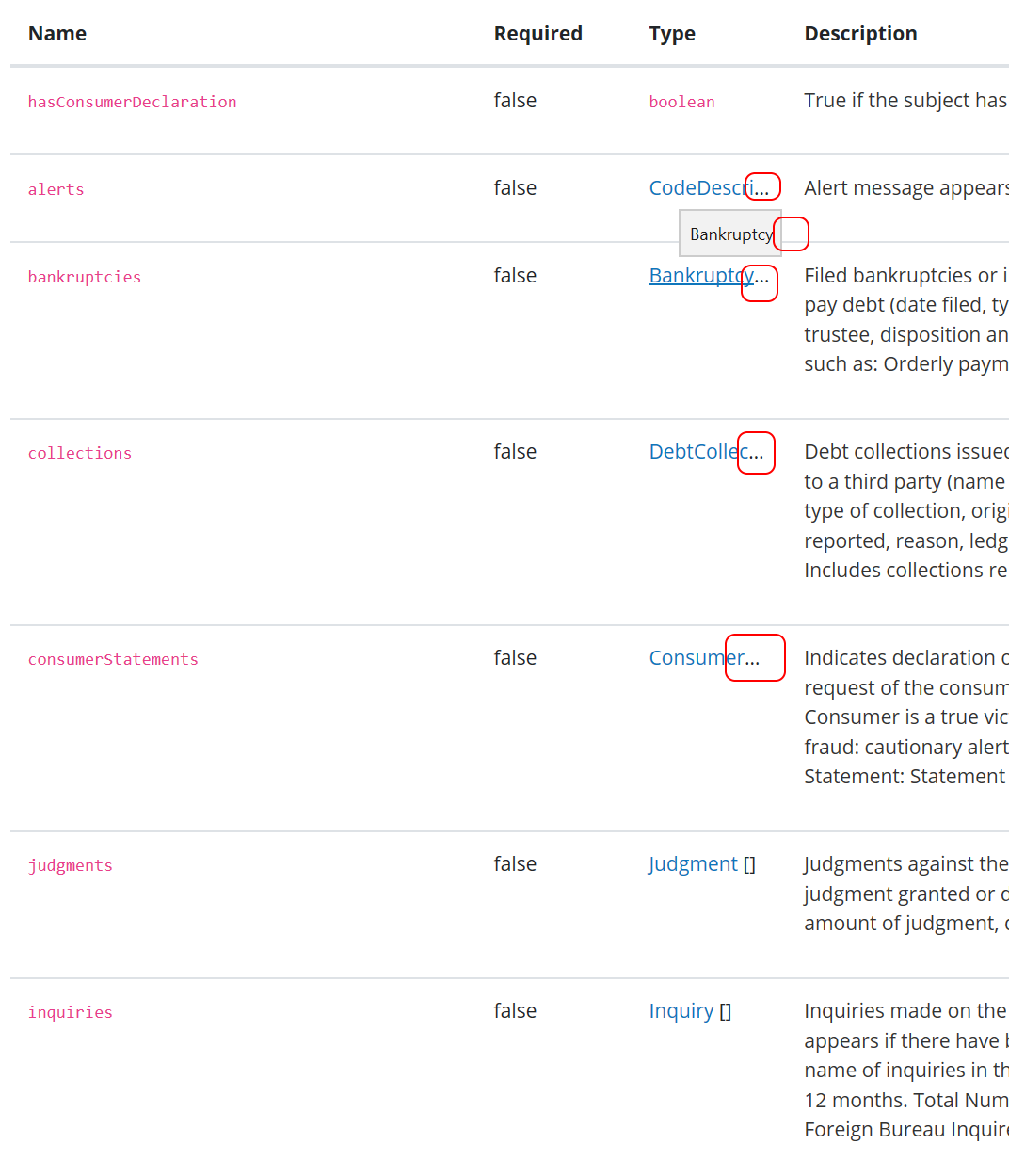
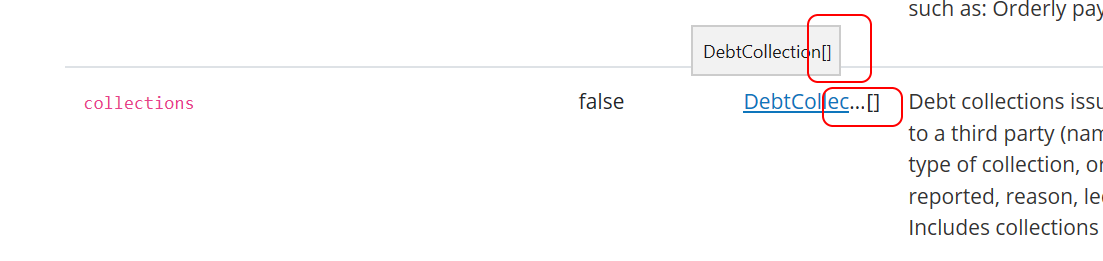
With the Type column being so narrow many type names are being cut-off, it may be good option to expand this column a little bit more. More importantly though, when the text is cut-off any array bracket indicator is not shown in the tooltip. There is effectively no way to tell that any of the below types noted are an array other than the property name being plural. I would propose three changes. See issue screenshot and my proposals below.
- Always include the [] in the text overflow tooltip.
- Always include the [] in the column with any type name and ellipsis before it.
- Increase the min-width of the type column a little bit as it seems overly narrow in my opinion.
Issue screenshot
Proposal sceenshot


Thanks @azaslonov, we have already had this raised as an issue from our customers as well.
Another issue causing confusion, several parameters are being shown as a singular object, when they are in fact an array that is returned.
The column width has already been increased in one of the past releases.

@mikebudzynski increasing the column width does not address this issue, it only ever so slightly lowers the chance of it occurring. Points 1 and 2 noted in the description is the best way forward. Knowing if a data type is an array or singular object is quite crucial for understanding the API. I'd still like to see this issue remain open and fixed.
I agree, we'll go with the following option:
Always include the [] in the text overflow tooltip.
