

 Azure
Azure
[BUG BETA] Test Attachments Images
Pre-requirements
- [X] Reviewed the Deployment guide
- [X] Reviewed the Troubleshooting guide
- [X] Reviewed the YouTube channel
- [X] Reviewed the GitHub Issues list
What dashboard are you reporting an issue on?
Infrastructure
What happened?
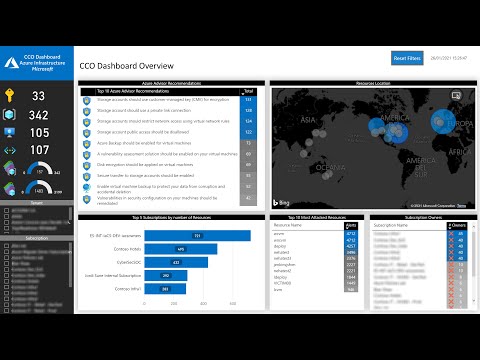
I have the desktop version but somehow its not refreshing the "Get Advisor Score" table.
Steps to reproduce
the report was shared to me from a colleague who works as a Security analyst. As you can see in the picture its a different version than what you have in 5 of your Youtube videos. I just need help refreshing the data and specifically that table.
Additional context
No response

Answer:
Based on the context provided, it seems like you're having trouble refreshing the "Get Advisor Score" table on your Infrastructure Dashboard in Power BI. Here are some steps you can follow to refresh the dashboard:
- Open your Power BI dashboard.
- Locate the "Refresh" button, usually found in the toolbar at the top of the screen.
- Click on the "Refresh" button to refresh the data in your dashboard.
If the "Get Advisor Score" table still doesn't update, there might be an issue with the data source or the connection to it. You might need to check the data source settings and ensure it's correctly connected and configured.
For more detailed instructions, you can refer to the Chapter 3 - Infrastructure Dashboard video tutorial. If you continue to experience problems, please check the Troubleshooting Guide and the Github closed issues for similar issues and solutions.
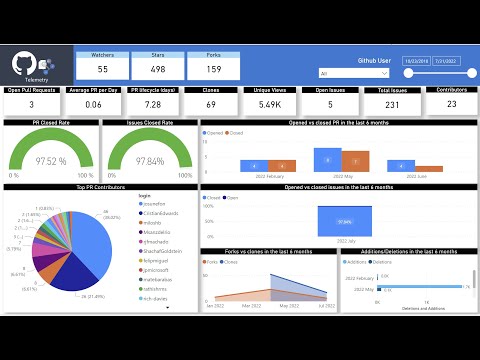
Here are the screenshots from the content for your reference:
![github-actions[bot] avatar](https://avatars.githubusercontent.com/in/15368?v=4 "Published by a pub.dev verified publisher")