

 Azure
Azure
Batch Explorer dropping outputFiles when creating task
Describe the bug Parts of JSON pasted in editor gets removed at Add Task view.
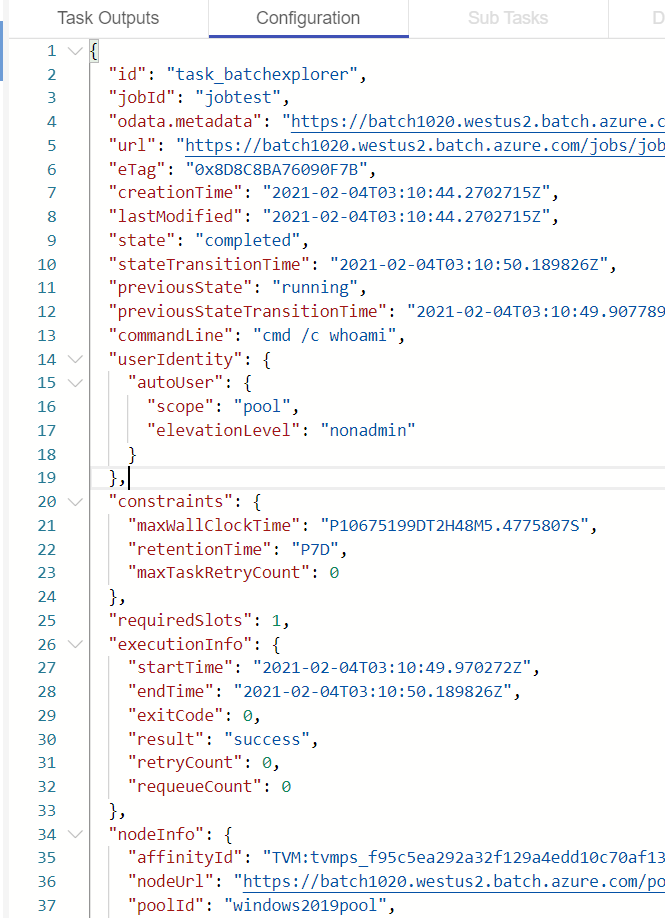
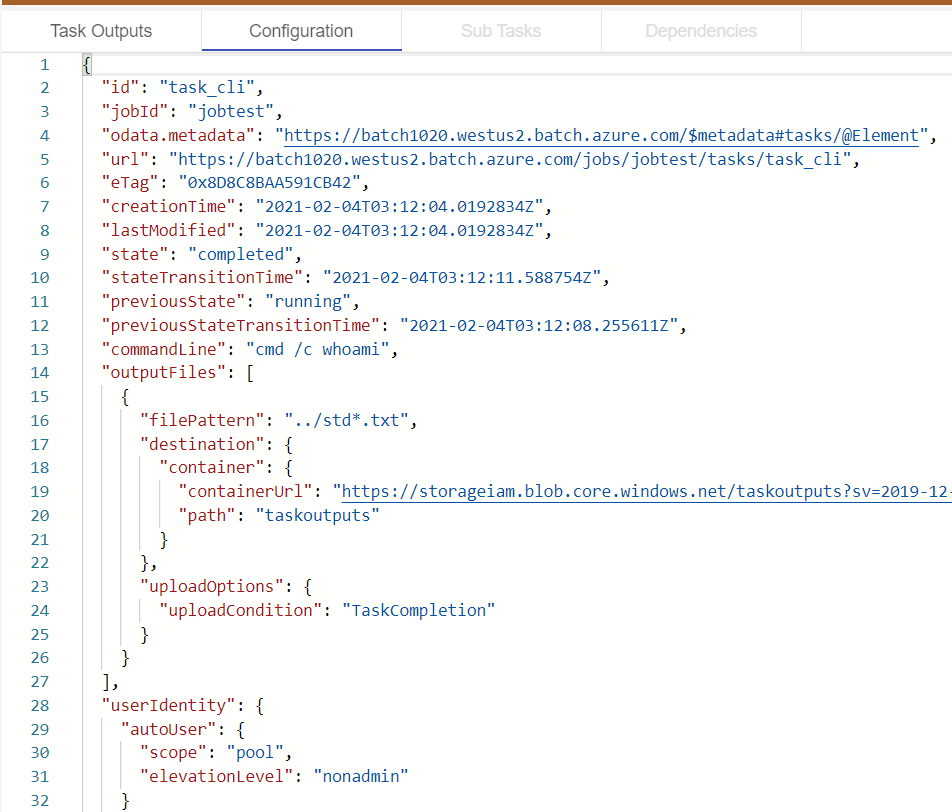
I'm trying to create/add task with outputFiles configuration, however it seems like Batch Explorer couldn't parse outputFiles section properly hence removing it.
To Reproduce Steps to reproduce the behavior:
- Go to 'Jobs' on the left menu
- Click on a job (in my case, jobtest)
- Click 'Add task'
- Click 'JSON editor'
- Paste task json into editor
- Switch over to classic form or 'Add and close'
- Check the task's configuration in JSON mode and see outputFiles section is removed
Expected behavior outputFiles section should be parsed and not removed
Screenshots
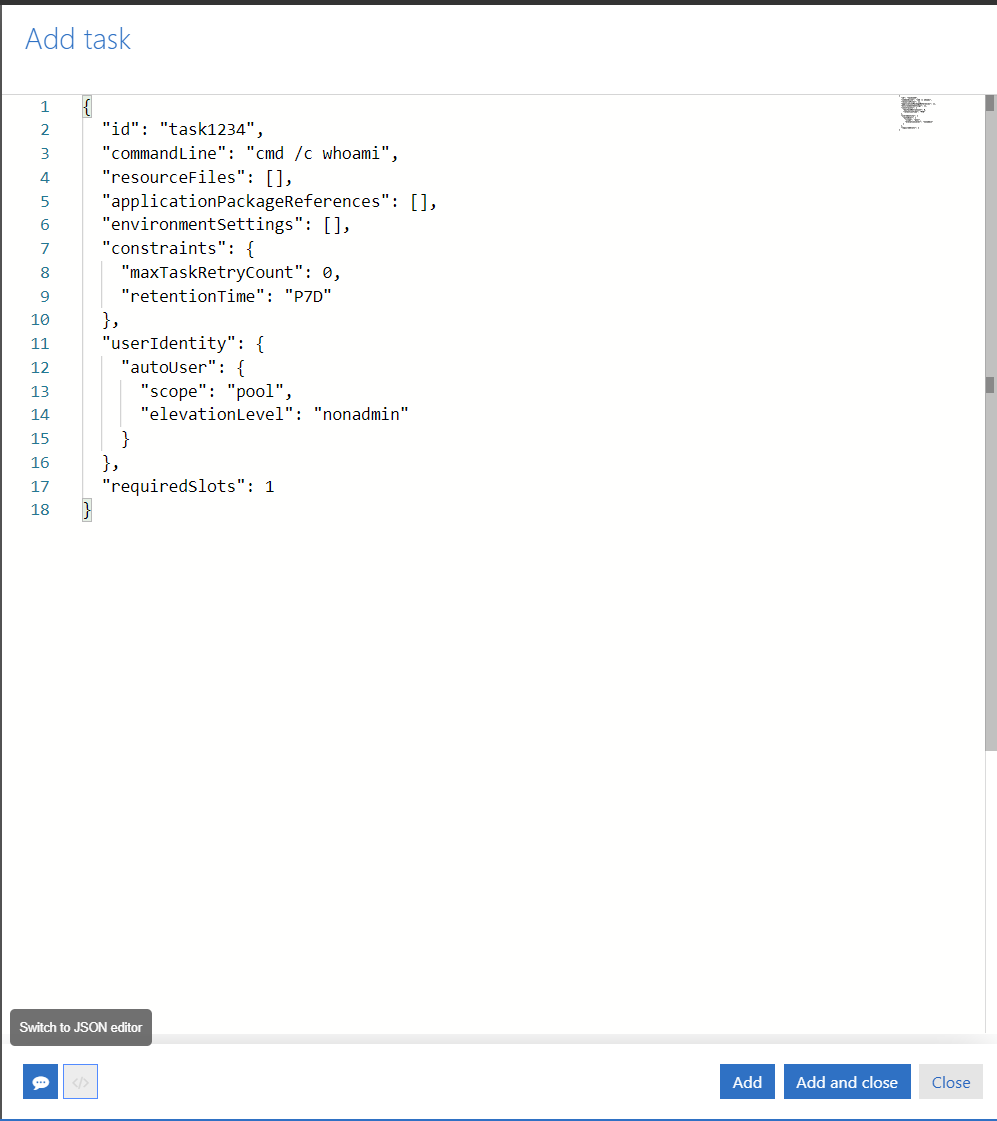
- Pasting the task into JSON editor

- Switch to classic form then back to JSON editor
- The submitted task
For comparison, here is the same task.json (but with only task ID changed) created via az-cli
Logs(Click profile > View Logs > app.log, client.log) logs.zip
Version (please complete the following information):
- OS: Windows
- Version 2.8.0-stable.484

Here is the task.json in case needed
{
    "id": "task_cli",
    "commandLine": "cmd /c whoami",
    "outputFiles": [
        {
            "filePattern": "../std*.txt",
            "destination": {
                "container": {
                    "containerUrl": "****storage SAS URL**********",
                    "path": "taskoutputs"
                }
            },
            "uploadOptions": {
                "uploadCondition": "taskcompletion"
            }
        }
    ],
    "userIdentity": {
        "autoUser": {
            "scope": "pool",
            "elevationLevel": "nonadmin"
        }
    },
    "requiredSlots": 1
}
omg, this is exactly what i have been struggling with for the last few hours. AZ CLI works perfectly, but with batchExplorer the outputFiles get removed..!
