

 Azure
Azure
Tasks Filter does not return results when job has large number of tasks
Describe the bug Applying an "Advanced filters" in the tasks pane does not produce any results when job has a large number of tasks
To Reproduce Steps to reproduce the behavior:
- Generate job with more than 100k tasks in various stages of execution
- Go to Jobs->[Your Job]->Toggle Advanced Filters
- Click on "Running" checkbox in Tasks Advanced Filters pane
- Wait............
Expected behavior The list of running tasks
Version (please complete the following information):
- OS: Windows
- Version 2.3.1-stable.378

Thank you for reporting this! I'll look into repro'ing this as time permits and then provide an update.

@protointent I was unable to reproduce this. I created a job with 100k tasks and was able to use all of the filters:
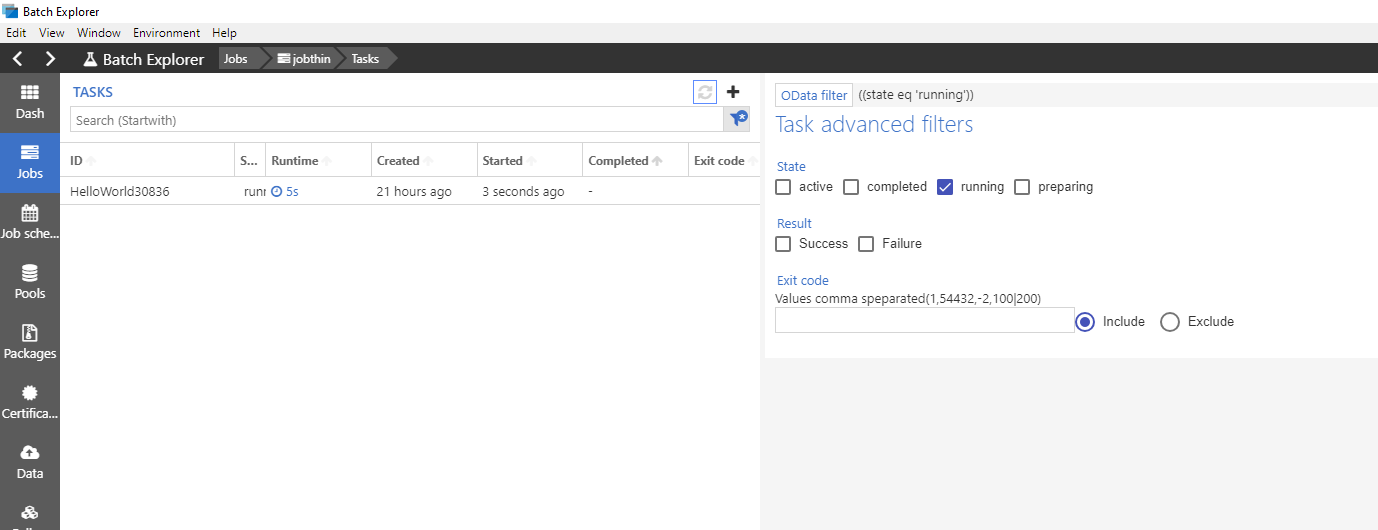 What exactly are you seeing when you do this? Are you seeing the loading bubble consistently or an empty results pane?
Additionally if you open the developer tools (ctrl +shift + i), does the network tab show the request being made with any results? Also are you able to craft a SDK or view through the portal to confirm there are tasks in the given state?
I see an empty list most of the time, but sometimes the wait bubble is there for a while.
After looking at Batch's Azure portal UX, I'm not sure if this is a bug on the explorer or the Batch itself, as it has similar behavior.
Overall it seems that any query operations, using portal or explorer, on jobs with large number of tasks exhibit similar behavior. (hope this helps)