

 Azure
Azure
Adding Analytical rules to solution
Required items, please complete
Change(s):
- Adding a number of analytical rules to Solution deployment
- Disabled rules by default to reduce noise
- Also fixed a bug on solution deployment:
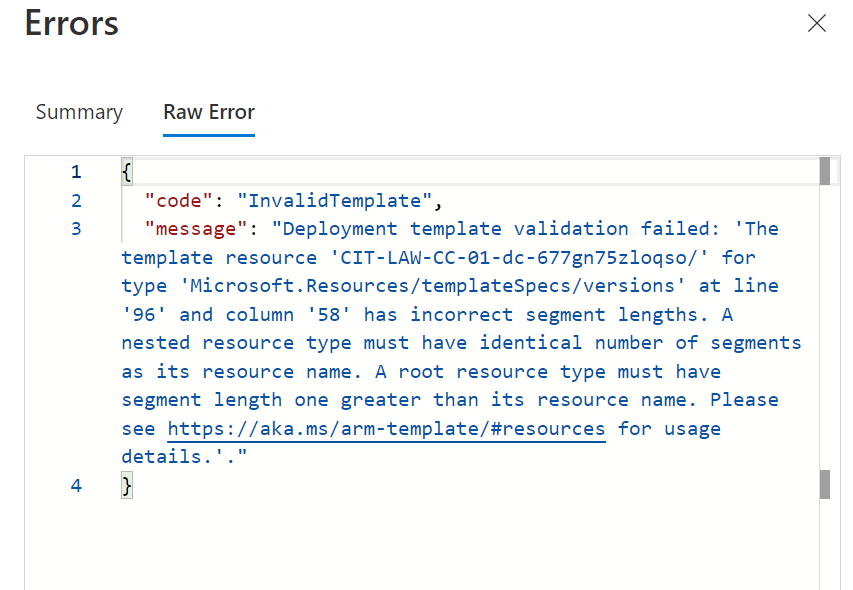
Reason for Change(s):
- Most of our clients wanted those rules
Version Updated:
- Yes to 2.1.0
Testing Completed:
- See guidance below
Checked that the validations are passing and have addressed any issues that are present:
- See guidance below
Guidance <- remove section before submitting
Before submitting this PR please ensure that you have read the following sections and filled out the changes, reason for change and testing complete sections:
Thank you for your contribution to the Microsoft Sentinel Github repo.
Details of the code changes in your submitted PR. Providing descriptions for pull requests ensures there is context to changes being made and greatly enhances the code review process. Providing associated Issues that this resolves also easily connects the reason.
The code should have been tested in a Microsoft Sentinel environment that does not have any custom parsers, functions or tables, so that you validate no incorrect syntax and execution functions properly. If your submission requires a custom parser or function, it must be submitted with the PR.
Testing Completed:
- Yes/No/Need Help
Note: If updating a detection, you must update the version field.
Before the submission has been made, please look at running the KQL and Yaml Validation Checks locally. https://github.com/Azure/Azure-Sentinel#run-kql-validation-locally
Checked that the validations are passing and have addressed any issues that are present:
- Yes/No/Need Help
Note: Let us know if you have tried fixing the validation error and need help.
References:

A few questions for Microsoft folks:
- How do I generate the ID field in first line of yaml?
- Can I run tests locally ? I have issues where clients deploying solution have an Error and I cannot reproduce locally...
- For the
Tacticsfield, Is there a list of validated values I can use there ?

@jctaillandier : Validation is falining please fix it.
@v-spadarthi Can you look at my questions above?
@jctaillandier : Still you want to add anything in this PR if yes,Please chnage status Open to Draft
 It is available in Rightside under Reviewers it will be available.
Same as before, validation error does not explain or show where the error is
@jctaillandier : Please fix the validation errors
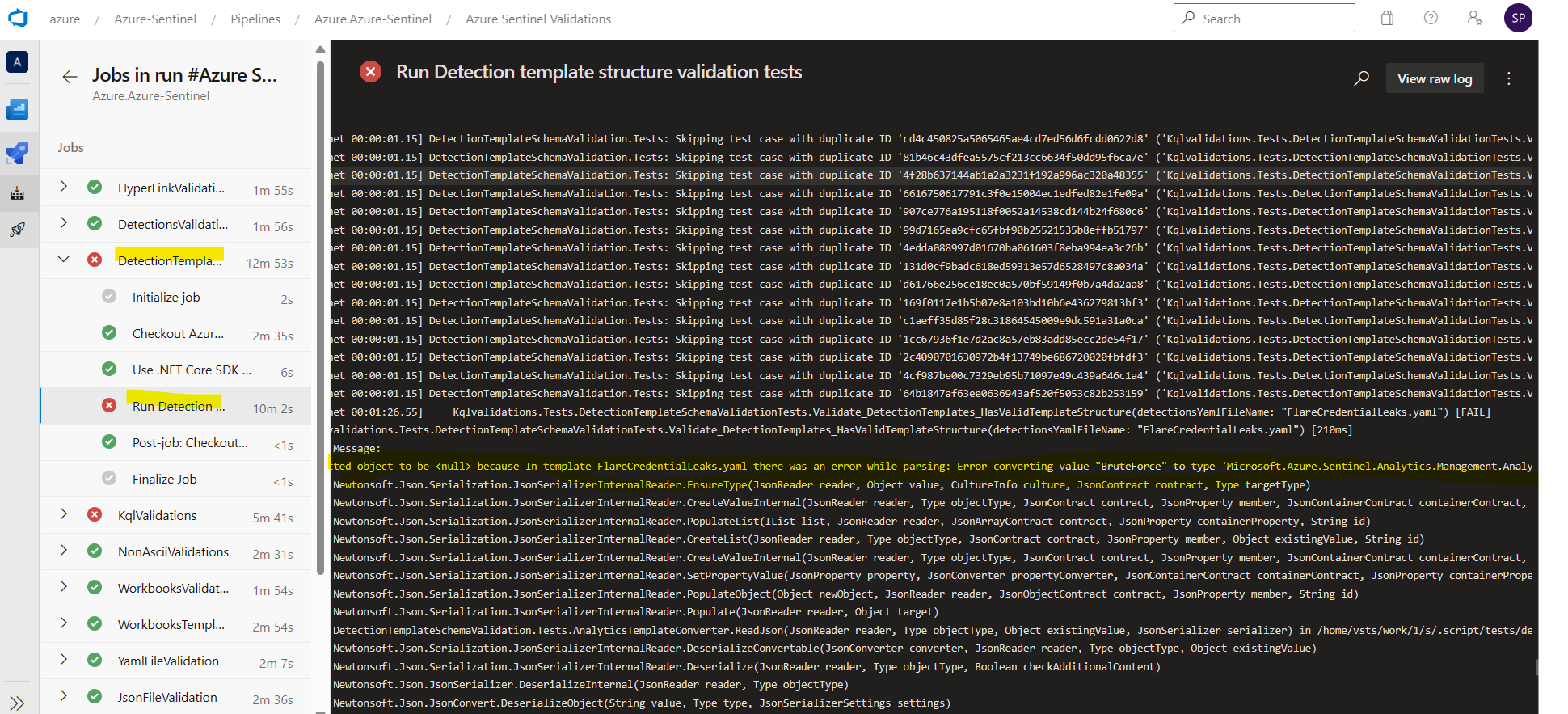 If above snippet is not clear please click on Details for validation errors
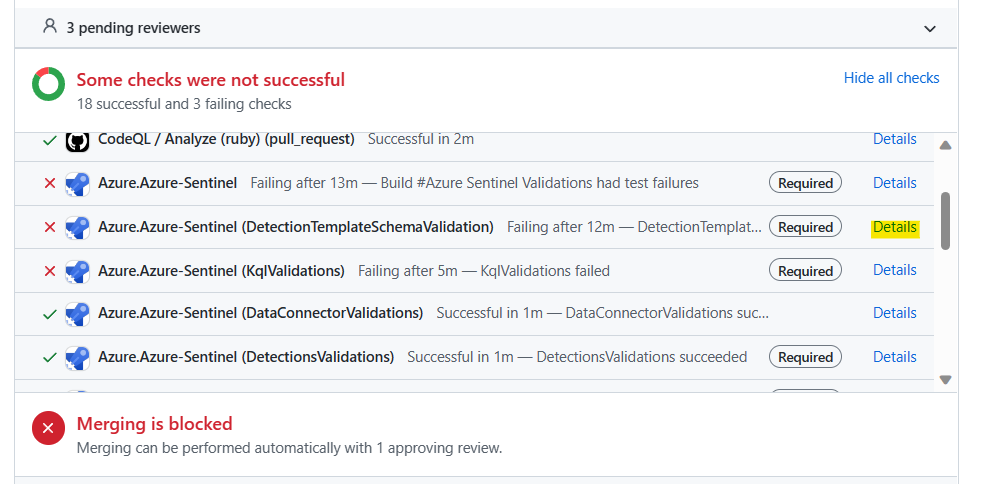
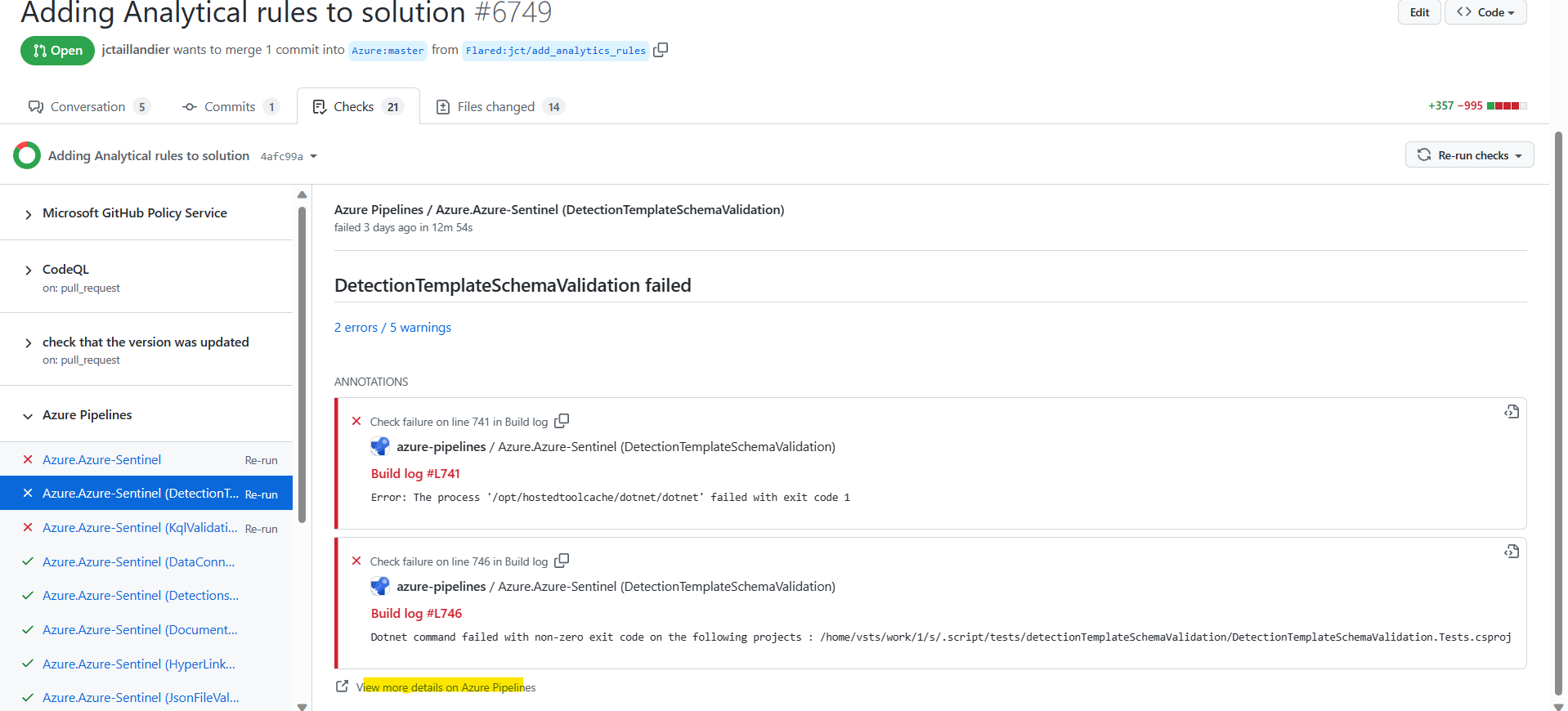
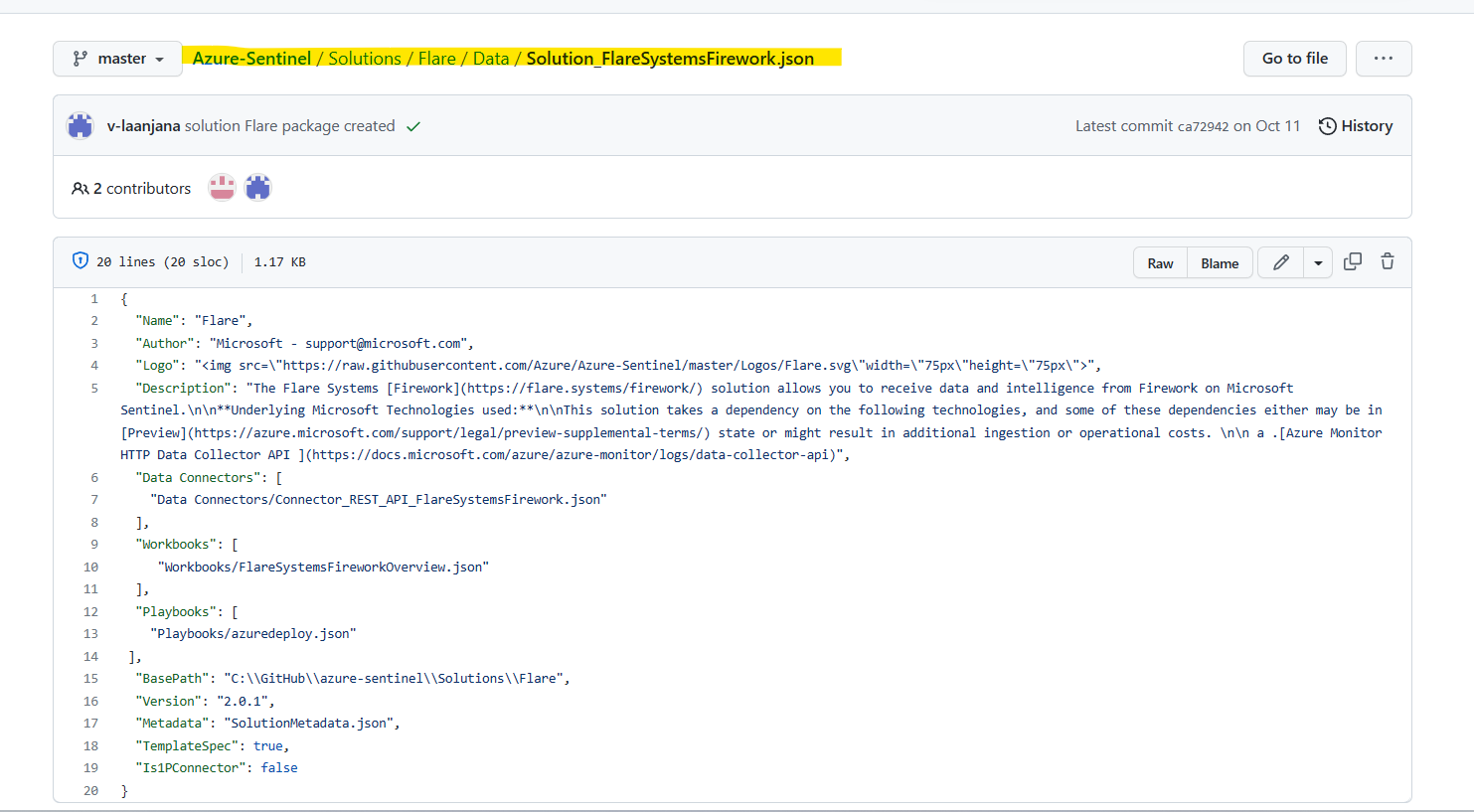
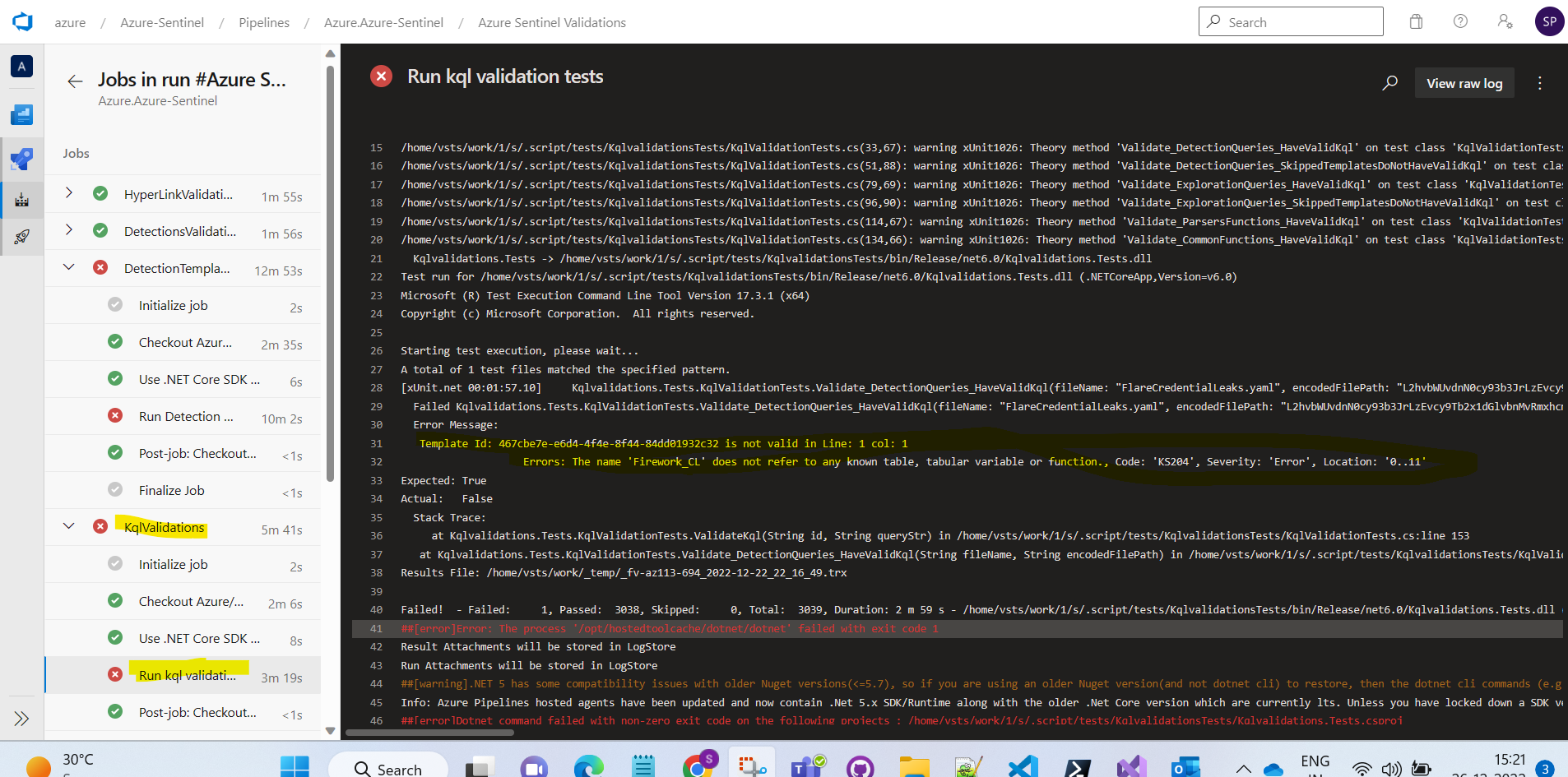 Please modify the solution input file in Data folder as well for Flare solution (Add Analytics in solution input file) and version change 2.0.2 and please create package again. Thanks
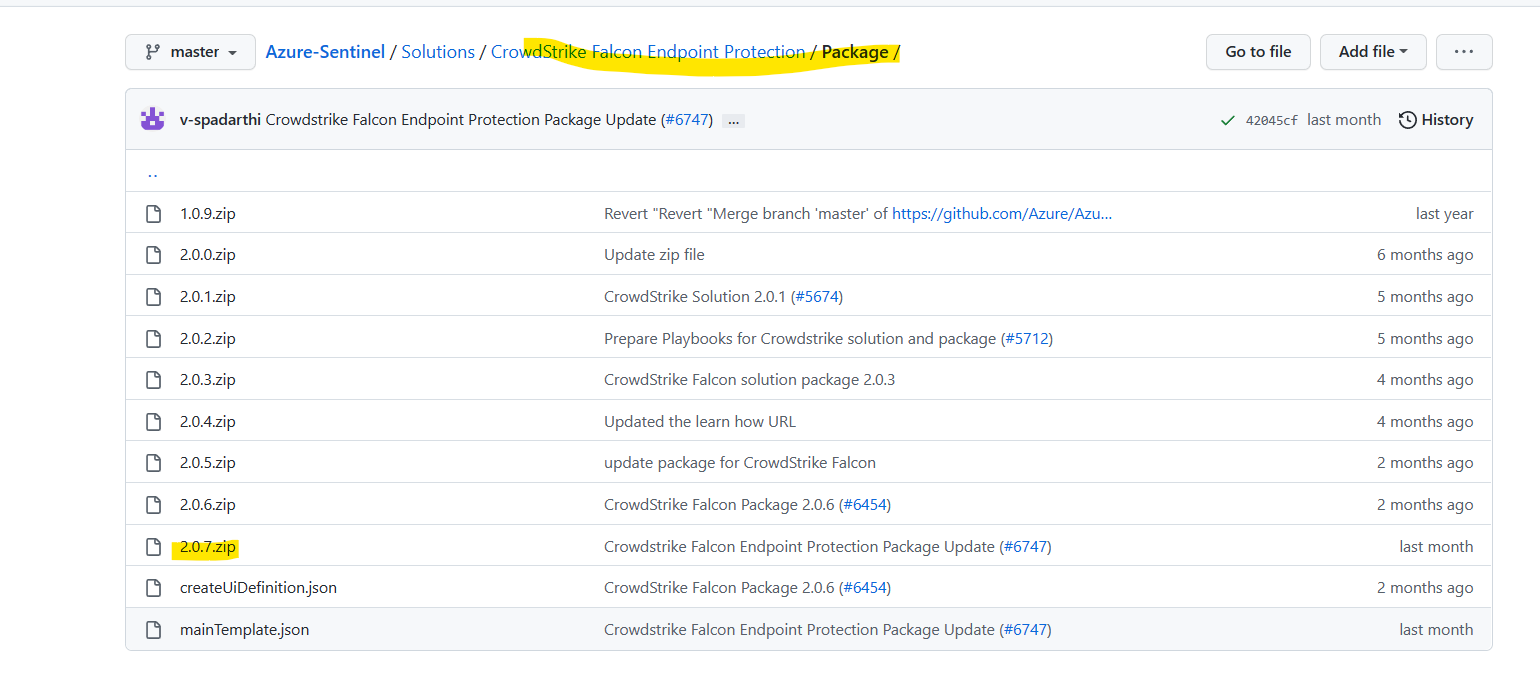
 If your changing Solutions/CrowdStrike Falcon Endpoint Protection/Package/mainTemplate.json solution, please change in zip file as well.
Please take latest from master and do the changes for Solutions/CrowdStrike Falcon Endpoint Protection/Package/mainTemplate.json.We could see already 2.0.7 version was there in Master.
If your changing Solutions/CrowdStrike Falcon Endpoint Protection/Package/mainTemplate.json solution, please change in zip file as well.
Please take latest from master and do the changes for Solutions/CrowdStrike Falcon Endpoint Protection/Package/mainTemplate.json.We could see already 2.0.7 version was there in Master.
A few questions for Microsoft folks:
- How do I generate the ID field in first line of yaml?
- Can I run tests locally ? I have issues where clients deploying solution have an Error and I cannot reproduce locally...
- For the
Tacticsfield, Is there a list of validated values I can use there ?
-
ID is just a standard GUID. You can generate from just about any development tool, online GUID generator, or from PowerShell via the New-GUID cmdlet.
-
There are some instructions here for running them locally: https://github.com/Azure/Azure-Sentinel/blob/master/README.md#run-kql-validation-locally
-
List of Valid Tactics: https://github.com/Azure/Azure-Sentinel/blob/master/.script/tests/detectionTemplateSchemaValidation/Models/AttackTactic.cs

@jctaillandier: Could you please adress the @aprakash13 comments. Thanks
@jctaillandier: Could you please adress the @aprakash13 comments. Thanks
Hi @jctaillandier, please check response from @aprakash13 regarding validation error. Thanks

@aprakash13 Everything seems pretty good with validation checks. Only issue left is on ARM-ttk validations
#17 5.246     [-] Variables Must Be Referenced (13 ms)
#17 5.246         Unreferenced variable: playbook1-AzureSentinelConnectionName
#17 5.246         Unreferenced variable: playbook1-o365ConnectionName
Does it have anything to do with my changes?

@v-sabiraj Just did, same ttk error
#13 5.054   Variables Must Be Referenced
#13 5.054     [-] Variables Must Be Referenced (13 ms)
#13 5.054         Unreferenced variable: playbook1-AzureSentinelConnectionName
#13 5.054         Unreferenced variable: playbook1-o365ConnectionName
Hi @jctaillandier, we will check this validation failure and provide you with feedback as soon as possible. Thanks.
Hi @jctaillandier , please modify the solution input file and also in Data folder as well for Flare solution (Add Analytics in solution input file) and version change 2.0.2 and please create package again. Thanks
@v-atulyadav Tried it, and a few other things, still can't make it pass.
Seems an issue with variables naming and references. Now about values set for id
Hi @jctaillandier, I would appreciate if you could take the latest from master and update the branch from master and check it. Thanks.
Hi @jctaillandier, Take the latest of master branch and pull your PR branch, then click on update from master and push the changes.
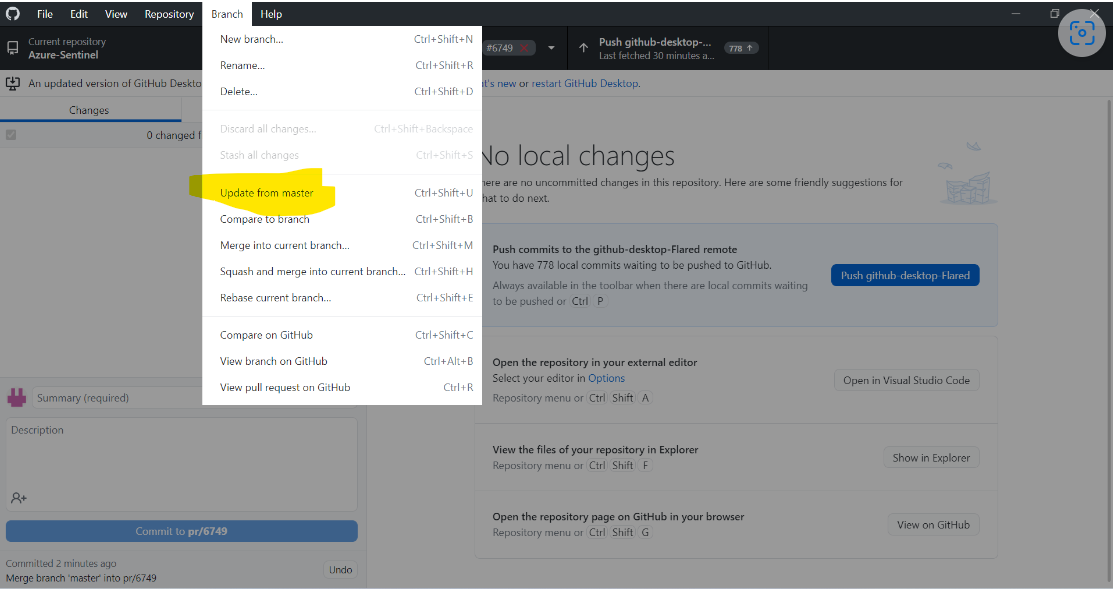
@v-atulyadav I had already done, that. Just did it again.
Issues are relating to variable references in the main template, but unclear the exact issue
Hi @jctaillandier, the branch seems to be forked, you need to take update from Azure:master to Flared:jct/add_analytics_rules, thanks.