

 Azure
Azure
Google Directory API Playbooks
Changes:
- added custom logic apps API connector for Google Directory API
- added Google-EnrichIncidentWithUserInfo playbook
- added Google-SignOutUser playbook
- added Google-SuspendUser playbook

Hi @vu-socprime - Can you please make following changes. Thanks in advance
- For all playbooks, metadata object is missing. With the new template spec (for gallery), this is mandatory. Please look at the latest guide for playbooks contribution
- For all playbooks custom connector name must be included in the Parameters and use the parameter directly in "id" attribute of API. For example
 "id": "[concat('/subscriptions/', subscription().subscriptionId, '/resourceGroups/', resourceGroup().name, '/providers/Microsoft.Web/customApis/', variables('customApis_vendorproduct_name'))]"
 "id": "[concat('/subscriptions/', subscription().subscriptionId, '/resourceGroups/', resourceGroup().name, '/providers/Microsoft.Web/customApis/', parameter('customApis_rapid7'))]"
- In CustomConnector - name of the custom connector must be a parameter and keep default value (same as the current) also we suggest to make host url also as parameter
- Wherever sentinel connection used, use ManagedIdentity always - refer template for an example
- Please consider limited actions for Custom connector actions (whatever relavant or closer to SOAR perspective). Also please describe in readme (if it is missing)
- (If not implemented) Make sure playbook should not fail in case of API does not find entity / specidied identity. Rather it should write in Sentinel comment that "Unable to find ......., hence no action taken)
Hi @anki-narravula I updated playbooks according to all points that you mentioned. But regarding to point 4 - after adding ManagedIdentity option I started to get the following error during deployment:
{
      "code": "WorkflowManagedIdentityConfigurationInvalid",
      "message": "The workflow connection parameter 'azuresentinel' is not valid. The API connection 'azuresentinel' is not configured to support managed identity."
}
Hi @vu-socprime - Can you please make following changes. Thanks in advance
- For all playbooks, metadata object is missing. With the new template spec (for gallery), this is mandatory. Please look at the latest guide for playbooks contribution
- For all playbooks custom connector name must be included in the Parameters and use the parameter directly in "id" attribute of API. For example
 "id": "[concat('/subscriptions/', subscription().subscriptionId, '/resourceGroups/', resourceGroup().name, '/providers/Microsoft.Web/customApis/', variables('customApis_vendorproduct_name'))]"
 "id": "[concat('/subscriptions/', subscription().subscriptionId, '/resourceGroups/', resourceGroup().name, '/providers/Microsoft.Web/customApis/', parameter('customApis_rapid7'))]"
- In CustomConnector - name of the custom connector must be a parameter and keep default value (same as the current) also we suggest to make host url also as parameter
- Wherever sentinel connection used, use ManagedIdentity always - refer template for an example
- Please consider limited actions for Custom connector actions (whatever relavant or closer to SOAR perspective). Also please describe in readme (if it is missing)
- (If not implemented) Make sure playbook should not fail in case of API does not find entity / specidied identity. Rather it should write in Sentinel comment that "Unable to find ......., hence no action taken)
Hi @anki-narravula I updated playbooks according to all points that you mentioned. But regarding to point 4 - after adding ManagedIdentity option I started to get the following error during deployment:
{
      "code": "WorkflowManagedIdentityConfigurationInvalid",
      "message": "The workflow connection parameter 'azuresentinel' is not valid. The API connection 'azuresentinel' is not configured to support managed identity."
}
hi @vu-socprime - you need to add system identity for workflow resource as well

Hi @vu-socprime - Can you please make following changes. Thanks in advance
- For all playbooks, metadata object is missing. With the new template spec (for gallery), this is mandatory. Please look at the latest guide for playbooks contribution
- For all playbooks custom connector name must be included in the Parameters and use the parameter directly in "id" attribute of API. For example
 "id": "[concat('/subscriptions/', subscription().subscriptionId, '/resourceGroups/', resourceGroup().name, '/providers/Microsoft.Web/customApis/', variables('customApis_vendorproduct_name'))]"
 "id": "[concat('/subscriptions/', subscription().subscriptionId, '/resourceGroups/', resourceGroup().name, '/providers/Microsoft.Web/customApis/', parameter('customApis_rapid7'))]"
- In CustomConnector - name of the custom connector must be a parameter and keep default value (same as the current) also we suggest to make host url also as parameter
- Wherever sentinel connection used, use ManagedIdentity always - refer template for an example
- Please consider limited actions for Custom connector actions (whatever relavant or closer to SOAR perspective). Also please describe in readme (if it is missing)
- (If not implemented) Make sure playbook should not fail in case of API does not find entity / specidied identity. Rather it should write in Sentinel comment that "Unable to find ......., hence no action taken)
Hi @anki-narravula I updated playbooks according to all points that you mentioned. But regarding to point 4 - after adding ManagedIdentity option I started to get the following error during deployment:
{
      "code": "WorkflowManagedIdentityConfigurationInvalid",
      "message": "The workflow connection parameter 'azuresentinel' is not valid. The API connection 'azuresentinel' is not configured to support managed identity."
}
hi @vu-socprime - you need to add system identity for workflow resource as well
@anki-narravula, system identity was added. Thanks!
Hi @vu-socprime , For while authenticating custom API, we supposed to challenge with client id and secret to enter, but no option to enter please check this
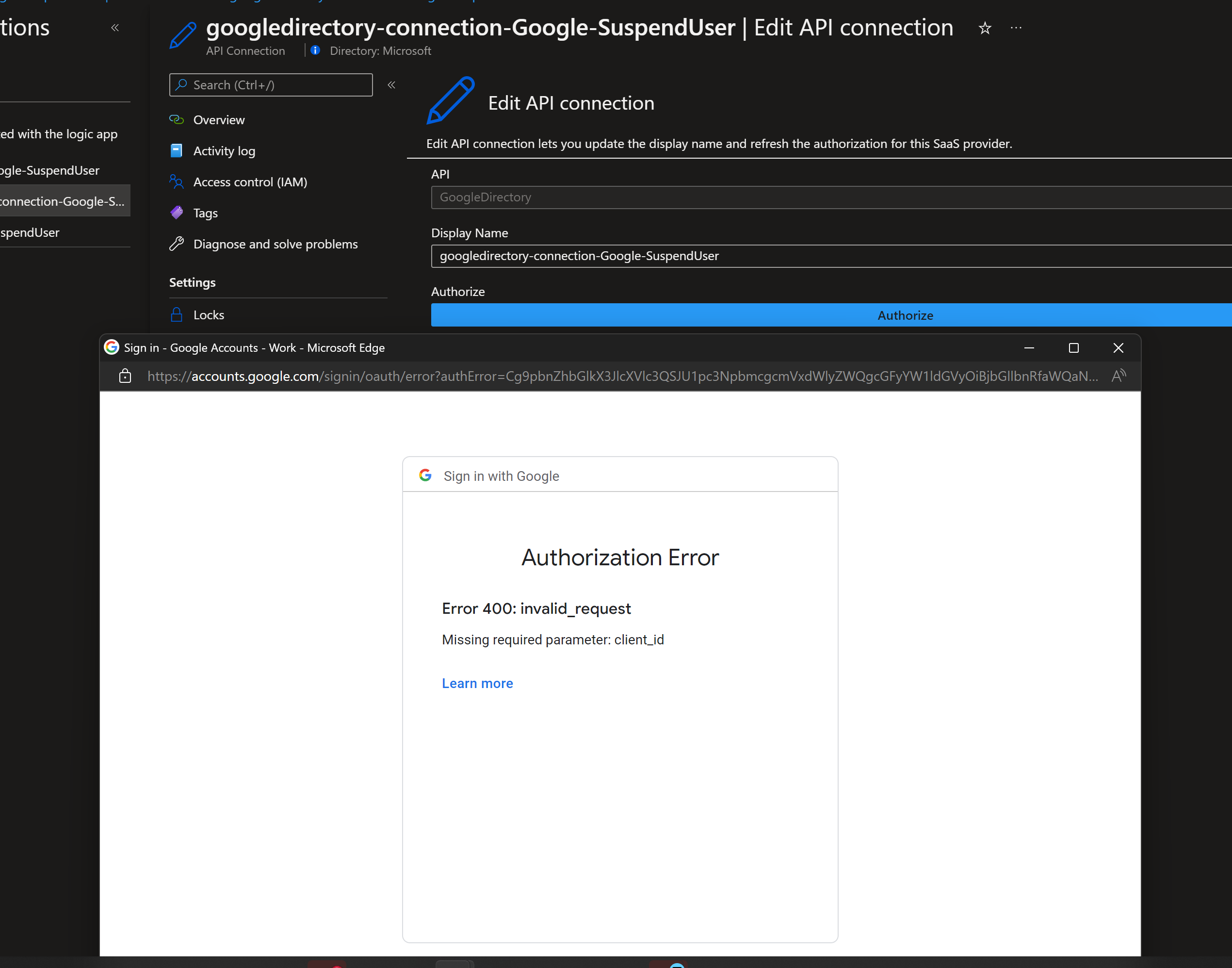
Hi @anki-narravula - client id and client secret are configured in the connector (not the connection). Check docs for reference - https://github.com/vu-socprime/Azure-Sentinel/tree/gcp-identity-playbooks/Solutions/GoogleDirectory/Playbooks/GoogleDirectoryAPIConnector#configurations-steps
Hi @vu-socprime , For while authenticating custom API, we supposed to challenge with client id and secret to enter, but no option to enter please check this
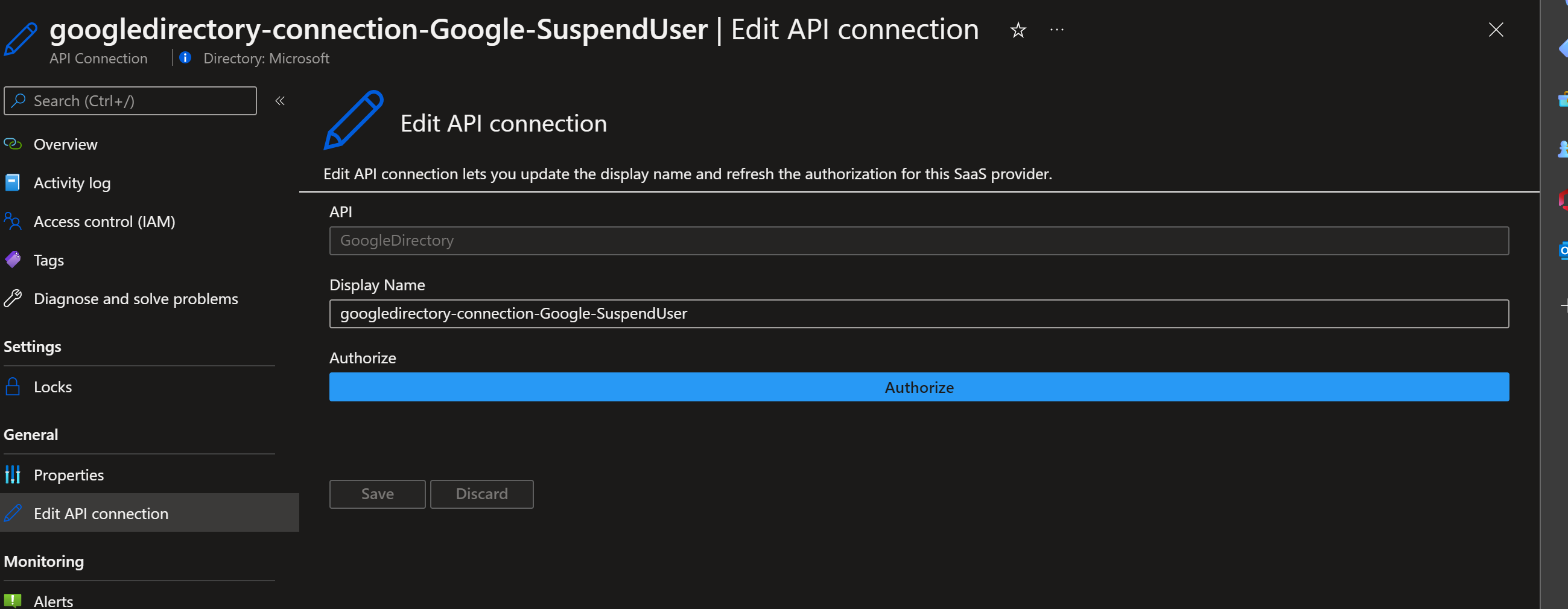
Hi @anki-narravula - client id and client secret are configured in the connector (not the connection). Check docs for reference - https://github.com/vu-socprime/Azure-Sentinel/tree/gcp-identity-playbooks/Solutions/GoogleDirectory/Playbooks/GoogleDirectoryAPIConnector#configurations-steps
Thanks for clarifying @vu-socprime