

 Azure
Azure
RiskIQ Solution not authorizing during deployment
Describe the bug When the RiskIQ solution is deployed to Sentinel , the API Connection does not automatically authorize which causes the playbooks to fail when ran.
To Reproduce Steps to reproduce the behavior:
- Deploy the RiskIQ solution from the ContentHub blade.
- Once fully deployed, run a riskiq playbook against an alert or incident with external facing data.
- Notice that the RiskIQ data does not populate in the comments section of the incident.
- Click on the logic app run results and look at the run details.
- Notice that connections fails with error: 401 unauthorized .
Next,
- Navigate to the Logic Apps section on Azure.
- Select one of the RiskIQ logic apps.
- Click on Api-Connections and select the api-connection named after the playbook.
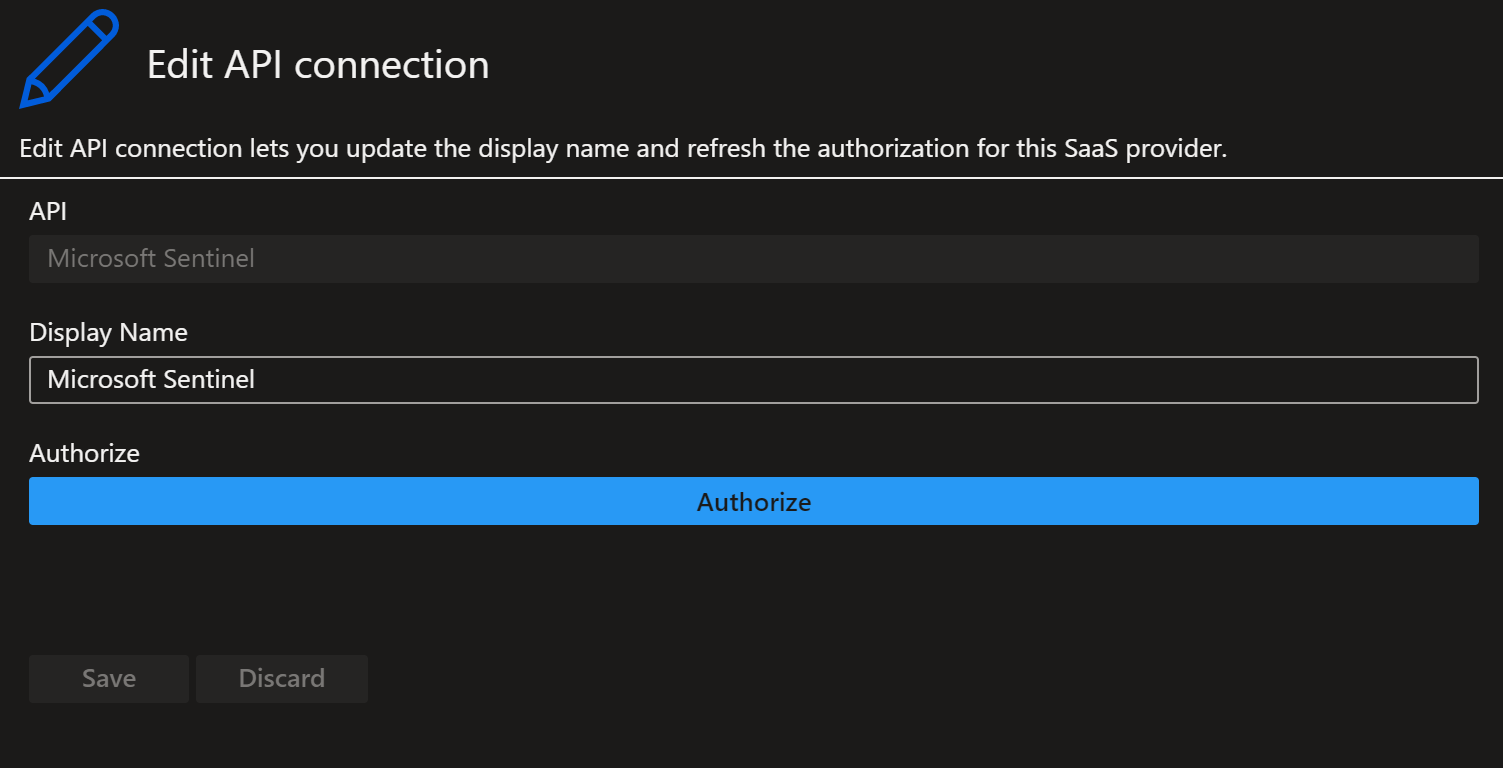
- Click on Edit API connection
- Click on the blue Authorize button and authenticate .
- Click Save.
- Go back to the incident and rerun the playbook .
- Notice the playbook now runs successfully and comments the data in the incident. (Note this has to be for all 28 playbooks)
Expected behavior
The expected behavior is the solution deploys and the playbooks run successfully .

Thank you for submitting an Issue to the Azure Sentinel GitHub repo! You should expect an initial response to your Issue from the team within 5 business days. Note that this response may be delayed during holiday periods. For urgent, production-affecting issues please raise a support ticket via the Azure Portal.
![github-actions[bot] avatar](https://avatars.githubusercontent.com/in/15368?v=4 "Published by a pub.dev verified publisher")
Thank you for submitting an Issue to the Azure Sentinel GitHub repo! You should expect an initial response to your Issue from the team within 5 business days. Note that this response may be delayed during holiday periods. For urgent, production-affecting issues please raise a support ticket via the Azure Portal.
Thank you for submitting an Issue to the Azure Sentinel GitHub repo! You should expect an initial response to your Issue from the team within 5 business days. Note that this response may be delayed during holiday periods. For urgent, production-affecting issues please raise a support ticket via the Azure Portal.
Thank you for submitting an Issue to the Azure Sentinel GitHub repo! You should expect an initial response to your Issue from the team within 5 business days. Note that this response may be delayed during holiday periods. For urgent, production-affecting issues please raise a support ticket via the Azure Portal.
@ml58158 : This seems to be a very old problem, and this solution may have already had numerous updates... Can you please check if this scenario is still valid? Thanks!!

Hi @ml58158,
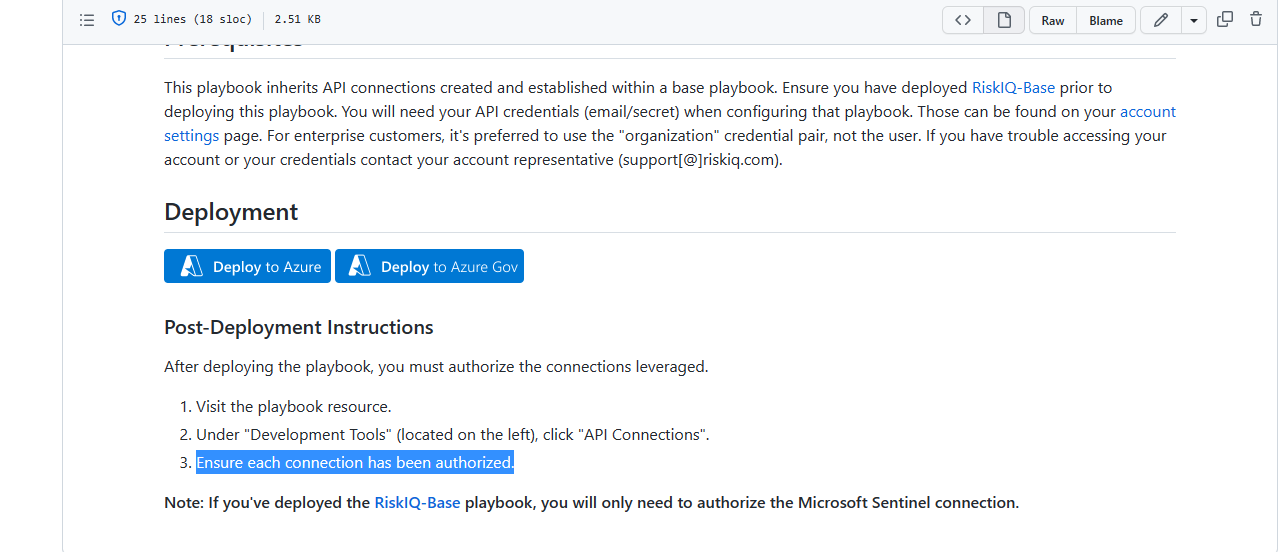
We have added this information part of post deployment steps in our later releases. Hope this could fixed the issue. Let us know if you need any other details or suggestions.
 Thanks

Thank you for submitting an Issue to the Azure Sentinel GitHub repo! You should expect an initial response to your Issue from the team within 5 business days. Note that this response may be delayed during holiday periods. For urgent, production-affecting issues please raise a support ticket via the Azure Portal.
Since we have not received a response in the last 5 days, we are closing your issue #4132 as per our standard operating procedures. If you still need support for this issue, feel free to re-open at any time. Thank you for your co-operation.

Thank you for submitting an Issue to the Azure Sentinel GitHub repo! You should expect an initial response to your Issue from the team within 5 business days. Note that this response may be delayed during holiday periods. For urgent, production-affecting issues please raise a support ticket via the Azure Portal.