

 Azure
Azure
Portal Web UI doesn't refresh Function code
When I redeploy a function to Azure, it's updated and works well. but in Azure Portal it still shows the old version of Function code. Maybe some caching issue. Could you please check this?

Yes, it's a known issue. You just need to click the little refresh button next to the Function App name.

Being on the function page, clicking on refresh button next to function name causes some browser console logs like [Error: Could not find file: 'inmemory://model/1', the code editor hangs loading and can't complete refresh process.
Being on other page,, clicking on refresh button works well visually, but when you go to function page again it again shows the old version of code
That is odd, and I have never seen that. Do you get this consistently? Does Ctrl-F5 in browser fix it?
@ahmelsayed what do you make of this error Error: Could not find file: 'inmemory://model/1'?
Seems Monaco related? https://github.com/Microsoft/monaco-editor-samples/issues/2
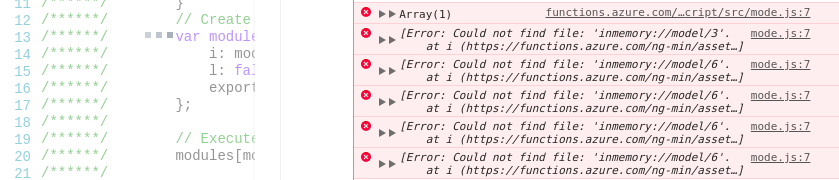
+1 on these errors. The refresh icon, Save/Save and Run buttons seem to have no effect after editing a function in the portal. Restarting entire web app works sometimes but not always. In my case, this is with a function generated from the portal and not connected to a deployment source. Tested in Edge and Chrome with same results.


@ColbyTresness @mattchenderson - Do we have any updates or ETA on this bug fix? This is causing problems with our users.
