

 Automattic
Customizer not always displaying first image in the post as the featured image, multiple themes
Quick summary
Our user reported that their site is not setting the first image in a post as the featured image, despite enabling this feature in the Customizer, in Content Options. The user reported that this has been working for several years, and this behavior has now changed.
This issue seems to be related to this issue for the Apostrophe 2 theme: Apostrophe 2: Theme not selecting first image as featured image when this feature is enabled in Customizer · Issue Automattic/wp-calypso#5827 · Automattic/themes.
Steps to reproduce
- The user reported that the theme is selecting random images in their posts, and using those as featured images.
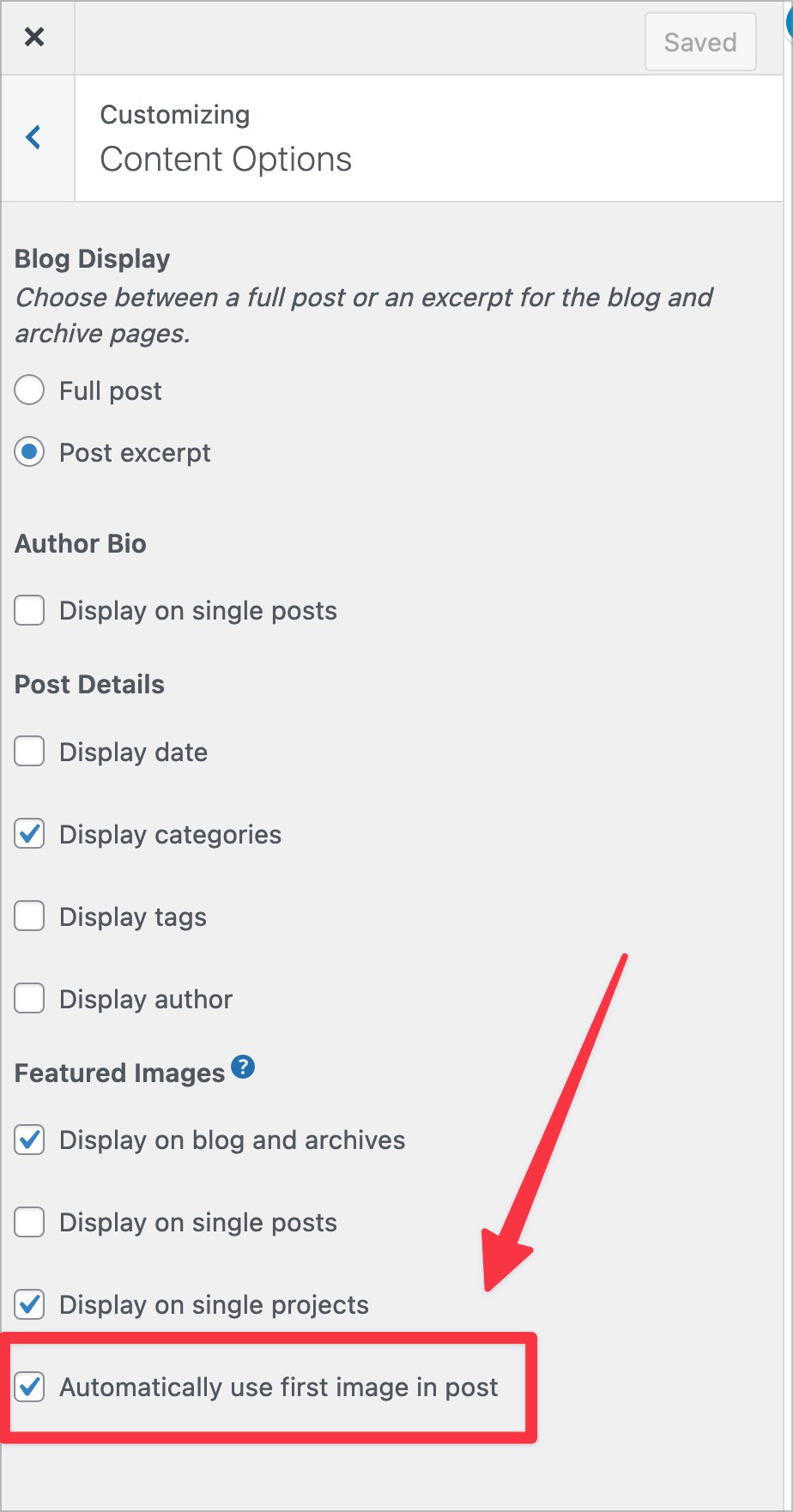
- They have enabled the option to select the first image of a post, and set that as the featured image. The option is in the Customizer under Content Options:
What you expected to happen
The site should set the first image of a post as the featured image where this option is enabled.
What actually happened
While this option was respected until recently, the first image in a post is no longer being set as the featured image.
Context
This was a user's report in 4940725-zen
Simple, Atomic or both?
Simple
Theme-specific issue?
Rebalance theme (although this also seems to affect the Apostrophe 2 theme).
Browser, operating system and other notes
This does not appear to be browser or OS-specific. Given the related issue affecting the Apostrophe 2 theme, this report points to a recent, broader change to our platform that results in the Customizer option being ignored.
Reproducibility
Consistent
Severity
Most (> 50%)
Available workarounds?
Yes, difficult to implement
Workaround details
A workaround is to manually set the featured image in the post editor. This is not practical in sites with a large number of posts.

Hello there. The follow-up ticket opened up and wanted to check in if we have any updates yet. Thanks! 4961419-zen

I tried some testing on this bug to see if I could help here. I was able to recreate the issue in Rebalance on a Simple site. See the detailed steps below.
However, I then switched to Baskerville 2, Gazette, and Apostrophe 2, and the same error occurred across all these themes.
Steps to recreate
- Publish several posts, all with: the same recognizable 1st image, and additional images after that, and no featured image set.
- Under Appearance > Customize > Content Options, check the option Automatically use first image in post
Only one post did not show the correct image:
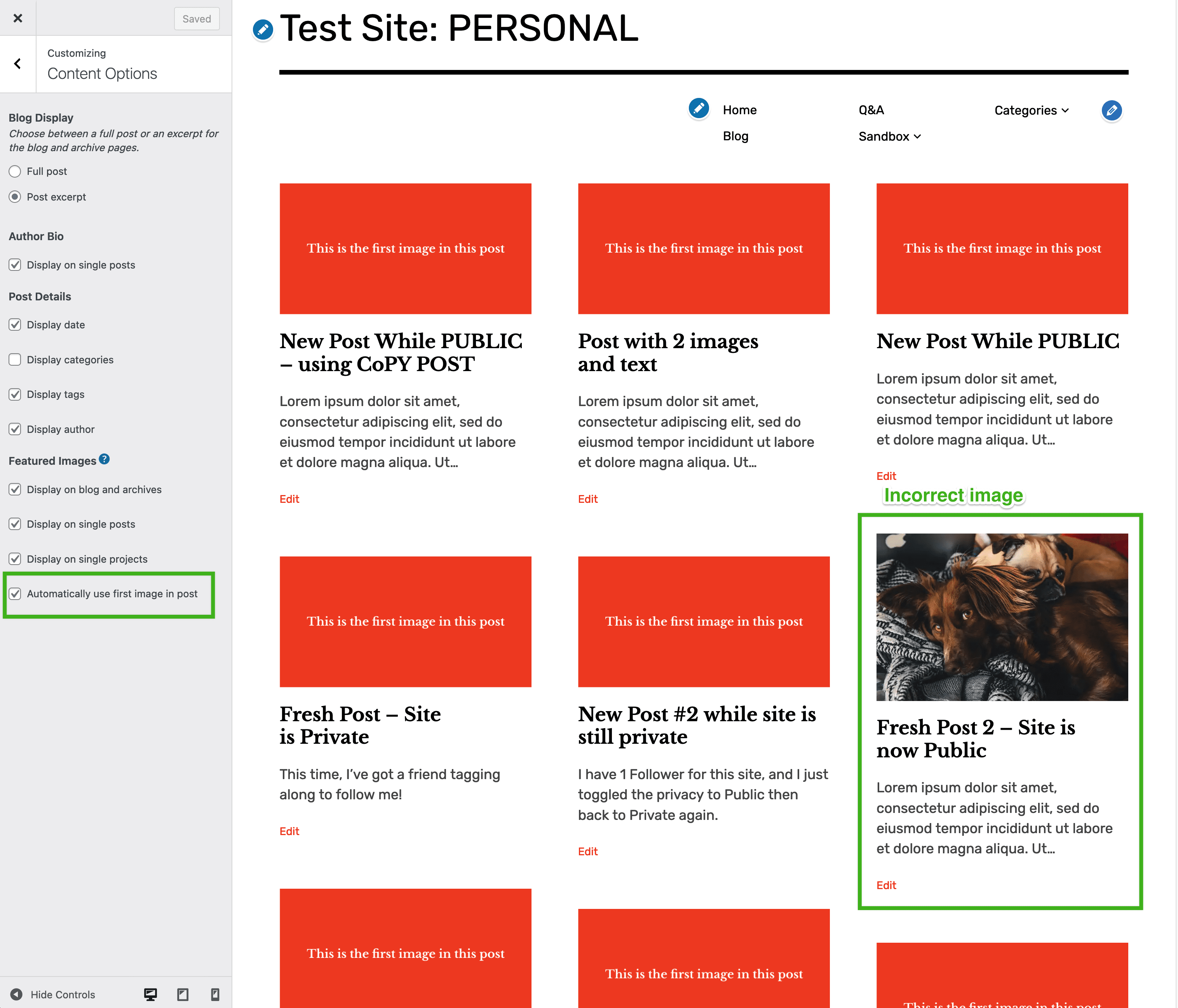
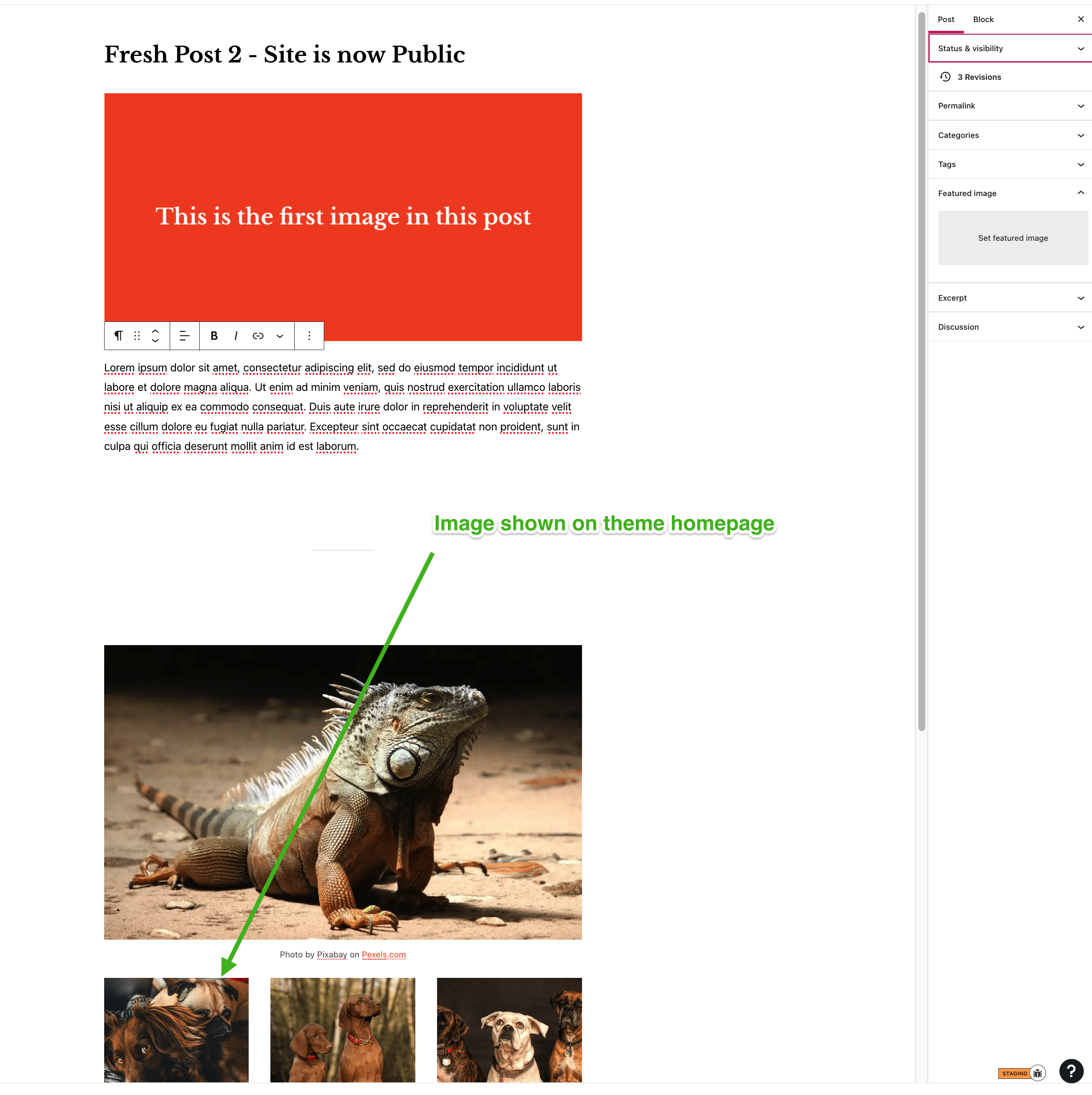
As you can see below, it displayed one image from a gallery block instead:
📌 ACTIONS
- Transferred out of
themesand back intowp-calypsofor scrubbing across AT/Simple/Self-hosted

This issue is reported for Apostrophe 2 here: https://github.com/Automattic/themes/issues/5827
User from OP would like an update when this is resolved. Tickets from that user include:
- 4940725-zd-woothemes
- 4961419-zd-woothemes
Reported here as well, on Dyad 2 theme: https://github.com/Automattic/wp-calypso/issues/63632
Reported on Karuna theme here a few months ago: https://github.com/Automattic/wp-calypso/issues/57524
Ticket: 4422201-zd-woothemes Chat: 30909191-hc
I believe I've found a similar - if not identical - issue here with the Hemingway Rewritten theme. I found that setting the Blog Display setting to Full Post actually showed the excerpt as well as the images: 42090609-hc
With that said, I couldn't replicate on a test site with the same theme.

Support References
This comment is automatically generated. Please do not edit it.
- [ ] 4940725-zen
- [ ] 4961419-zen
- [ ] 4422201-zen
![github-actions[bot] avatar](https://avatars.githubusercontent.com/in/15368?v=4 "Published by a pub.dev verified publisher")