

 Autodesk
[MAYA-106378] Selection and transform performance VP2/MtoH
Describe the bug USD Selection and transform performance is nearly 4 times lower than native maya geo. With attribute editor open, selection of one 500k poly model takes over 5 seconds. Turning attribute editor off, helps but it does not help with overall scene speed. While the models are loaded really quickly, performance of translation is nearly 4 times worse than native maya geo. Tumbling USD models FPS is lower than with native maya geo. From 150-200 frames per second translating native maya geo to 45 frames per second translating USD (VP2) Even worse performance with MtoH - 50fps native to 20fps usd when translating. Link to the megascans asset if you want to play along https://quixel.com/assets/uglldgifa
Steps to reproduce Steps to reproduce the behavior:
- Grab hi poly source model from Megascans https://quixel.com/assets/uglldgifa - I used this one
- Export to USD
- Create stage
Expected behavior Performance matching or exceeding maya native geo.
Specs (if applicable):
- Windows 10
- Maya PR116

@Xaia While we've solved the draw performance issue for heavy mesh, we found the manipulation performance is likely bound inside USD core. Can we share the asset you posted in #566 with Pixar USD team?

@HdC-adsk Great to hear! Looking forward to test it out. Feel free to share the asset with Pixar USD team. Is the draw performance fix already in PR118?
No, but it has been merged in dev branch. If you can build it, then you will be able to test it.
The selection performance issue is an UI issue due to showing primvar data in AE. While we will solve this issue, the short-term workaround is to hide AE when selecting heavy mesh.
The transform performance issue is an USD core issue, logged with https://github.com/PixarAnimationStudios/USD/issues/1300.
this should be available on the latest PR. I was able to test internally.
@Xaia are you able to confirm and close? thank you!

@santosg87 Just tested with the same model and nothing has changed. Getting 45fps transforming the object (maya native over 150fps). Selecting the object with attribute editor takes few seconds.
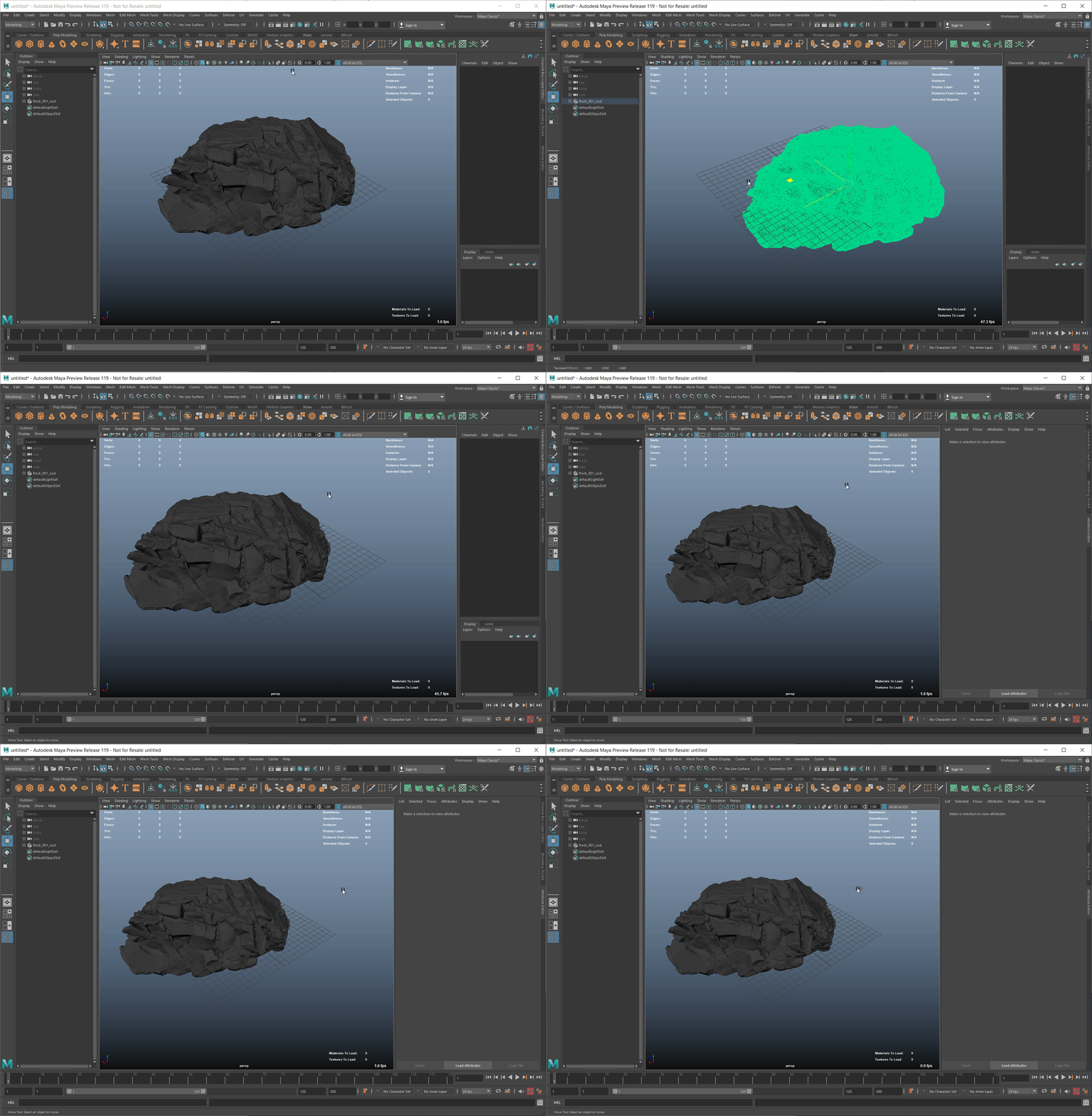
@Xaia Thanks for confirming.
-
The AE delay issue is still there because primvar data display is a major overhead for heavy meshes. Our UFE developer and PD have been considering how to design a better UI approach to hide this issue.
-
The gap on manipulation performance is much larger than I would expect. Last summer when I was working on the dense mesh performance, the gap was like 45fps for USD mesh v.s. 60fps for Maya mesh. @santosg87 , could you help to reproduce the large gap?
I have logged a new issue, as it seems this issue is still there, although we had some improvements made. we can track the other performance drops through that
we have recently tested this issue on the latest Maya release, and this problems seems to be gone.
closing this issue for the time being. if this is still a problem, feel free to log a new issue or re-open this. :)