Autodesk-AutoCAD
Provide a setting about how deep to indent code
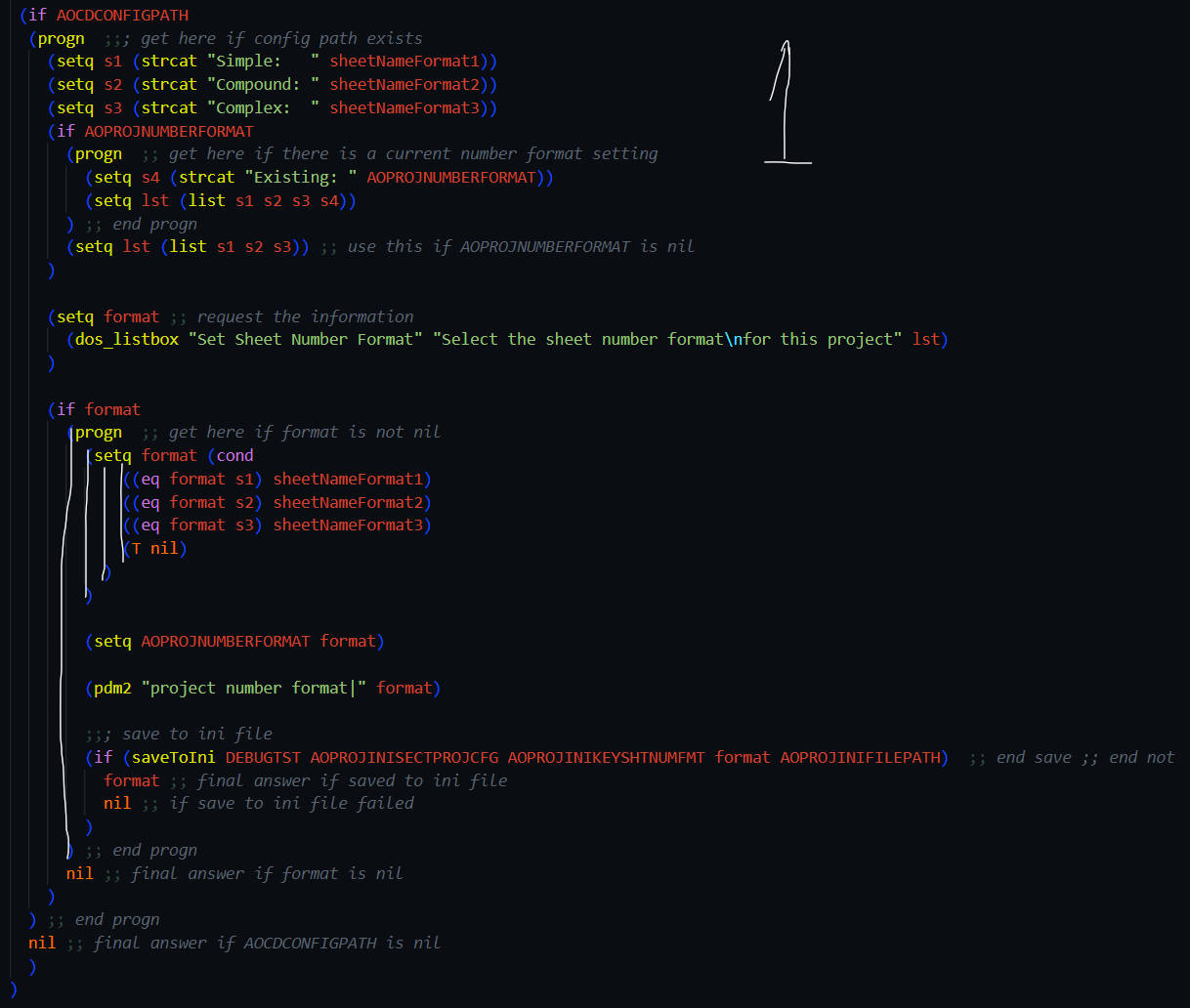
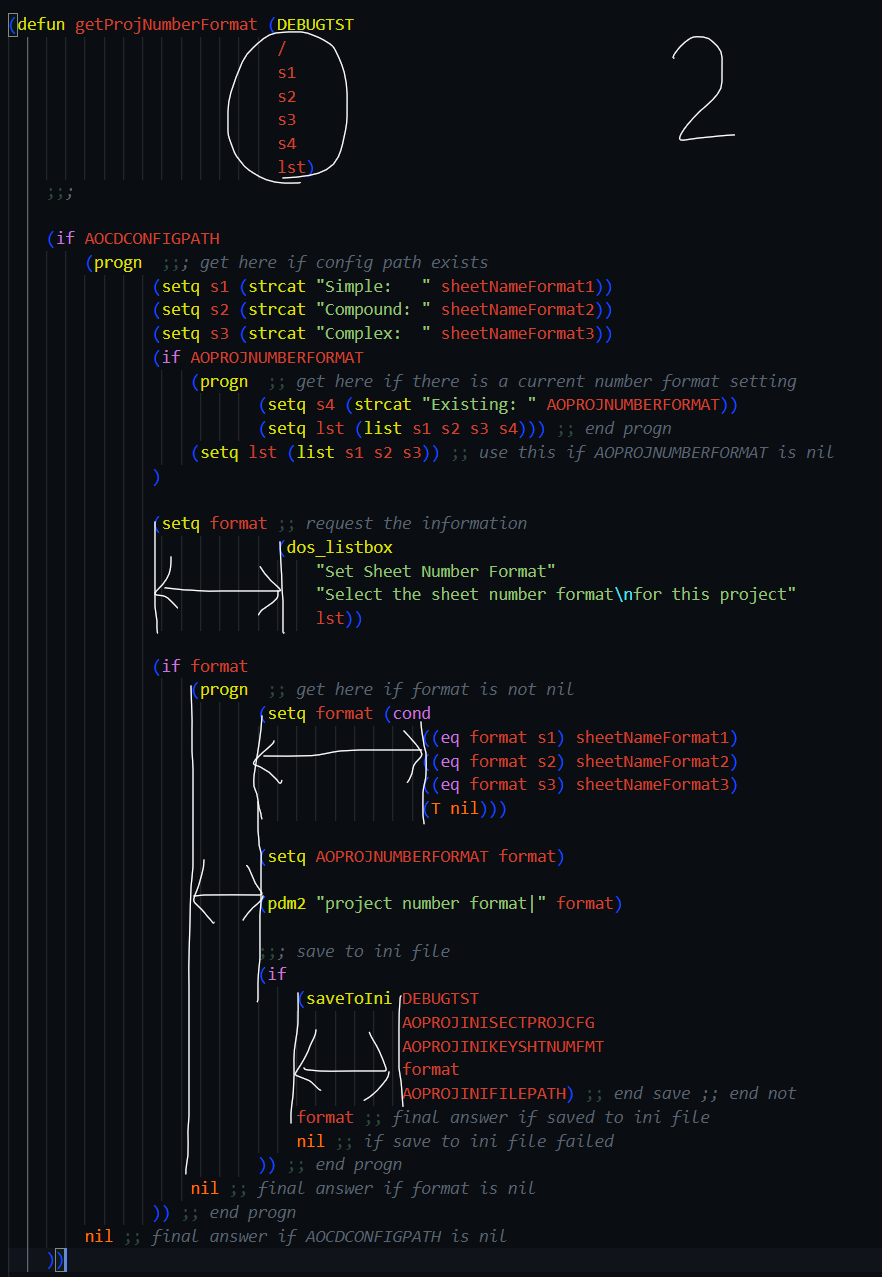
Is your feature request related to a problem? Please describe. Not exactly a problem - just a preference. When the code is formatted, code lines are on a different line but are indented to align with the beginning of the function that the following lines of code are associated with. I feel that subsequent code lines should be indented one extra tab depth from the prior line (even better would be setting that sent the number of tabs indented in from the prior code line. I personally find having code lines extra deeply indented hard to read - even though i understand the reason / basis.
Describe the solution you'd like settings to control how subsequent code lines are indented (to align or not to align) and how many tabs indented and whether to not change the relative depth from whatever the user has indented.
Describe alternatives you've considered No alternatives.
Additional context This is similar to how visual studio + R# works.

Could you paste some pics to describe the issue and the expected behaviors?

sure. attached. image #1 shows basically what I want - although the tabs keep being drawn as 2 spaces and not the 4 I want - I don't know why. Anyway, in image 2, this is after a format selection, everything gets extra indented. I just want I tab depth per indent level (like image 1). Or, at least, a setting that gives me the option.