Aris-t2
Firefox 103.0 broke the css to restore OS accent colors
The css that restores OS accent colors is no longer working as of Firefox 103.0

Sorry, should have been a bit more specific. It's the "./css/toolbars/top_toolbar_OS_accent_colors.css" that is no longer working.
Test this file.
top_toolbar_OS_accent_colors.css
/* Firefox userChrome.css tweaks ********************************************************/
/* Github: https://github.com/aris-t2/customcssforfx ************************************/
/****************************************************************************************/


  :root[sizemode=normal][tabsintitlebar] {
	border-top: 1px solid rgba(0,0,0,.7) !important;
  }
  :root[sizemode=normal][tabsintitlebar][always-use-accent-color-for-window-border]:not(:-moz-window-inactive) {
    border-top-color: -moz-accent-color !important;
  }
  :root[tabsintitlebar]:not(:-moz-lwtheme) {
    background-color: hsl(235,33%,19%) !important;
    color: hsl(240,9%,98%) !important;
  }

  :root[sizemode=normal][tabsintitlebar] {
    border-top: 1px solid -moz-accent-color !important;
  }
  :root[tabsintitlebar]:not(:-moz-window-inactive, :-moz-lwtheme),
  :root[tabsintitlebar]:not(:-moz-window-inactive)[lwt-default-theme-in-dark-mode] {
    background-color: -moz-accent-color !important;
    color: -moz-accent-color-foreground !important;
  }
  :root[tabsintitlebar][lwt-default-theme-in-dark-mode] #titlebar {
    --toolbarbutton-icon-fill: currentColor !important;
    --toolbarbutton-icon-fill-opacity: .7 !important;
  }

It brought color back, but not what I was expecting.
This is from my Firefox ESR, which is what I expect.
This is from your test file.
I presume the test file you sent was meant to be a complete replacement file, which is what I used. Or was the code meant to be incorporated into the existing file?
Yes, the file is a complete replacement.
The code to change colors is the same as before, but the check using media rules is gone, because Mozilla removed it, so I had to drop it too.
https://github.com/Aris-t2/CustomCSSforFx/blob/master/classic/css/toolbars/top_toolbar_OS_accent_colors.css#L6 https://github.com/Aris-t2/CustomCSSforFx/blob/master/classic/css/toolbars/top_toolbar_OS_accent_colors.css#L19
After I compared your test file and the original I noticed the dropping of the media rules.
Do you think you’ll be able to fix the file to inherit the OS color scheme or has that ship now sailed?
The test file is now showing a dark blue accent, but not my selected OS accent which is green. Can this be fixed? Thanks
Looks like Mozilla removed the "proper" way to achieve this.
We can cheat Win 7 AeroGlass code to get accent colors, but it wont offer the same results.
Accent color for windows:
    :root {
      background-color: transparent !important;
      appearance: auto !important;
      -moz-default-appearance: -moz-win-borderless-glass !important;
    }
    #appcontent {
      appearance: auto !important;
      -moz-default-appearance: -moz-win-exclude-glass !important;
    }
Edit
This is the result I get (only tested on Win11 ATM):
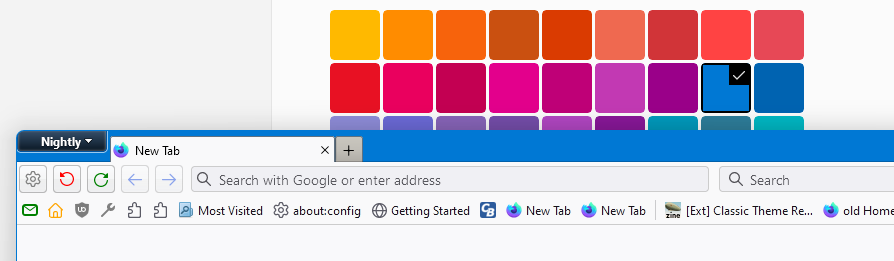
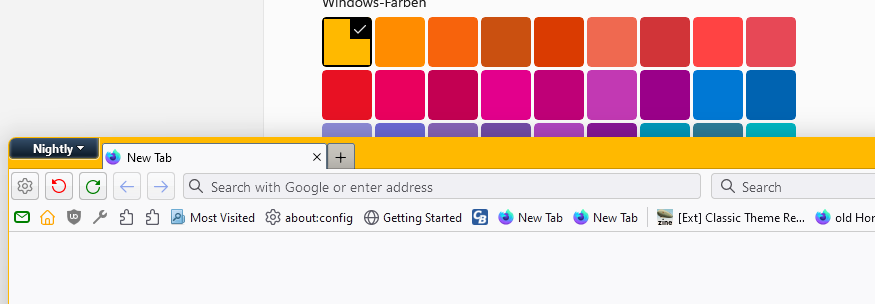
- so is not possible to change this color in other places except in this way?
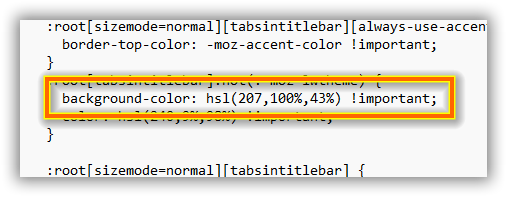
- is there a border here? bigger than the other lines in the window frame? never had. is it normal now to have it? I change "border-top" to 0px, (best method?)
... in text tab, now, i have the grey effect (window not active) I don't remember how I had changed it, may I returning the text as in the foreground (black) can you remember me?
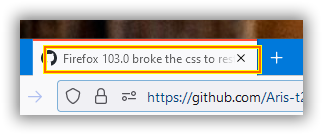
Accent color for windows:
    :root {
      background-color: transparent !important;
      appearance: auto !important;
      -moz-default-appearance: -moz-win-borderless-glass !important;
    }
    #appcontent {
      appearance: auto !important;
      -moz-default-appearance: -moz-win-exclude-glass !important;
    }
where do we need to add this code?

I have not tried tweaking the Aero code as you suggest, but I do have another piece of information to add which may or may not be helpful.
If I open either History or Bookmarks in a separate window, they both open with the OS accent color set correctly to my selected scheme.
I doubt future browser changes will improve the situation here. Switching to top_toolbar_colors.css and dropping top_toolbar_OS_accent_colors.css might be the better solution for now.
My post above missed some screenshots. Now they show the result I'm getting. https://github.com/Aris-t2/CustomCSSforFx/issues/480#issuecomment-1199558397
I doubt future browser changes will improve the situation here. Switching to
top_toolbar_colors.cssand droppingtop_toolbar_OS_accent_colors.cssmight be the better solution for now.
in the top_toolbar_colors.css, I have " --top_toolbars_background: #0063b1;" ok the color is 0063b1

but If I want to change color... no effect modifying the " --top_toolbars_background: #0063b1;"
I should probably also mention that I had been using your 4.0.7 chrome files up through Firefox 102 and the OS accent color had been working just fine. It’s when I upgraded to Firefox 103 this morning that the accent color got dropped. I then upgraded to your 4.2.0 set of files thinking that would fix the issue, but alas, no.
@gabri25ele
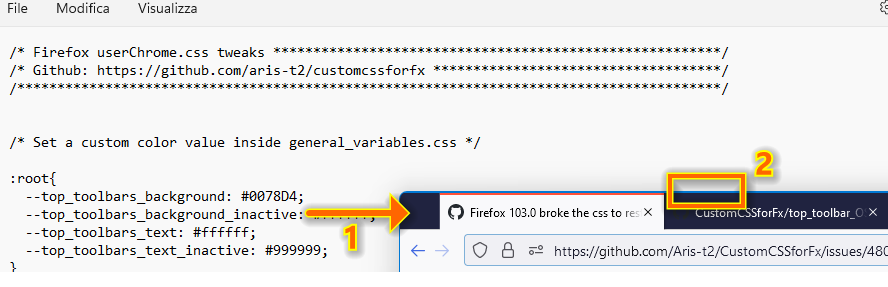
Variables used inside top_toolbar_colors.css can be modified inside general_variables.css, if the complete CustomCSSforFx package is used.
@noresk1
top_toolbar_OS_accent_colors.css does not work anymore the way it did in Fx 102 and earlier. Switch to top_toolbar_colors.css and set own custom colors.
top_toolbar_OS_accent_colors.css only "semi-works", if titlebar colors are set within Windows settings. (Might not work with every Windows version, tested on Win11 only atm.)
@gabri25ele Variables used inside
top_toolbar_colors.csscan be modified insidegeneral_variables.css, if the complete CustomCSSforFx package is used.
it is not necessary to modify the top_toolbar_colors.css, if we have the general_variables.css, because is the general_variables.css that rules?
Exactly, if you use the full package, most variables are set inside general_variables.css. You can remove general_variables.css for variables from files like top_toolbar_colors.css to become active.
The idea behind this was making everything more portable without the need to edit files inside css folder.
Even though this is marked closed, I thought I would add info on what I did to work around the issue. Take it for what it's worth, but this still works in your latest release of CSS tweaks (4.2.7v5)
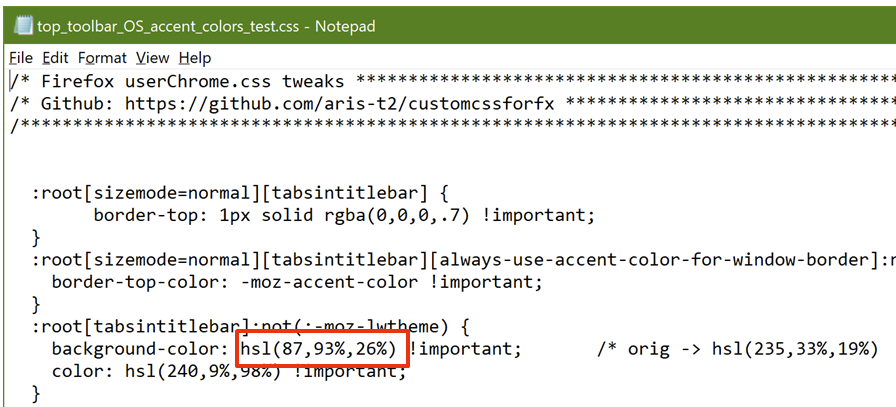
Windows OS Accent Colors used by Firefox CSS Color is displayed in ABGR format; need to extract the BGR info and translate to HSL in order to insert proper values into Firefox Chrome CSS file
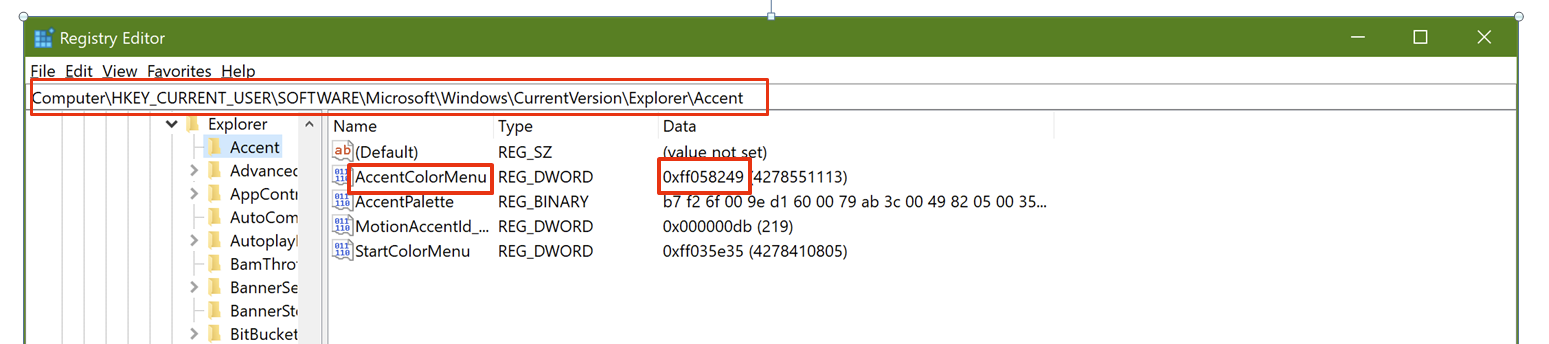
As shown above, accent color is 058249 (BGR format) Translate this value to RGB -> 498205; take this value and use a site such as www.encycolorpedia.com to obtain the HSL equivalent,

which in this case is 87,93%,26% now take this value and replace the hsl values in the file “top_toolbar_OS_accent_colors”which is found in css\toolbars in my case, I added “_test” to that file name