ArcadeRenegade
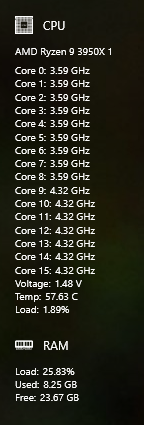
AMD 3950x only shows 8 cores instead of 16 for clock.
I am an android developer, never done anything with Windows though. If I can help let me know. Maybe point me in the right direction lol.
1. Your Operating System Windows 10 pro
2. App Version latest
3. Any Relevant Settings CPU
4. Steps to Reproduce Enable CPU

Can you please run LibreHardwareMonitor and take a screenshot of your our cpu metrics in it?
On Sun, Apr 12, 2020, 5:55 PM apophis9283 [email protected] wrote:
I am an android developer, never done anything with Windows though. If I can help let me know. Maybe point me in the right direction lol.
1. Your Operating System Windows 10 pro
2. App Version latest
3. Any Relevant Settings CPU
4. Steps to Reproduce Enable CPU
— You are receiving this because you are subscribed to this thread. Reply to this email directly, view it on GitHub https://github.com/ArcadeRenegade/SidebarDiagnostics/issues/288, or unsubscribe https://github.com/notifications/unsubscribe-auth/ADJ3NUXOTMD2QWLPFTFUPCTRMJPIHANCNFSM4MGUCZXQ .


Also Ive checked every location, I know of. They all show that it is 16-core/32 thread
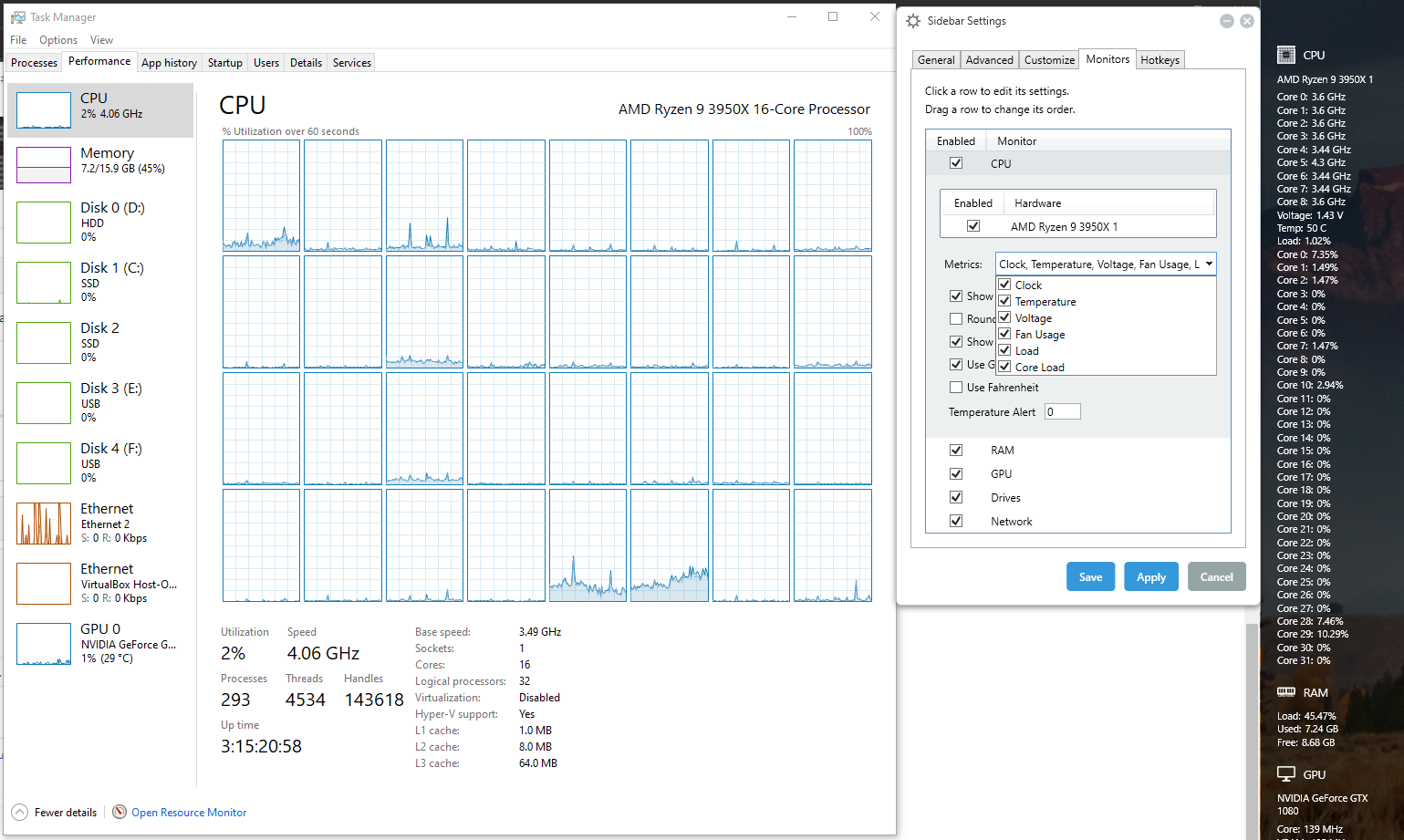

Same. Running version v3.5.6 and my Ryzen 3900X is only showing 8 cores

Can you run the latest version of LibreHardwareMonitor and see if it happens there.
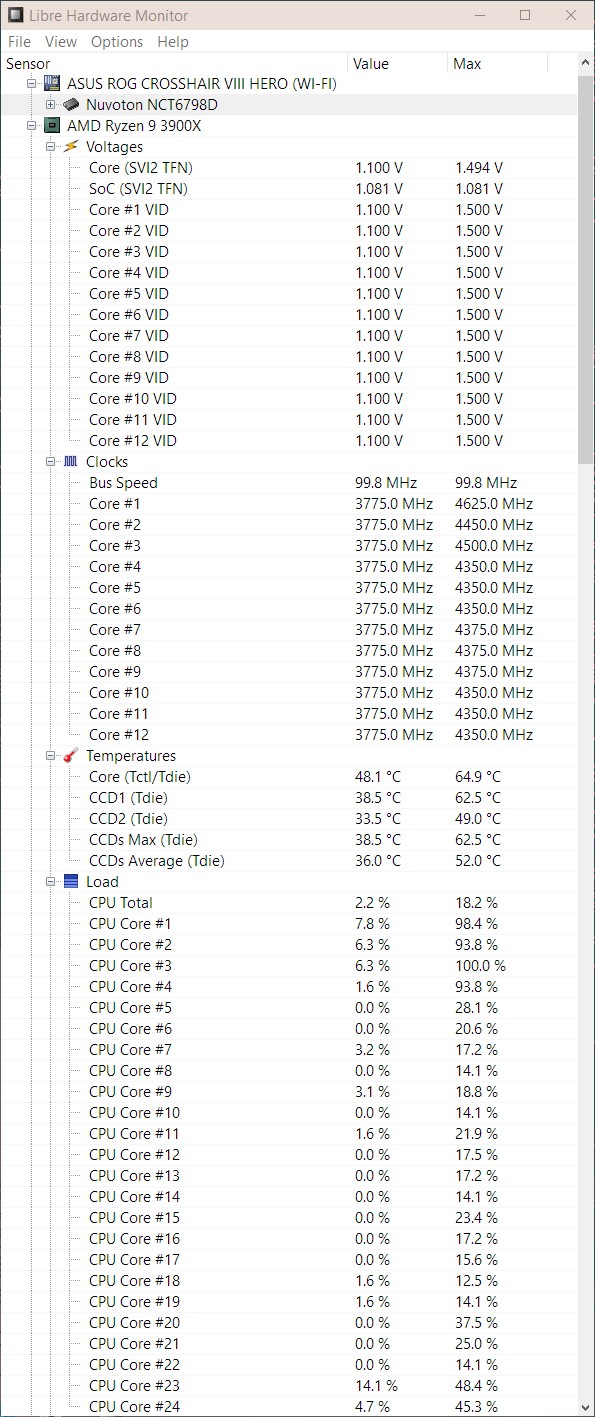
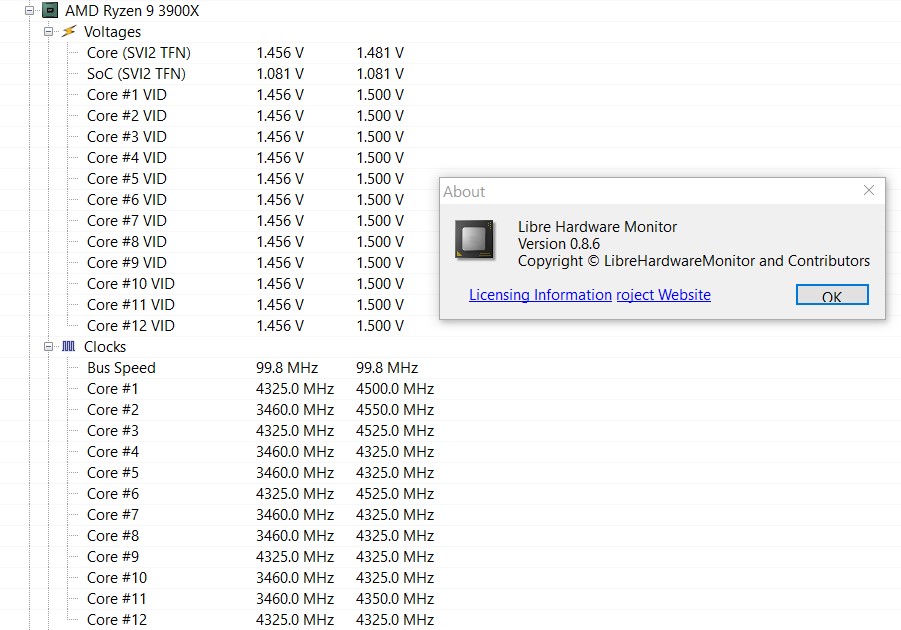
Thx. Looks like LibreHardwareMonitor is only finding 12 clock speeds for some reason
Could you please try this build and let me know if it works?
I've run the release you provided but unfortunately, I'm still seeing the same problem as the newer release.
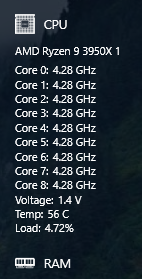
LibreHardwareMonitor 0.8.6 seams to have this fixed. https://github.com/LibreHardwareMonitor/LibreHardwareMonitor/releases
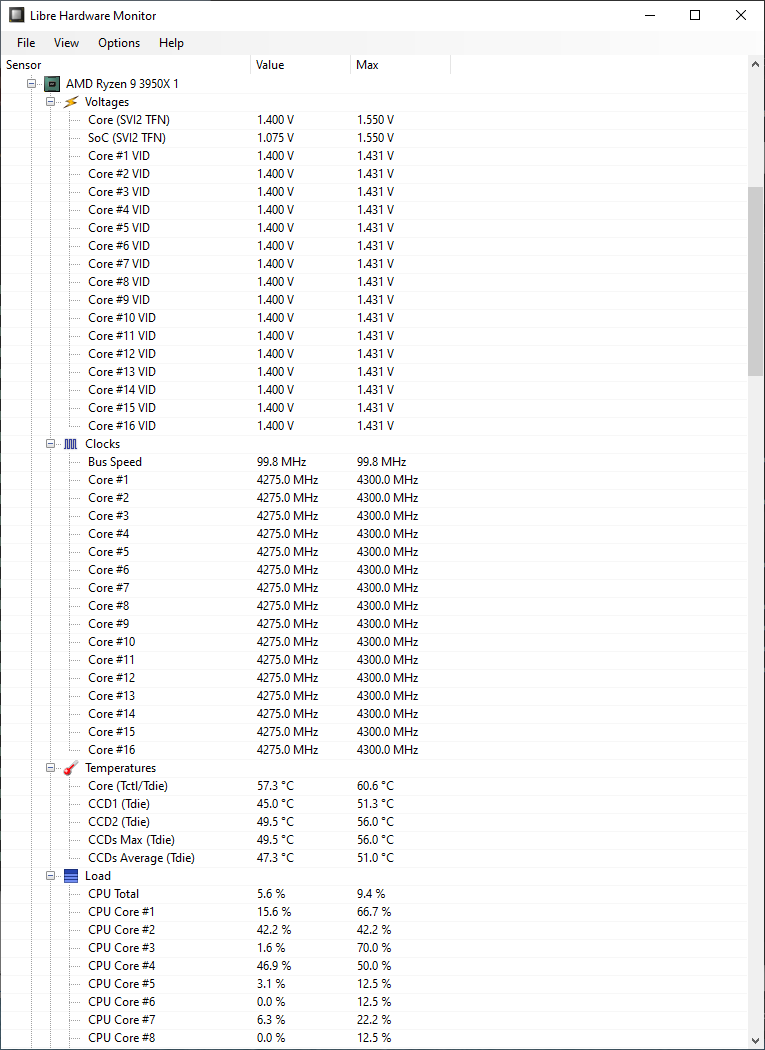
Great! How can do I update only the LibreHardwareMonitor 0.8.6 portion of SidebarDiagnostics installation? Thanks
Thanks @ArcadeRenegade. I've removed v.3.5.6 and installed only the release you provided and unfortunately, there was no difference (screenshot attached).
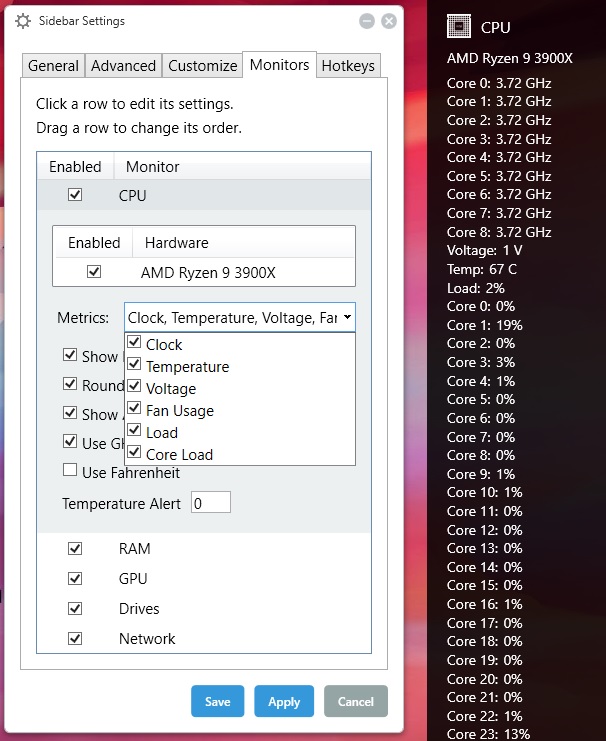
The zip I uploaded above is not a release, it is just a compiled version of the program w/ the new commits from LibreHardwareMonitor. It doesn't have an installer, just need to extract the zip and run SidebarDiagnostics.exe
Right, sorry if my message was confusing. I uninstalled the previous version so it didn't interfere with your updated version. I then unzipped your updated version and ran it in order to see if there was a change, unfortunately it still has the same problem. Unless I'm missing a step or something else on my end? I appreciate you following up and trying to fix this.
The zip I uploaded above is not a release, it is just a compiled version of the program w/ the new commits from LibreHardwareMonitor. It doesn't have an installer, just need to extract the zip and run SidebarDiagnostics.exe
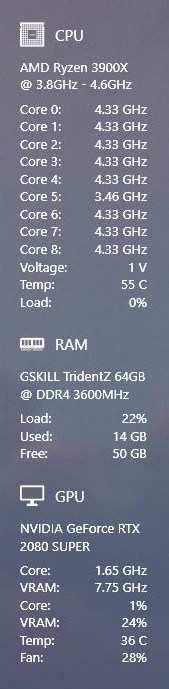
I've updated it to 3.5.7, thank you. Unfortunately, I still have the same issue, I can only see 9 out of the 12 cores for my 3900X. I've attached a screenshot.
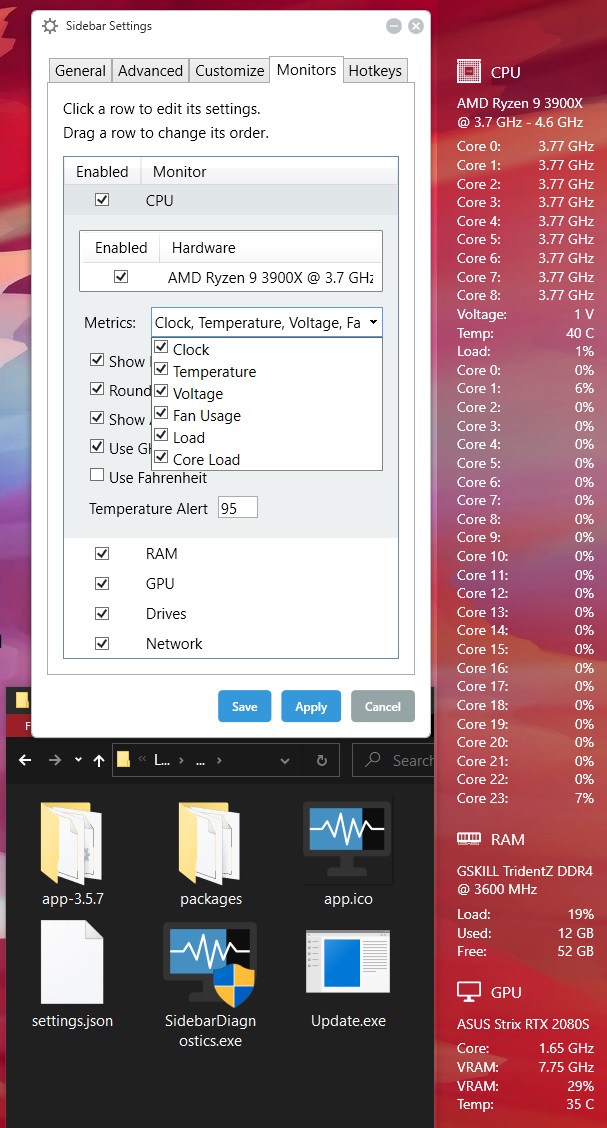
Hi @ArcadeRenegade, I ran the latest version of LibreHardwareMonitor and yes it does show all of my cores under the CLOCKS category. I've attached a screenshot for reference.
It was a silly regex bug... Could you please unzip this and run SidebarDiagnostics.exe and let me know if it is fixed? Thanks.
Well @ArcadeRenegade, I have downloaded your file, unzipped it, and ran SidebarDiagnostics.exe and all I can say is............................. IT'S FIXED!!! :) Thank you for all your hard work!
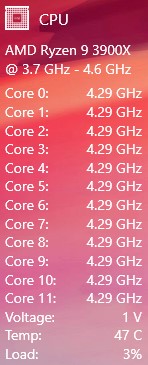
The release works for me as well on my 3950X. I have it unpacked in the directory as 3.5.8 instead of overwriting the 3.5.7 directory.